28
Recording/playing back a song
(2) Select the song to record
When the memory card contains more than one song, the
song that was recorded last is automatically selected.
To record a new song, follow the procedure given below.
Recording a new song
About data types
When you record a new song, the BR-532 allows you to set
the data type. This enables you to select the combination of
audio quality and recording time that is most suitable for the
material you are recording. The following data types can be
selected.
* The data type of a song cannot be changed after it is created.
HiFi (MT2) (multitrack 2):
For high-quality recordings. This data type is
recommended when you will be doing a lot of track
bouncing. Normally you should select this type.
STANDARD (LV1):
For recordings that will take longer than what can be
provided with the MT2 data type. This data type is
useful for when there is little space remaining on the
memory card, or when recording live performances.
LONG (LV2):
Of the three data types, this provides the longest
recording time.
Recording time
The recording times possible for each data type on one
memory card are given below (when recording one track).
* The recording times shown above are approximate. Depending
on the number of songs, the allowable recording time may
decrease.
* The recording times shown above are for when only one track is
used. For example, if you record on all four tracks, the recording
time for each track will be 1/4th of the time shown above.
* The SmartMedia memory cards supported by your BR-532 are
16 to 128 MB SmartMedia cards for use with a 3.3 V power
supply voltage.
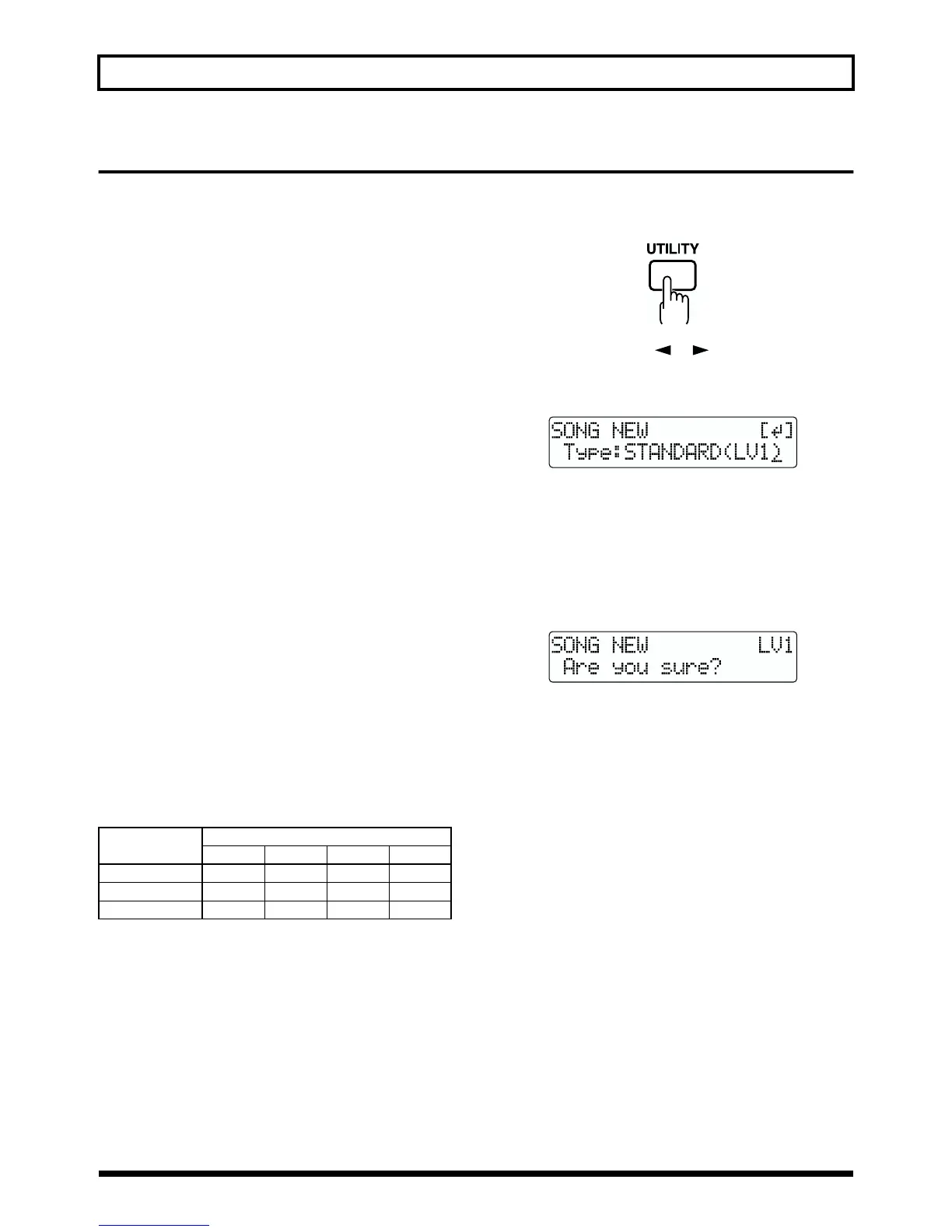
<Procedure>
1. Press [UTILITY].
fig.Q01-08
2. Press PARAMETER [ ] [ ] to move the cursor to
“NEW,” and press [ENTER].
“Type” appears in the display.
fig.Q01-14a
3. Turn the TIME/VALUE dial to select the desired data
type.
* The BR-532 uses a sample rate of 44.1 kHz. It is not possible to
change the sample rate.
4. Press [ENTER].
“Are you sure?” appears.
fig.Q01-15
5. Press [ENTER].
When the new song is ready, you are returned to the
Play page.
Data type
Recording time (times approximate)
16 MB 32MB 64 MB 128 MB
HiFi (MT2) 8 min. 16 min. 32 min. 65 min.
Standard(LV1) 9 min. 19 min. 39 min. 78 min.
Long (LV2) 12 min. 24 min. 49 min. 98 min.



 To Next Page