74
Search for the music’s start and end (Scrub/Preview)
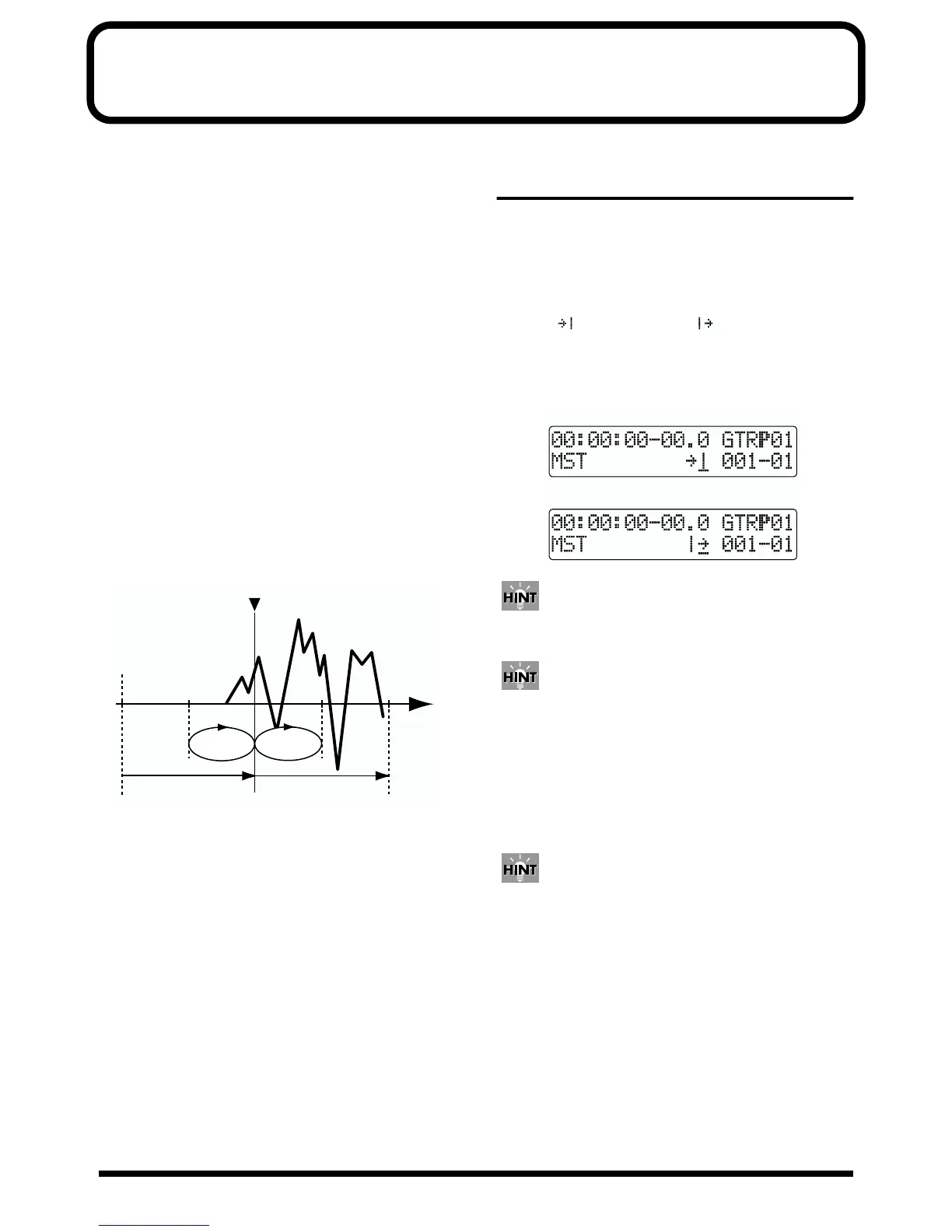
Scrub Function
When editing a sound, some times you need to know exactly
where the sound starts, or exactly where the recording with
an auto punch in starts.
To enable you to find these points accurately, the BR-532 is
equipped with the Scrub Function. When you use the Scrub
Function during playback (called “scrubbing”), the portion
from your current position to a position just behind (45 msec)
is played back and repeated. By combining this with the
Preview function, you can scrub the portion of the song from
your current position to a position slightly before (1.0 sec) so
you can check segues between phrases (p. 75)
Preview Function
With the Preview Function, you can playback the one-second
portion of the song before or after your current position. By
using this together with the Scrub Function, at the same time
slowly moving your current position in the song, it becomes
easy to find the exact transition point from one phrase to the
next. For details on how to use the Scrub and Preview
function together, refer to “Using Scrub and Preview to find
the music ending point” (p. 75).
fig.R15-01a
Scrubbing to find the music
starting point
1. Hold down [STOP] and press [PLAY].
The [PLAY] indicator begins flashing and scrubbing
starts.
At this time, the master level meter appears in the
display.
The “ ” (SCRUB TO) and “ ” (SCRUB FROM)
displayed at the TEMPO position in the screen are the
scrub points with respect to the current position.
See the next section for how to change the scrub points.
fig.R15-01b
When the cursor is set under the scrub point, it is
possible to change scrub point by TIME/VALUE dial.
When the REC TRACK button is pressed, it begins
flashing, and the sound on that track is muted.
2. Slowly turn the TIME/VALUE dial to move the current
position and search for the starting point of the phrase
(e.g., where sound is first emitted).
3. After you find the exact point where the music starts,
press [STOP] to stop scrubbing.
You can now press [LOCATOR] to register a locator
point so that you can find the point easily later.
SCRUB
TO
Time
NowTime
PREVIEW
TO
PREVIEW
FROM
Sound Data
SCRUB
FROM
SCRUB TO
SCRUB FROM



 To Next Page