13
Introduction to the BR-532
Memory cards supported by
your BR-532
The BR-532 uses SmartMedia cards as the storage media for
recording and playback.
The BR-532 uses 16 to 128 MB SmartMedia cards with a 3.3 V
power supply.
SmartMedia cards are available at your nearest
computer or digital camera shop.
* The Roland S2M/S4M-5 cannot be used.
Formatting the memory card
(SmartMedia)
SmartMedia cards bought at a computer shop, or ones
previously used with a digital camera cannot be used as is
with the BR-532.
These SmartMedia cards must first be initialized for use with
the BR-532.
For more details regarding initializing, see p. 27, 61.
* SmartMedia is a trademark of Toshiba Corporation.
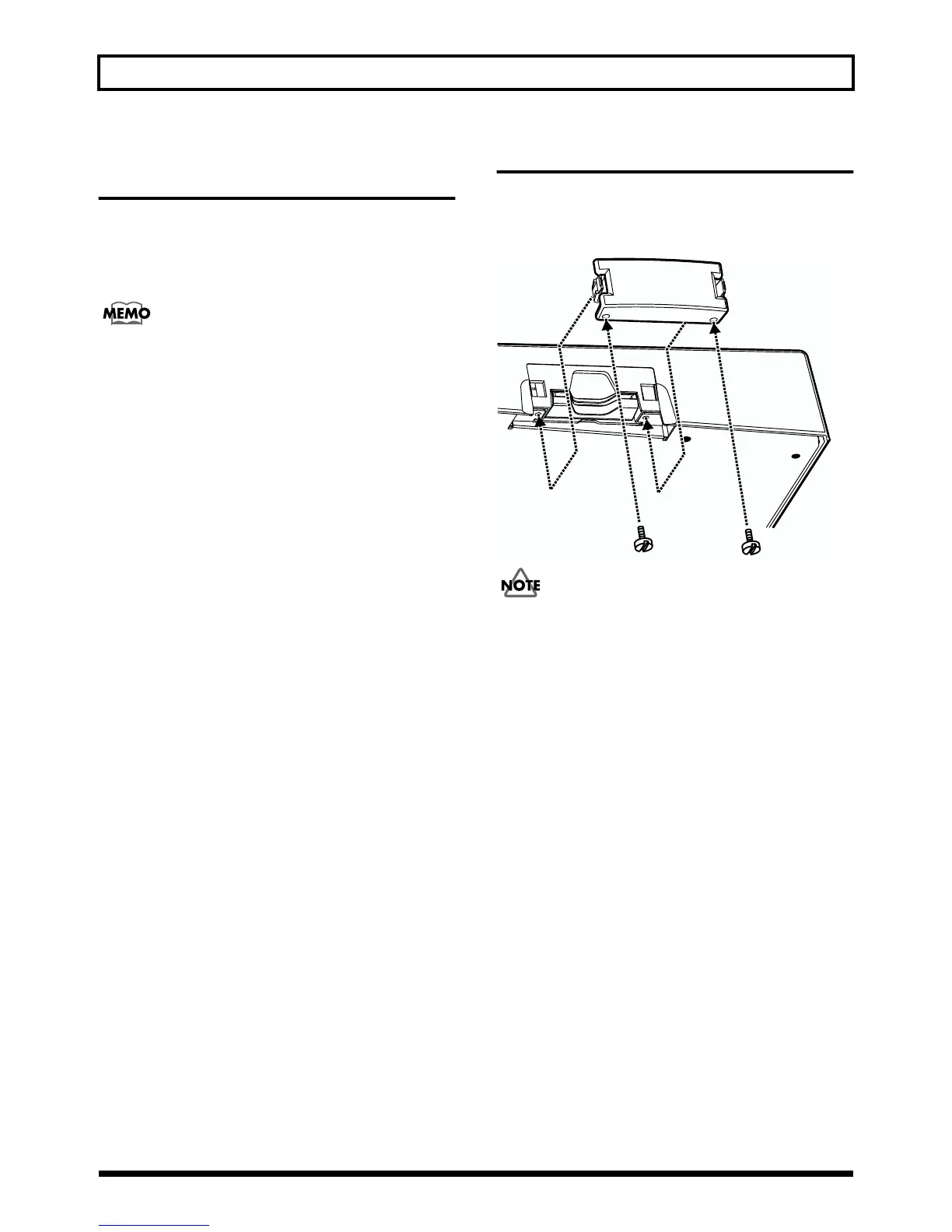
Remove the Card Cover
When removing the card cover, first remove the two screws
that hold the card cover on the bottom of the unit using a
coin or screwdriver.
fig.00-10
Should you remove the screws, make sure to put them in
a safe place out of children’s reach, so there is no chance
of them being swallowed accidentally.



 To Next Page