82
Using the loop effects
Here is an explanation of how to change the various
parameters for the loop effects (chorus/doubling/reverb).
For an explanation of loop effects, refer to “What is a
loop effects?” (p.42).
Loop effects do not have “patches.” Loop effect settings
are saved along with the song data.
If you want to save the settings in the currently
selected song, hold down [STOP], and press [REC].
Selecting the loop effect
* You cannot use the chorus, doubling, and reverb effects
together. You must choose only one.
1. Press [LOOP EFFECTS].
2. Press PARAMETER [ ] [ ] to display “Fx Type.”
fig.R19-01
3. Turn the TIME/VALUE dial to select “CHORUS,”
“DOUBL’N,” or “REVERB.”
4. To change the settings for the selected effect, press
PARAMETER [ ] [ ] to select the parameter and
turn the TIME/VALUE dial to change the set value.
fig.R19-02
For a description of the parameters for each effect, refer
to “Loop Effect Parameter Functions” (p. 85).
5. When you finish making settings, press [EXIT] several
times to return to the PLAY page.
Adjusting how the loop effect is applied
The following explains how you can alter the volume of the
signals sent by each track to the loop effects (the send level),
and control the degree to which the loop effects are applied.
1. Press [LOOP EFFECTS].
2. Press PARAMETER [ ] [ ] to select the screen for
setting the send level of each track appears.
fig.R19-03
3. Press PARAMETER [ ] [ ] to move the cursor,
and turn the TIME/VALUE dial to adjust the send level
for each track.
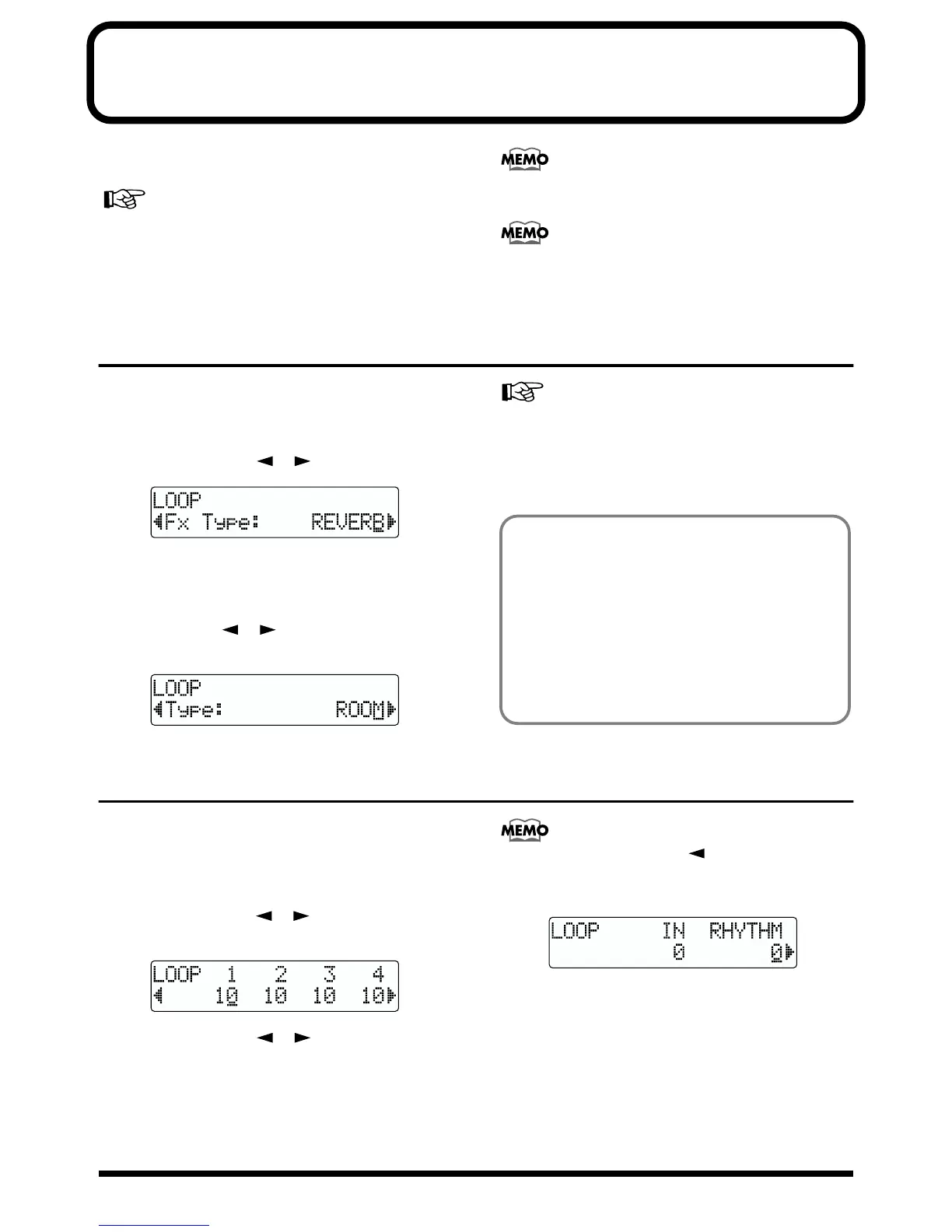
By pressing PARAMETER [ ], you can display the
screen for setting the input source and rhythm guide
send levels.
fig.R19-04
To adjust the send level for the input source, move the
cursor to “IN.” To adjust the send level for the rhythm
guide, move the cursor to “RHYTHM.” The setting is
adjusted by turning the TIME/VALUE dial to the
desired value.
4. After you have completed adjusting the send level,
press [EXIT] repeatedly to return to the Play screen
Doubling
When you want to spread out the guitar backing sound
to the left and right, record the same guitar backing
separately to two tracks, then pan the sounds to the left
and right. This is known as “doubling.”
By using the “DOUBL’N” loop effect, you can produce a
doubling effect even from a single-track (monaural)
recording, allowing you to make more efficient use of
the tracks.



 To Next Page