48
Re-recording only a mistake—Punch-in/out
Repeatedly Recording Over the
Same Location (Loop Recording)
The repeat function (p. 38) allows you to play a certain
portion of a song (the loop portion) over and over again.
If you used auto punch in/out together with the repeat
function, the portion will be repeated so the result of the
recording can be heard right away.
If the recording did not sound as you wished, simply press
[REC] and redo the recording.
Using the repeat function and auto punch in/out together in
this manner to repeatedly perform recording is known as
“loop recording .”
* For details on how to set the portion where recording will occur
(the portion between the punch-in and punch-out positions),
refer to “Auto punching in and out” above.
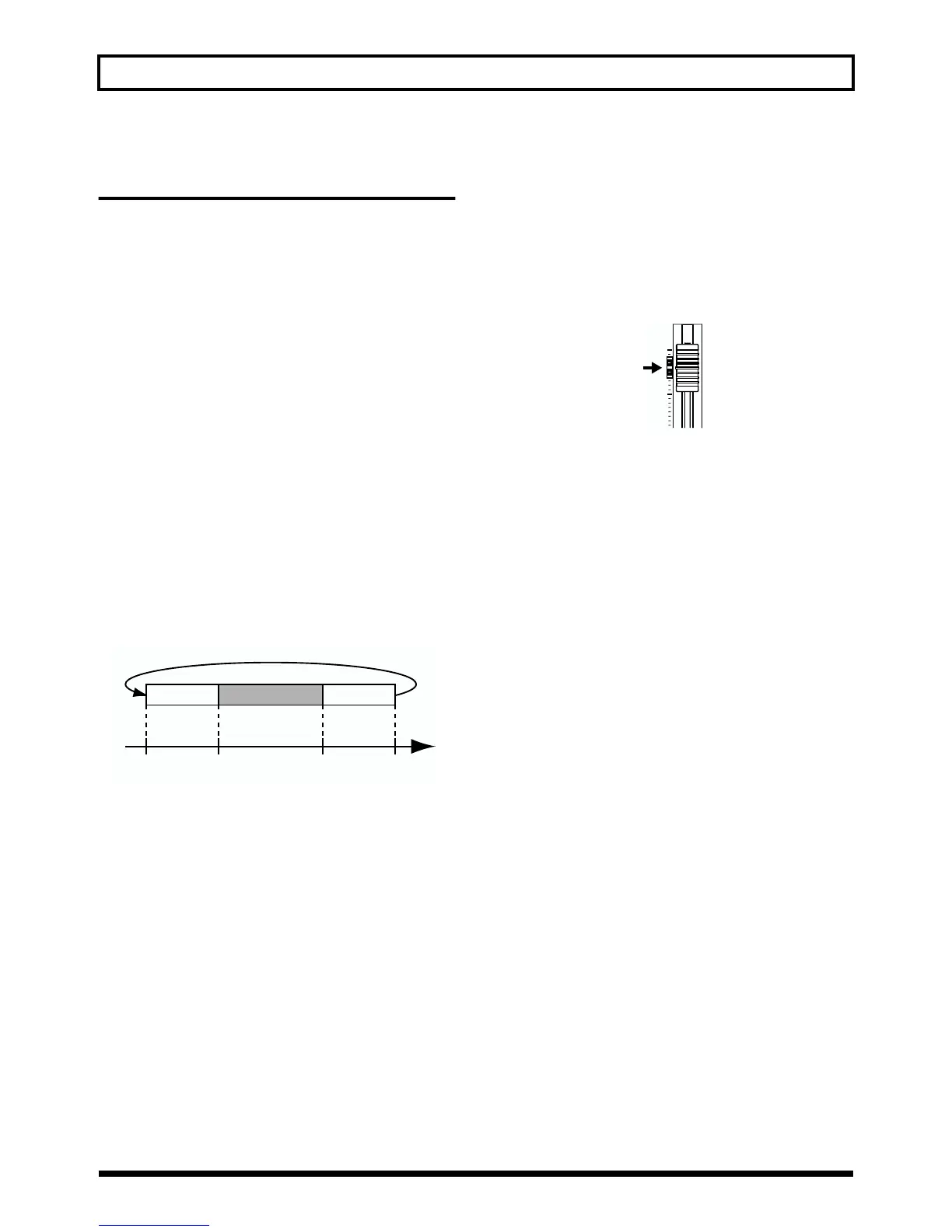
Setting the portion to be repeated
Before you begin recording, you will need to set the starting
and ending position of the portion to be repeated.
* The portion to be repeated should contain the portion that you
wish to re-record (the portion between the punch-in and
punch-out points).
fig.R06-07
If the portion to be re-recorded is not fully contained in the
repeat portion, the recording may not start or end as desired.
How to Record
As an example of use, the explanation below assumes you
are using the auto punch in/out to re-record a portion of
track 1, which is a track to which you have already recorded.
1. Press REC TRACK [1].
REC TRACK [1] lights alternately in orange and green.
2. Place the fader for track 1 at the location shown below.
fig.R06-02
3. Use the repeat function to repeat the playback of the
song and adjust the volume of the input source using
the INPUT LEVEL knob.
Listen to the track you will be re-recording and the input
source and adjust the volume of the input source so that
it is the same level as the track.
4. Press AUTO PUNCH [ON/OFF].
The indicator lights, showing that the auto punch in and
out have been set.
5. When you are ready to record, hold down [REC] and
press [PLAY] to begin recording.
After you press [REC], you can record from the time the
first punch-in is reached until the time the punch-out is
reached. Re-record the portion as desired.
When the song is repeated, you can check the result of
what you just recorded. If the recording is not
satisfactory, press [REC] and perform the recording
again.
6. Press [STOP] to stop recording.
* During automatic updating, “Keep Power On!” appears in the
upper line of the display, while the lower line shows what is
being processed.
7. Press [REPEAT] to make the button indicator go dark.
8. Press AUTO PUNCH [ON/OFF] to make the indicator
go dark.
PlaybackPlayback
Repeat
Repeat Start
(A)
Punch-In Punch-Out Repeat End
(B)
Time
Recording



 To Next Page