51
Editing the performance on a track (Track Editing)
Advanced Use
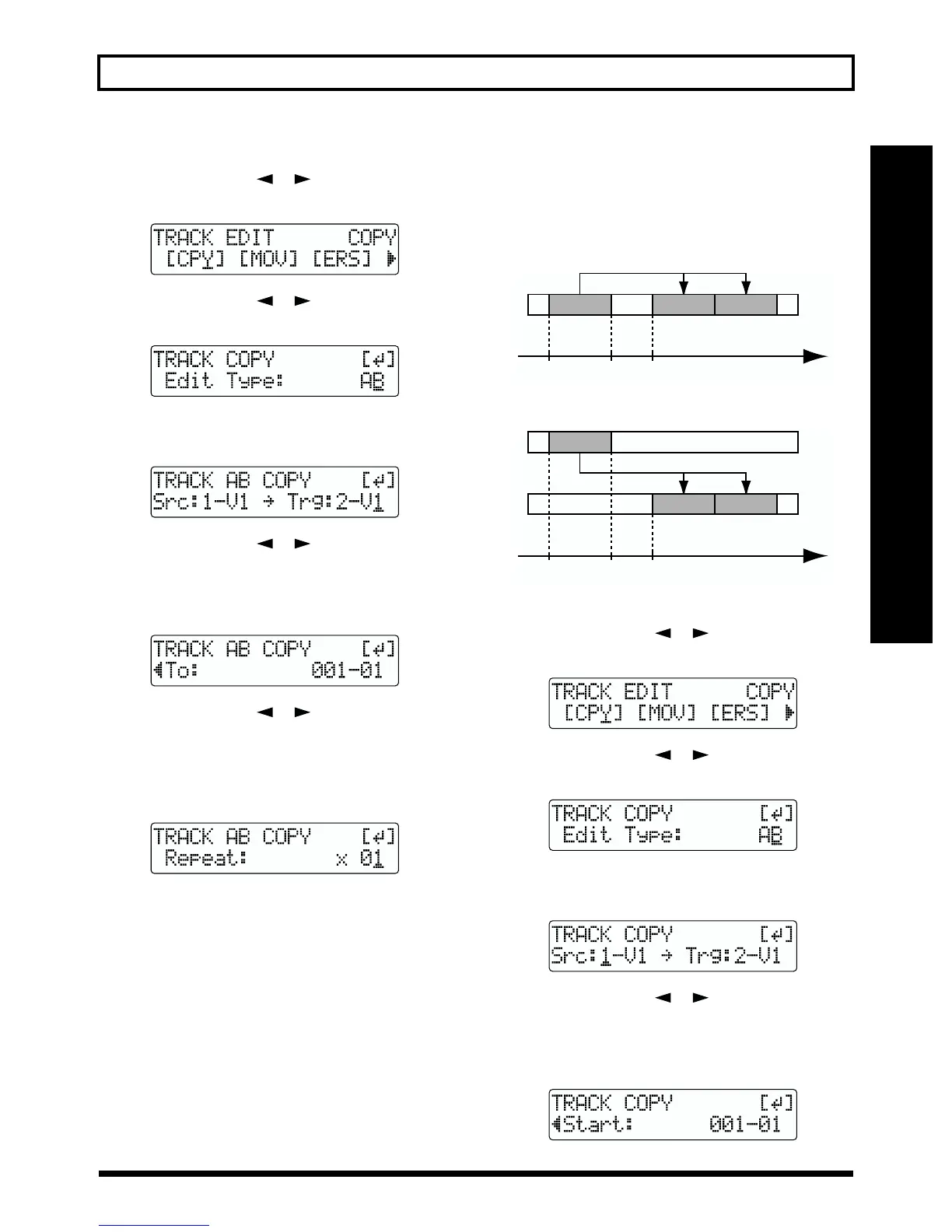
1. Press [UTILITY].
2. Press PARAMETER [ ] [ ] to move the cursor to
“TRK,” and press [ENTER].
fig.R08-02
3. Press PARAMETER [ ] [ ] to move the cursor to
“CPY,” and press [ENTER].
fig.R08-03
4. Turn the TIME/VALUE dial to select “AB” and press
[ENTER].
fig.R08-04
5. Press PARAMETER [ ] [ ] to move the cursor,
and turn the TIME/VALUE dial to select the track/V-
Track to copy from, and track/V-Track to copy to.
6. Press [ENTER].
fig.R08-05
7. Press PARAMETER [ ] [ ] to move the cursor,
and turn the TIME/VALUE dial to specify the time of
the beginning of the location where you want the
copied data to be placed.
8. Press [ENTER].
fig.R08-06
9. Turn the TIME/VALUE dial to select the number of
copies you want to be placed.
10.When you are ready to execute the copy, press
[ENTER].
The display will ask “Are you sure?,” so that you can
confirm the operation.
11.Press [ENTER].
The copy is executed.
12.Press [EXIT] several times to return to the Play page.
Copying by specifying the time
(TIME/MES)
Perform the procedure given below to copy the portion
between specific times.
Ex. 1: Copying twice to the same track
fig.R08-07a
Ex. 2: Copying twice to another track
fig.R08-07b
1. Press [UTILITY].
2. Press PARAMETER [ ] [ ] to move the cursor to
“TRK,” and press [ENTER].
fig.R08-02
3. Press PARAMETER [ ] [ ] to move the cursor to
“CPY,” and press [ENTER].
fig.R08-03
4. Turn the TIME/VALUE dial to select “TIME/MES” and
press [ENTER].
fig.R08-08
5. Press PARAMETER [ ] [ ] to move the cursor,
and turn the TIME/VALUE dial to select the track/V-
Track to copy from, and track/V-Track to copy to.
6. Press [ENTER].
fig.R08-09
START END TO Time
START END TO Time



 To Next Page