47
Re-recording only a mistake—Punch-in/out
Advanced Use
If you want to punch in/out at a locator point, press
[LOCATOR] to move to the locator point, and press
AUTO PUNCH [IN] or AUTO PUNCH [OUT].
Erasing a registered auto punch
in/out location
■ To erase an auto punch-in location, press and hold
AUTO PUNCH [ON/OFF] and then press [IN].
■ To erase an auto punch-out location, press and hold
AUTO PUNCH [ON/OFF] and then press [OUT].
When the settings are erased, the AUTO PUNCH [ON/OFF],
[IN], and [OUT] indicators go out.
If you want to save the settings in the currently selected
song, hold down [STOP], and press [REC].
How to Record
As an example of use, the explanation below assumes you
are using the auto punch in/out to re-record a portion of
track 1, which is a track to which you have already recorded.
1. Press REC TRACK [1].
REC TRACK [1] lights alternately in orange and green.
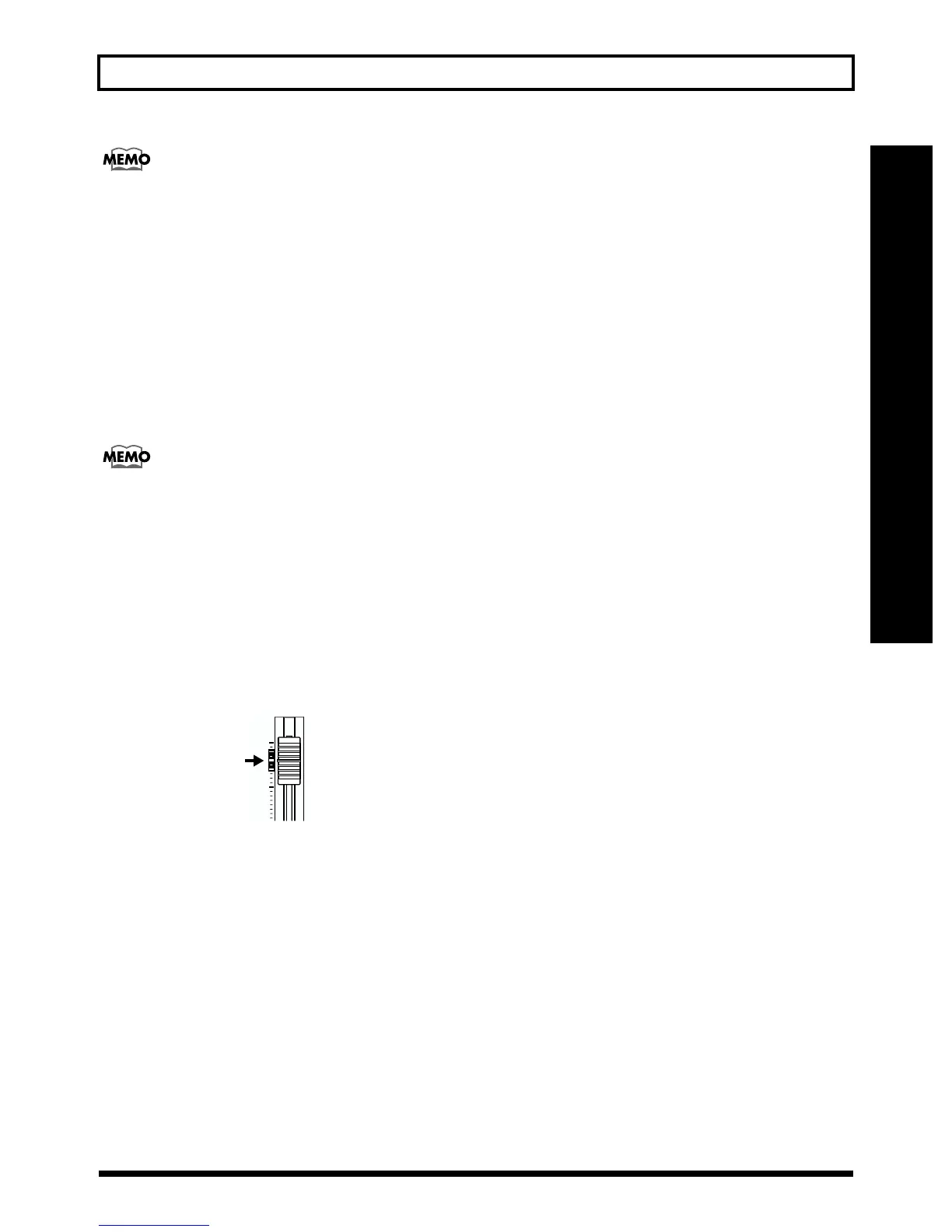
2. Place the fader for track 1 at the location shown below.
fig.R06-02
3. Make sure that the AUTO PUNCH [ON/OFF] indicator
is dark.
If it is lit, press AUTO PUNCH [ON/OFF] to make the
indicator go dark.
4. Start playback and adjust the volume of the input
source using the INPUT LEVEL knob.
Listen to the track you will be re-recording and the input
source and adjust the volume of the input source using
the INPUT LEVEL knob so that it is the same level as the
track.
5. Move to a position before where you want to start re-
recording and press AUTO PUNCH [ON/OFF].
The indicator lights up, showing that the auto punch in
and out have been set.
6. Press [REC] to place the BR-532 in recording standby
and then press [PLAY].
Recording automatically starts at the auto punch-in
location, so start playing what you want to record.
At the point you specified for punch-out, the track will
automatically change back to play mode.
7. Press [STOP] to stop recording.
* During automatic updating, “Keep Power On!” appears in the
upper line of the display, while the lower line shows what is
being processed.
8. Listen to the re-recorded results.
Return the song to a point earlier than you re-recorded,
and play it back.
Adjust the volume of track 1 using the TRACK fader.



 To Next Page