35
Recording/playing back a song
Quick Start (Recording/playing back a song)
(7)
Playing back recorded music
Playback
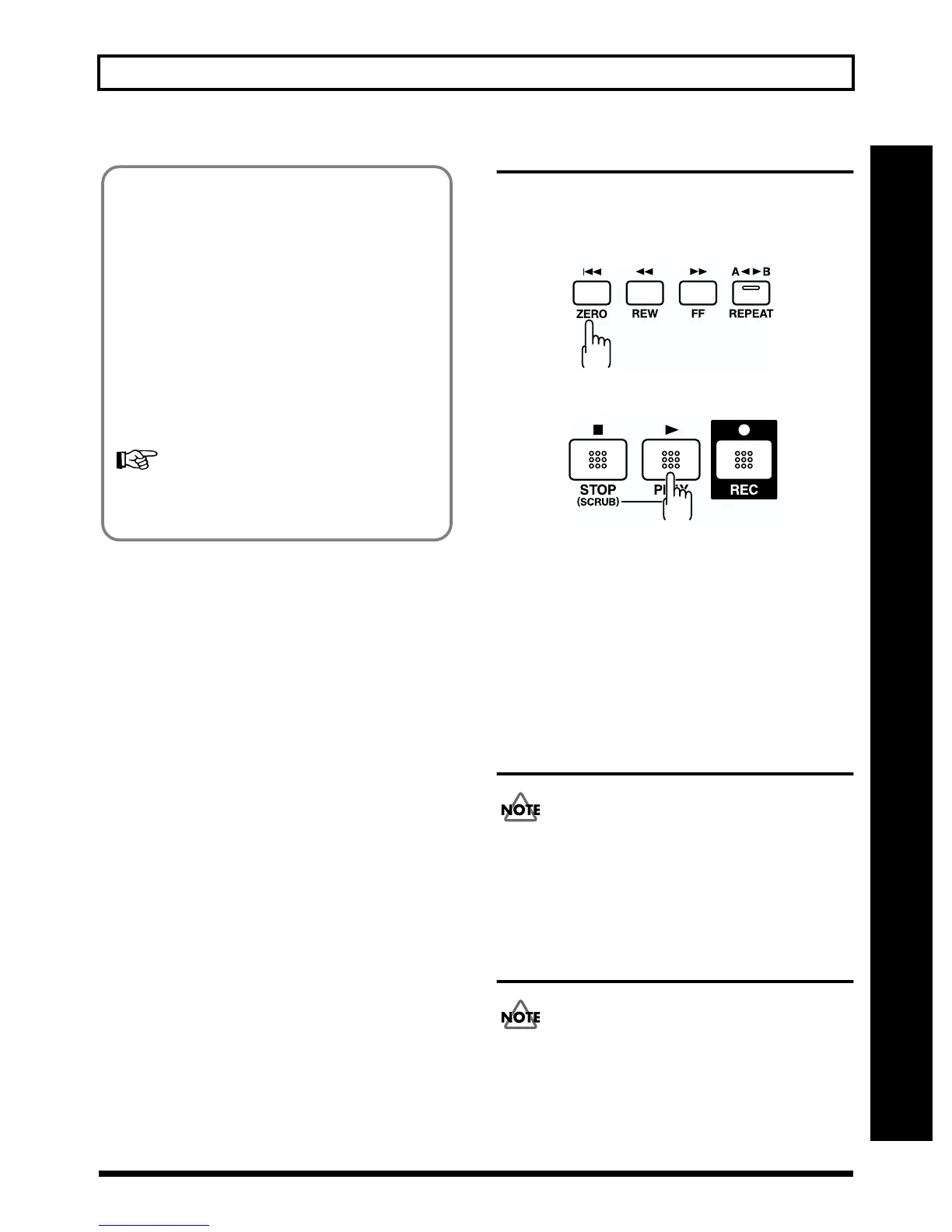
1. Press [ZERO] to return to the start of the song.
fig.Q01-60
2. Press [PLAY].
fig.Q01-14
The song will begin playing back. At this time, the REC
TRACK button for the recorded tracks will light
alternately in orange and green, to tell you which tracks
are being played back.
Adjusting the volume of each track
Use the TRACK faders to adjust the volume separately for
each track.
(8) Turning off the power
Before you turn off the BR-532, make sure to first stop
any recording. If the BR-532 is turned off during
playback, recording, or any other process where the
memory card is being accessed, the recorded data, mixer
settings, and effect patch data may be lost.
(9)
Removing the memory card
The power of the BR-532 must be turned off before
removing a memory card. If a memory card is inserted
when the power is turned on, the data in the memory
card may be destroyed, or the memory card may become
unusable.
Bounce mode
Bouncing is combining several tracks onto one or two other
tracks, so you can record more material.
To select the bounce mode with the BR-532, press BOUNCE
[ON/OFF]. When pressed, the indicator will light.
With the bounce mode, you can record together the
playback from different tracks. When INPUT SELECT is
used, sound from the selected input can be combined with
the tracks being bounced to one or two new tracks.
* In addition to the four playback tracks, you can also record
data bounced to a V-Track. Therefore, with the bounce
mode, you can record together the input source, the four
playback tracks, and the rhythm guide sound.
For more details regarding the recording procedures
in the bounce mode, refer to “Putting multiple tracks
together—Bouncing” (p. 41).



 To Next Page