30
Recording/playing back a song
Turning off the internal microphone
To use only the microphone connected to the MIC jack, you
must first turn off the internal microphone.
1. Press [UTILITY].
fig.Q01-08
2. Press PARAMETER [ ] [ ] to move the cursor to
“SYS,” and press [ENTER].
3. Press PARAMETER [ ] [ ] to select “On Board
Mic,” and turn off the microphone with the TIME/
VALUE dial.
fig.Q01-17b
4. Press [EXIT] (or [UTILITY]) several times to return to
the Play page.
* During automatic updating, “Keep Power On!” appears in the
upper line of the display, while the lower line shows what is
being processed.
Adjusting the input sensitivity
When input from GUITAR/BASS or MIC is selected, adjust
their input sensitivity with the relevant SENS knob.
In order to record at a good sound level, you should
adjust the input levels so that the PEAK indicator lights
momentarily when a guitar is strummed strongly or
vocals are sung loudly.
Switching the LEVEL METER
Switch the input or output indicated by the LEVEL METER.
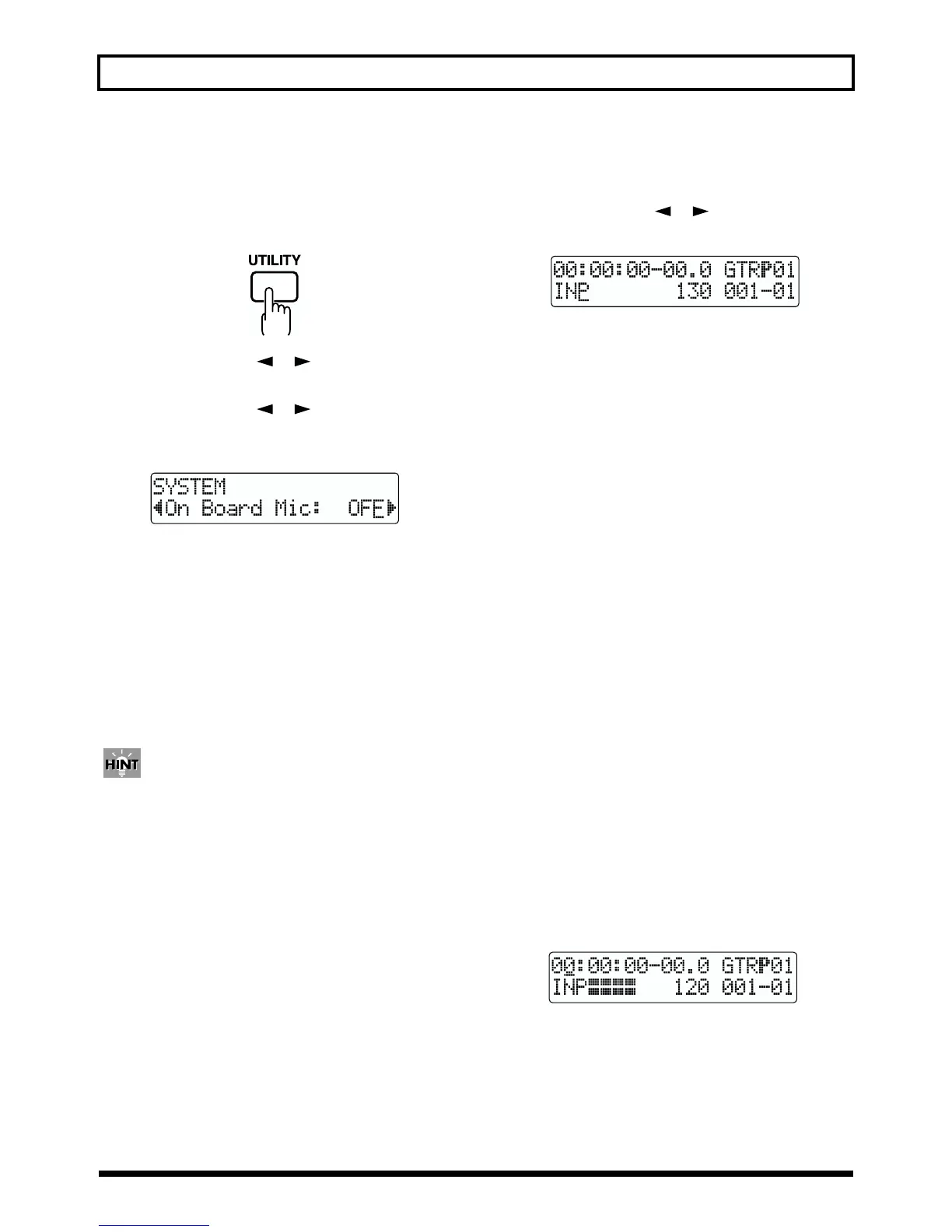
1. Press PARAMETER [ ] [ ] to move the cursor to
the lower left of the screen.
fig.Q01-17c
2. Turn the TIME/VALUE dial to select the input or
output to be indicated by the LEVEL METER.
TR1–4: The output from each track is indicated in the
LEVEL METER.
1&2: The LEVEL METER shows the output of
Tracks 1 and 2. The Track 1 output is shown
in the upper meter, and the Track 2 output is
shown in the lower meter.
3&4: The LEVEL METER shows the output of
Tracks 3 and 4. The Track 3 output is shown
in the upper meter, and the Track 4 output is
shown in the lower meter.
INP: The LEVEL METER shows the input from
INPUT or LINE IN.
MST: The LEVEL METER shows the post-MASTER
FADER output level.
Press the INPUT SELECT button to switch to “INP.”
Monitoring the sound
You can monitor the sound from the instruments and
microphones that are connected.
The volume level is adjusted with the MASTER fader and
INPUT LEVEL knobs.
1. Lower the MASTER fader.
2. Turn the INPUT LEVEL knob to its center position and
then slowly increase the MASTER fader.
At this point, adjust the INPUT LEVEL knob so that the
rightmost “■” of the LEVEL METER is indicated, while
“❐” appears only occasionally.
fig.Q01-18
Also, when monitoring the sound with headphones, use
the MASTER fader to adjust the volume to the level you
desire.
* To adjust the volume of devices connected to the LINE OUT
jack or DIGITAL OUT connector, refer to the instruction
manual that came with the device.



 To Next Page