23
Listening to the Demo Song
Quick Start (Listening to the Demo Song)
To prevent malfunction and/or damage to speakers or
other devices, always turn down the volume, and turn
off the power on all devices before making any
connections.
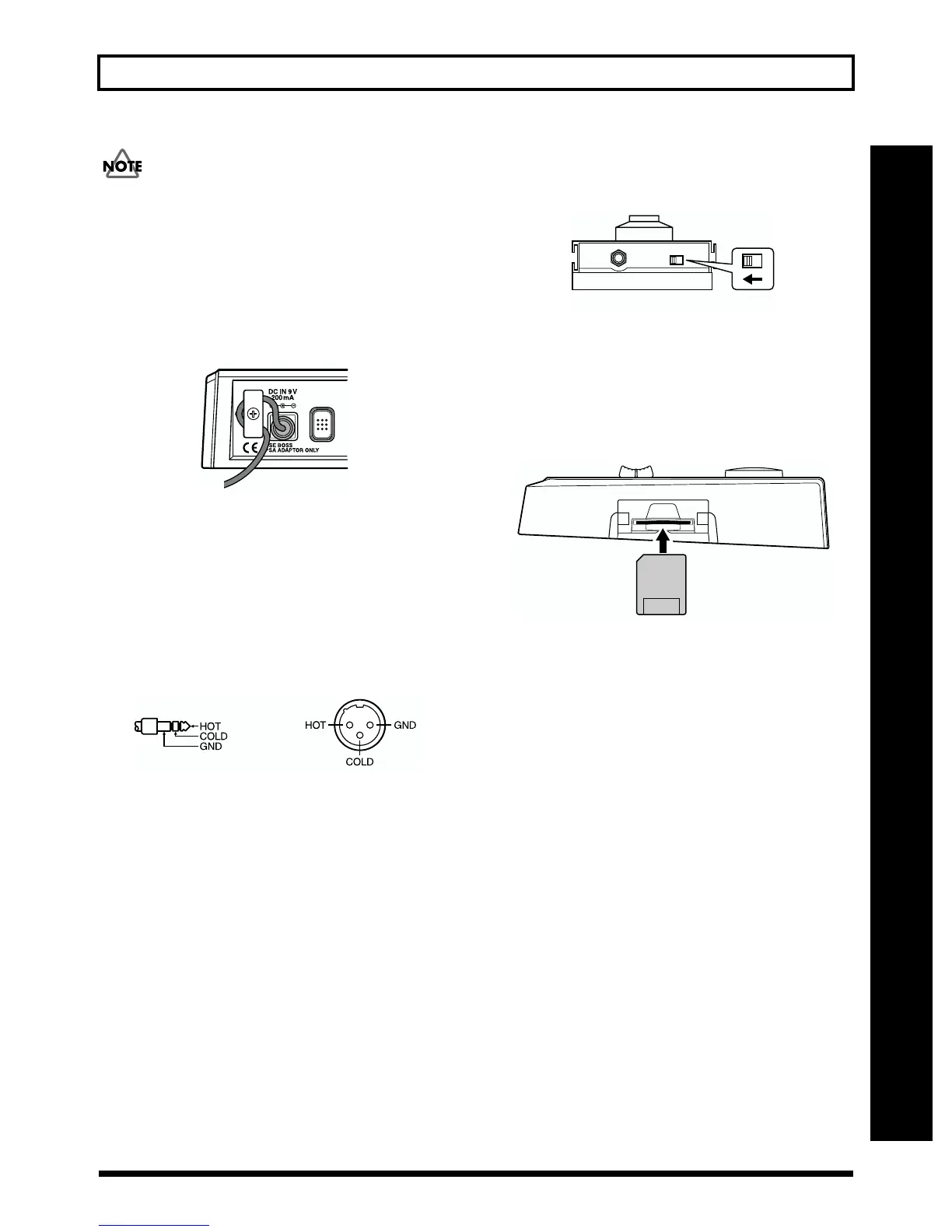
● To prevent the inadvertent disruption of power to your
unit (should the plug be pulled out accidentally), and to
avoid applying undue stress to the AC adaptor jack,
anchor the power cord using the cord hook, as shown in
the illustration.
fig.Q01-02
● Feedback could be produced depending on the location of
microphones relative to speakers. This can be remedied by:
1. Changing the orientation of the microphone(s).
2.
Relocating microphone(s) at a greater distance from speakers.
3. Lower the volume
* The MIC jack supports the balanced input used with standard
TRS plugs. The pin assignment for the MIC jack is as shown
below. Before making any connections, make sure that this pin
assignment is compatible with that of all your other devices.
fig.Q01-03
* When using the FS-5U foot switch (sold separately), set the
polarity switch as shown below. If the polarity switch is not set
correctly, the foot switch may not operate properly.
fig.Q01-04a
● Insert the memory card with the gold-colored contacts
facing downward (the side without contacts should be
facing upward).
* Be sure to insert the memory card all the way into the slot.
* Do not touch the contacts of the memory card or allow them to
become dirty.
fig.Q01-04b
12
3
Polarity Switch
The surface without
gold contacts
must be upward



 To Next Page