3-4 User Manual
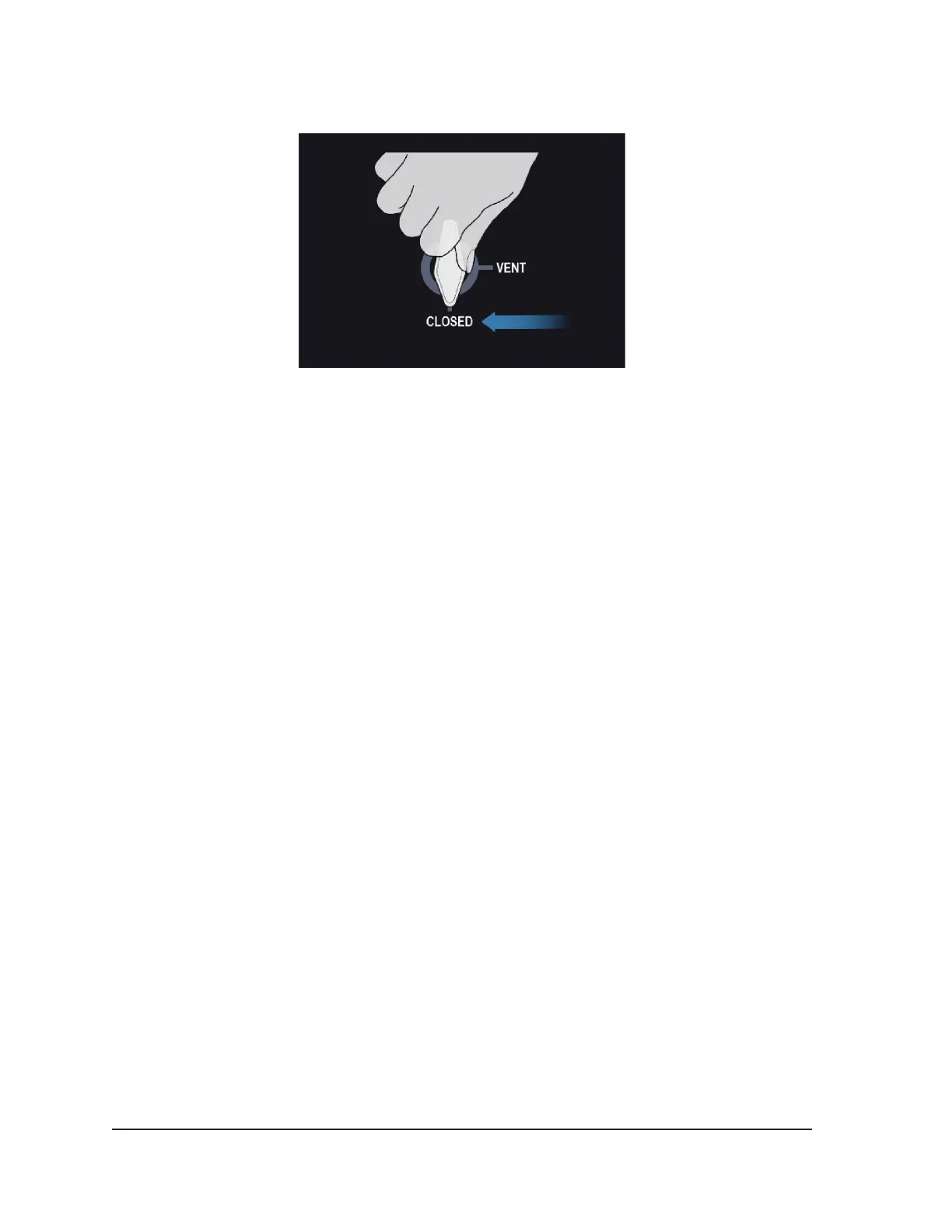
5. Conrm the Vent Valve is fully closed. If needed, turn the knob clockwise to the CLOSED position.
Figure 3-4. Vent Valve - Fully Closed
6. Raise the monitor to the UP position and adjust it to a comfortable viewing angle.
CAUTION. Use care when swiveling the touch screen monitor to avoid the potential for pinching
ngers.
7. Turn the Console on using the power switch located on the rear of the Console.
During boot‑up, the system performs several diagnostic tests to verify that the hardware and
software are operating properly. The system may produce a series of clicking sounds when the
system performs self‑diagnostic tests. This boot‑up process is completed in approximately 45
seconds.
NOTE: If the system was improperly shutdown after the previous procedure, the boot‑up process
could take up to 2 minutes.
NOTE: It is important to power up the system prior to connecting the gas to the system. If the
system is not powered up prior to connecting the gas, the diagnostic tests will not be performed
by the software.
The diagnostic tests check:
• The correct version of rmware is running on the system.
• Critical system components including the solenoid valves, internal power supplies, cooling
fans, pressure transducers, and temperature measuring circuits.
A failure that prevents use of the system displays a message directing you to contact Galil
Medical Customer Service. Reference Section 8.8 for information on displayed messages.
If the ICEfx System software detects pressurized gas in the system and the gas supply line is not
connected, a message will display requesting that you manually vent the gas from the system.



 To Next Page