ICEfx™ Cryoablation System
8-3
Symptom Potential Causes / Solutions
Touch screen does not respond Turn OFF and restart the system using the power control
switch on the rear of the system (Figure 2-2).
Touch Screen goes blank during a
procedure
1. The video cable may be disconnected.
WARNING. Do not touch the screen if the touch screen
monitor goes blank for greater than ve (5) seconds
during a procedure. Immediately turn o power to the
system and end the procedure to avoid inadvertent
activation of needles.
2. Contact Galil Medical Customer Service.
8.2.1 Replacing Fuses
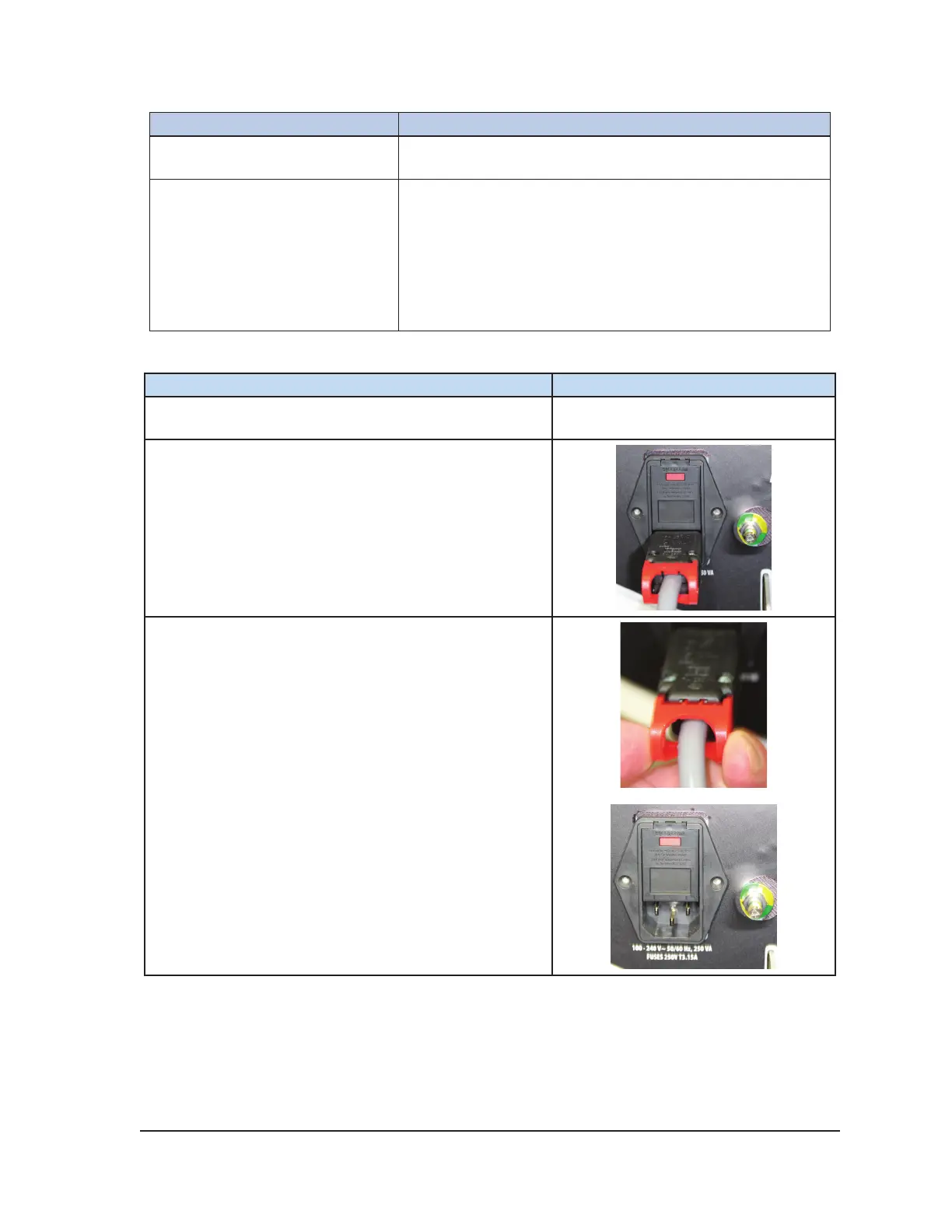
Instruction Photo
1. Contact Galil Medical Customer Service to obtain the
replacement fuses required for this procedure.
2. Turn the Power Switch OFF on the rear of the ICEfx
Console.
3. Pull on the red cable retention mechanism to
disconnect the power cable from the power inlet.



 To Next Page