ICEfx™ Cryoablation System
4-3
4.3.3 Options Menu
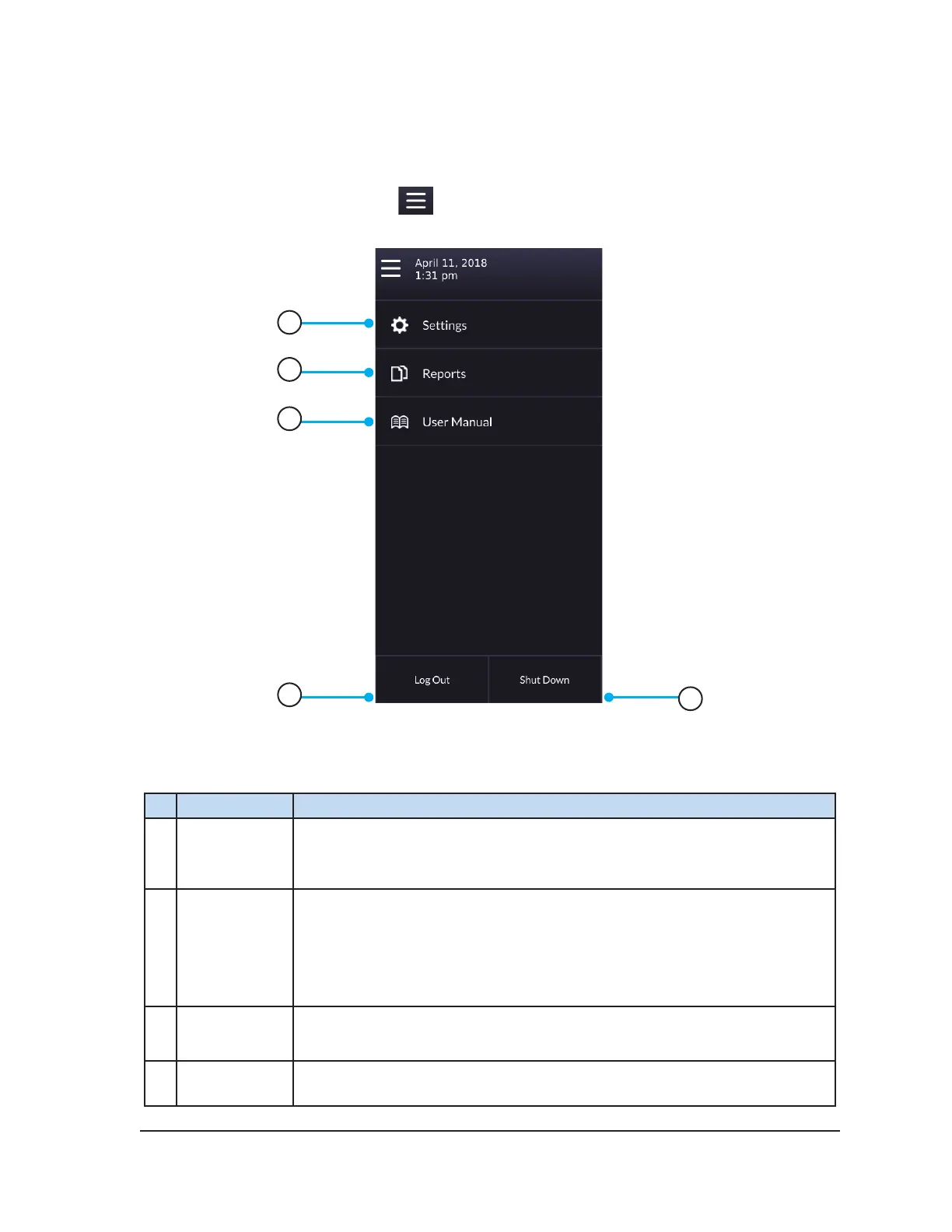
The Options Menu provides access to additional features, such as accessing reports and changing
settings.
To view and select options, press the
icon in the upper left of the screen and select the desired
option from the expanded menu.
1
2
3
4
5
Screen 4-2. Options Menu
Table 4-2. Options Menu
# Option Description
1 Settings
Congure various system settings (reference Section 4.8).
NOTE: Some conguration parameters are limited to administrative and/or
service users only.
2 Report(s)
When there is no active case, select Reports to view the contents of saved
procedure reports and export reports to a Galil Medical USB ash drive.
During a cryoablation procedure, select Report to display details for the
current case.
NOTE: Administrative users may also delete reports.
3 User Manual View information on how to access an electronic version of the User Manual.
4 Log Out Log out of the system.



 To Next Page