4-6 User Manual
# Control Description
7 Hospital Name Type the name of the hospital in this eld.
8 Hospital Address Type the address of the hospital in this eld.
9 DONE Press DONE to save the registration information.
10 CANCEL CASE
Press CANCEL CASE to discard the entered registration information and
return to the Start Case Screen.
4.6 Using the Procedure Screen
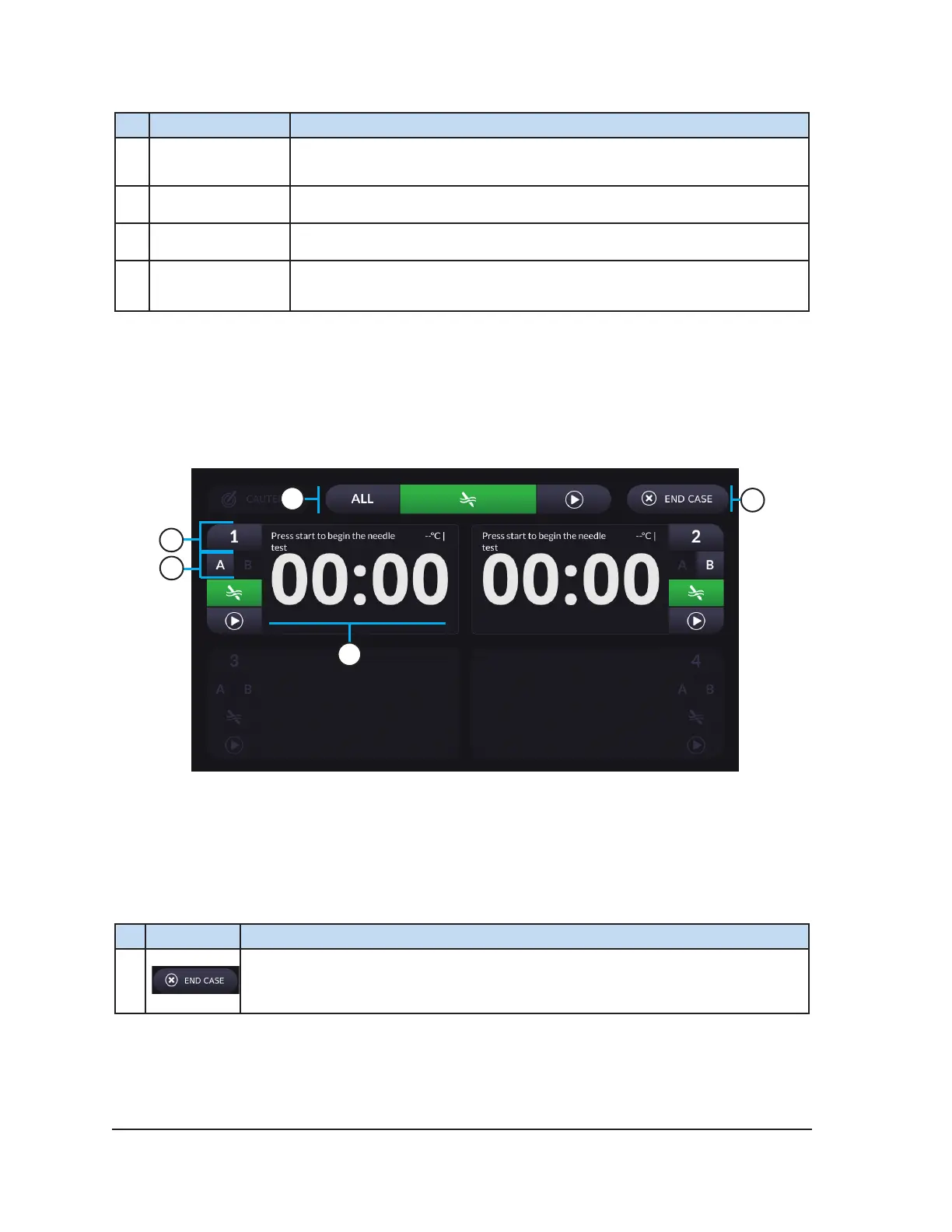
Use the Procedure Screen to control and monitor a cryoablation procedure. Initially, only the controls
related to needle testing are displayed as shown in Screen 4-5. After successful completion of Needle
Integrity and Functionality Testing, the freeze (Screen 4-9) and thaw (Screen 4-10) controls are
enabled for the tested needles.
1
2
3
4
5
Screen 4-5. Initial Procedure Screen
Table 4-5 describes the controls common to the test, freeze, and thaw functions. The sections which
follow describe the controls relevant to each of these functions.
Table 4-5. Common Procedure Controls
# Control Description
1
END CASE— Press END CASE to end the cryoablation procedure and return
to the Start Case Screen. Pressing this button generates a conrmation request
and a request to save the procedure report.



 To Next Page