ICEfx™ Cryoablation System
4-9
4.6.2 MTS Temperature Sensors
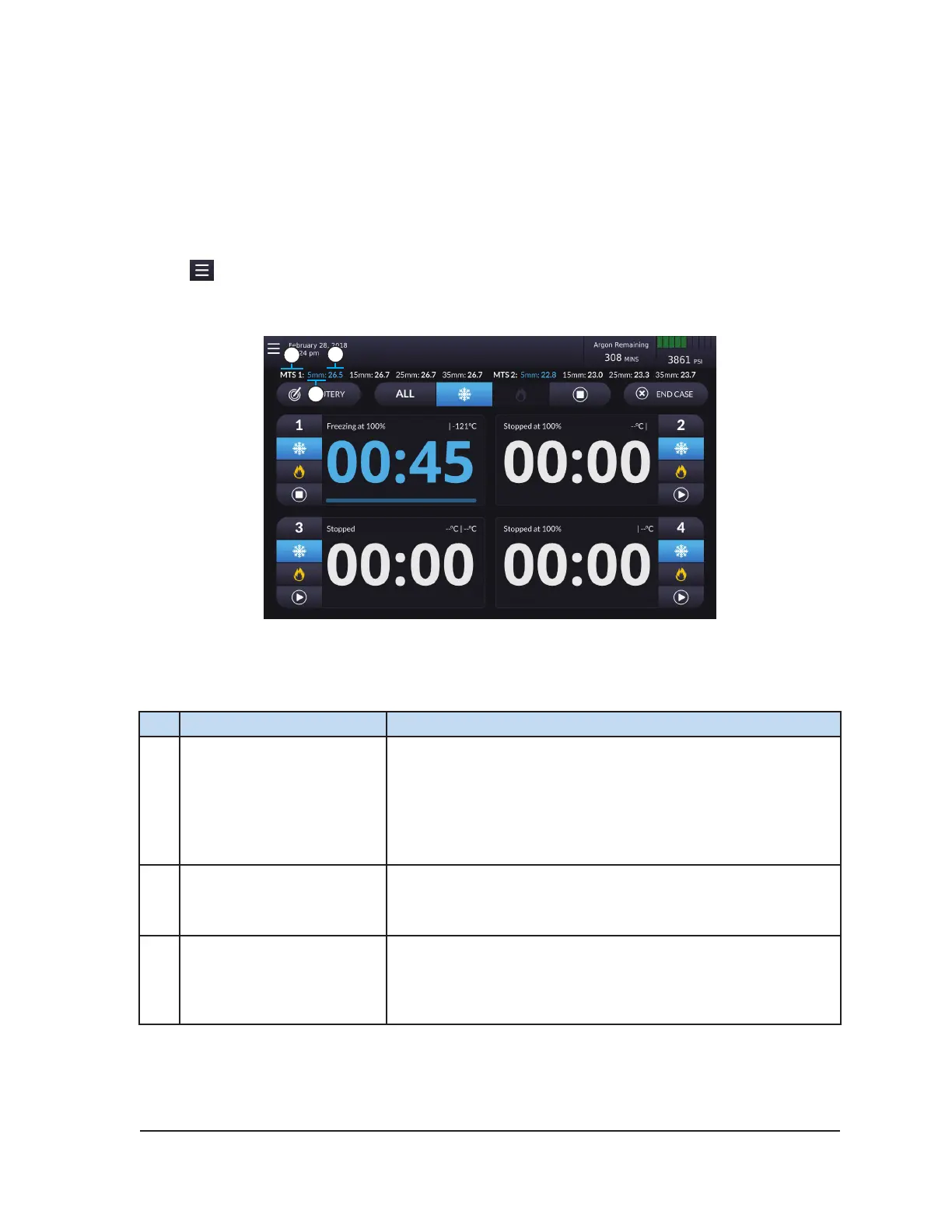
The Procedure Screen displays the MTS identiers, MTS sensor locations, and sensor temperatures
for the connected MTS.
The number of sensor locations to display is congurable in the Settings Screen. The coldest sensor
for each connected MTS is highlighted in blue if the MTS Display Coldest setting is turned On in the
Settings Screen.
Press
and select Report to view a graph of the MTS readings during a procedure. Reference
Section 4.7 for more information on reports.
1
2
Screen 4-7. Procedure Screen - MTS Temperature Sensors
Table 4-7. MTS Controls
# Control Description
1 MTS Identier Identies the MTS needle.
2 Sensor Location
The position of the sensor from the needle tip.
The number of sensor locations to display is congurable on the
Settings Screen by setting the Number MTS value.
3 Sensor Temperature
The temperature of the sensor.
The coldest temperature for each sensor is highlighted in blue
if the MTS Display Coldest setting is turned On in the Settings
Screen.



 To Next Page