4-18 User Manual
To program freeze-thaw cycles:
1. To program freeze-thaw cycles for a specic channel, press the individual channel button or the
ALL channel button, and then press PROGRAM CYCLES.
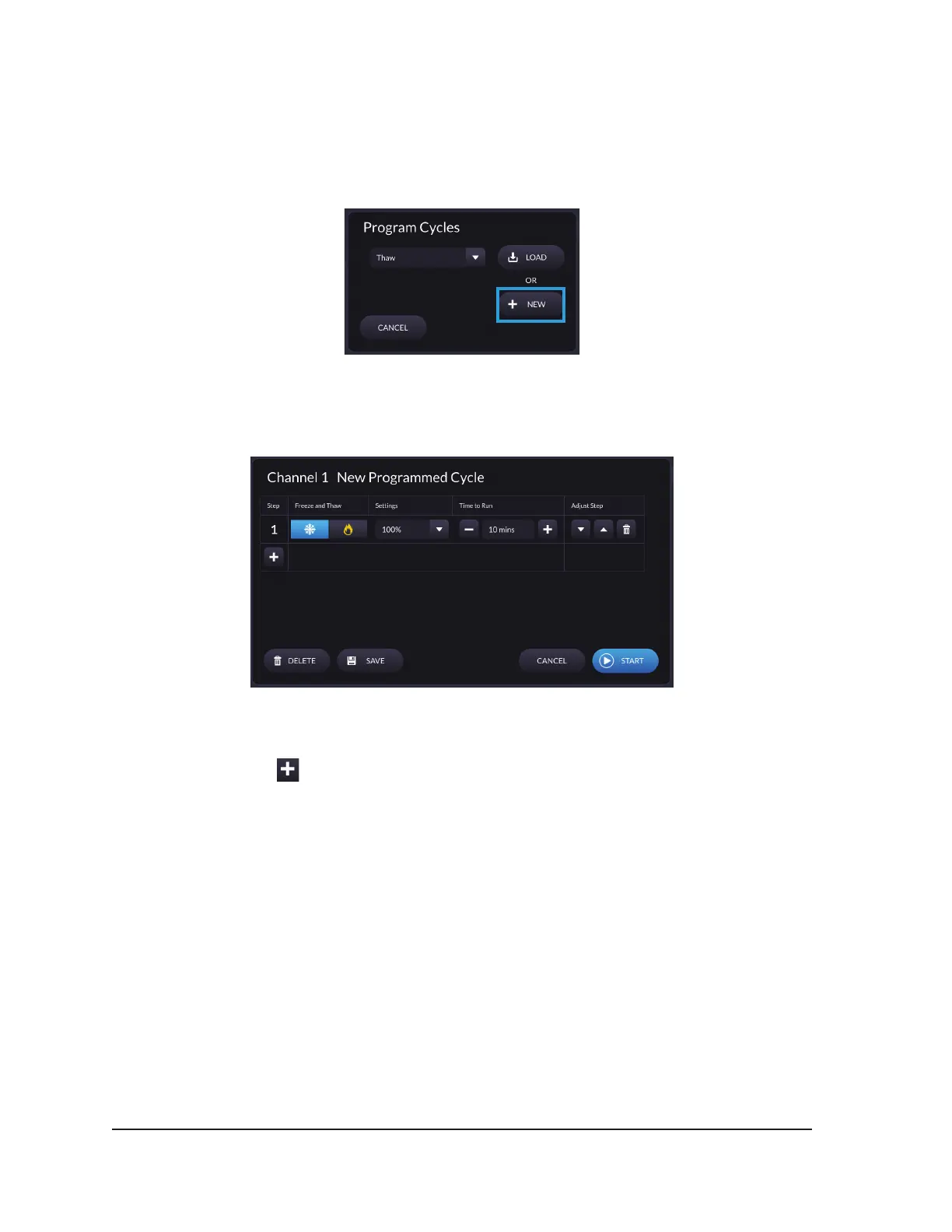
2. Press NEW on the Program Cycles dialog.
Screen 4-14. Program Cycles Dialog
The Programming Cycles Screen displays for the selected channel.
Screen 4-15. Programming Cycles Screen
3. Press the plus sign at the bottom left of the grid to create a new step.
4. For each step:
• Choose between freeze or thaw
• If freeze is selected, choose the freeze intensity
• Select the time to run for the step
5. Repeat Steps 3 and 4 to add additional steps.
6. Use the UP and DOWN arrows to change the order of steps. To delete a step press the delete
icon.



 To Next Page