8-4 User Manual
Instruction Photo
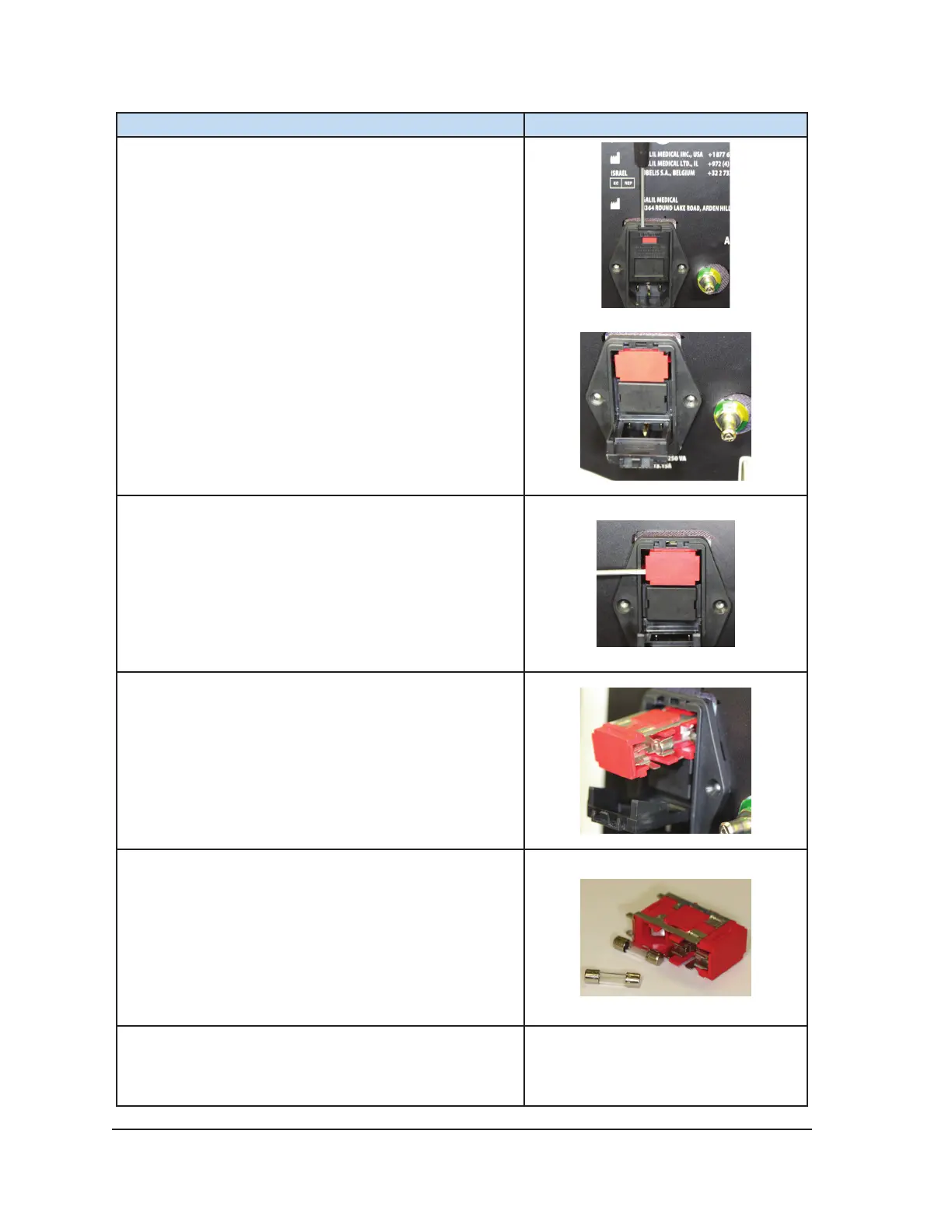
4. Insert a small screwdriver into the slot on the top of
the fuse holder and ip down the cover of the fuse
holder.
5. Insert a small screwdriver underneath the edge of
the fuse holder to remove the fuse holder from the
power outlet.
6. While holding your hand under the fuse holder,
carefully slide the fuse holder out of the power inlet.
NOTE: There are two fuses in the fuse holder.
7. Catch the fuse holder as it is removed from the
power inlet. The two fuses that are in the fuse holder
are the fuses that are part of the system circuit.
8. Replace the fuses in the fuse holder with the two
replacement fuses supplied from Galil Medical
Customer Service. NOTE: Use only Galil Medical
specied fuses in the ICEfx Console.



 To Next Page