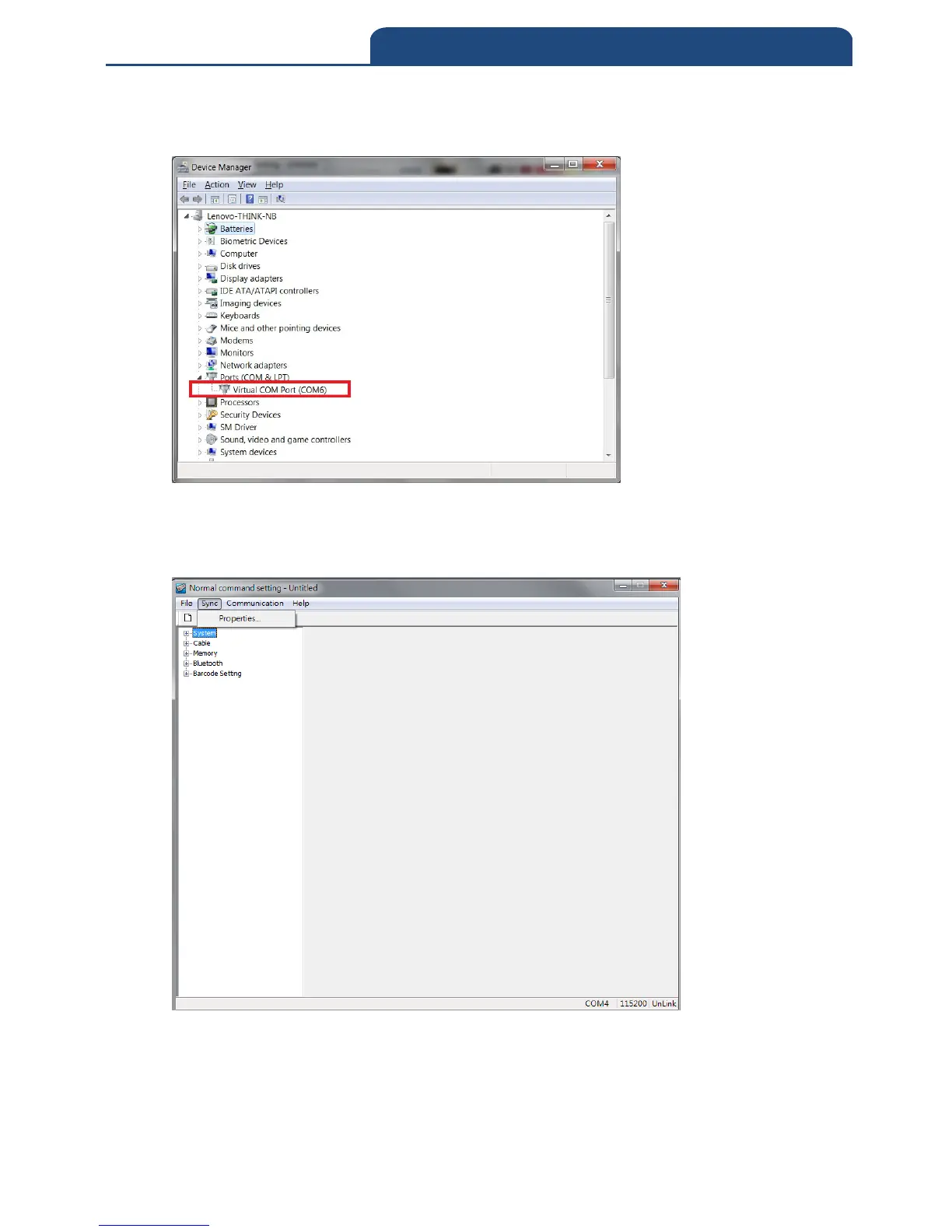
After the scanner scan Enter. ISP barcode, the “green” LED indicator will be
flashing, then proceed to “Device Manager” to check COM Port
For example: The COM Port used by scanner is COM6
In Normal command setting software, Sync
Properties
And select the COM port (for example:COM6, Note: Baud rate is 115200)



 To Next Page