51
5. Bluetooth Connection Mode Instruction
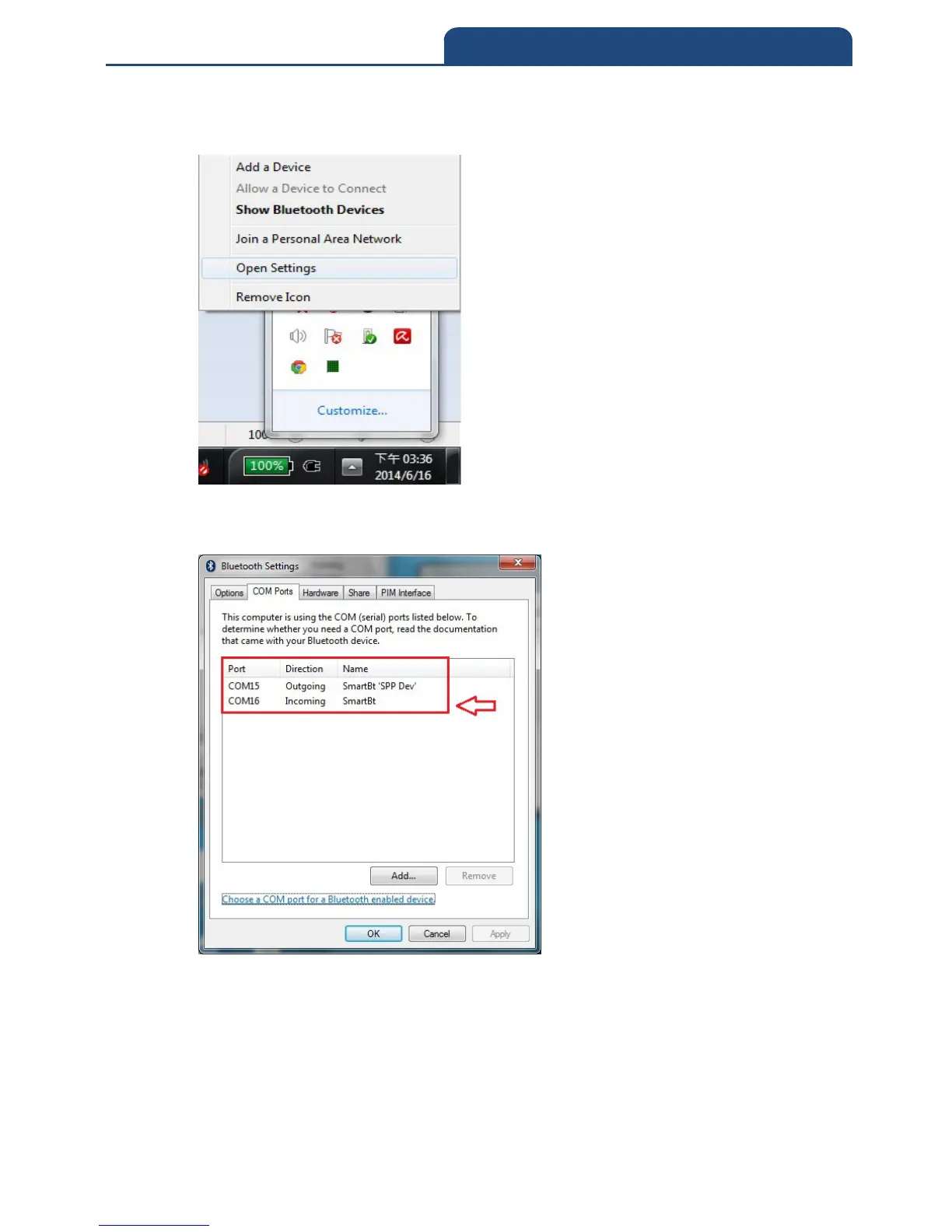
3. After it pairs successfully, click the right button of the mouse on Bluetooth sign in
the system display. It will show screen below:
4. Choose ”Open Settings” function and switch to the page of ”COM Ports.” It will
show screen below:
From this screen can know the current using COM Port of Bluetooth device. Due
to the Bluetooth connection mode, it should choose ”COM15”(Outgoing) as using
COM Port.



 To Next Page