0F40-033
For details on the paper that you can load, "Usable Paper."
Before loading paper, see "Attention (Paper Loading)."
1
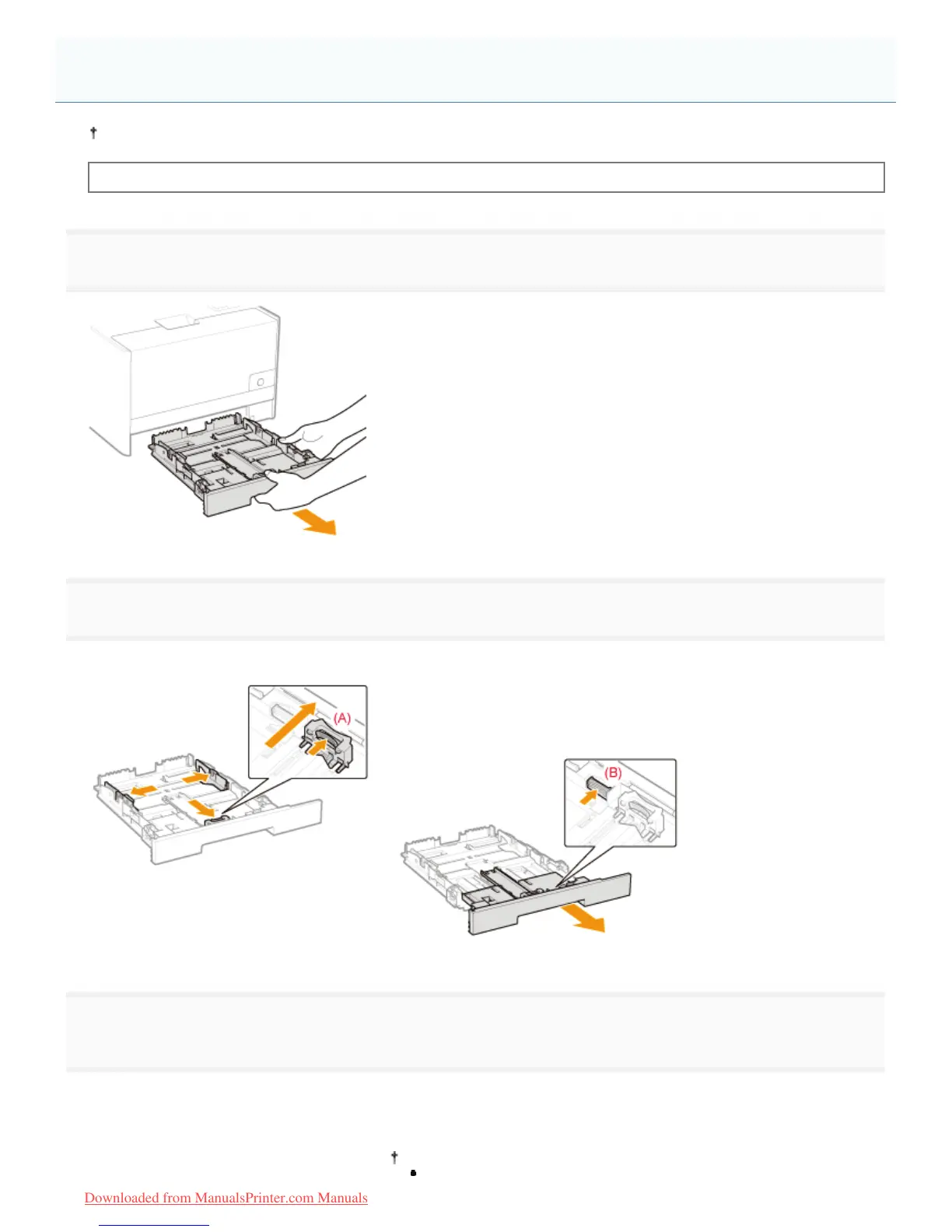
Pull out the paper drawer.
2
Slide the paper guides a little wider and longer than the actual paper size.
Slide the paper guide at the front center while holding the lock release lever (A).
When loading paper whose length is longer than A4
Pull out the paper drawer while holding the lock release lever (B) at the
front right.
3
Load the paper with the printing side facing up so that the edges of the stacked paper are aligned
with the rear edge of the paper drawer.
Load paper in portrait orientation.
The following paper can also be loaded in landscape orientation.
Loading Paper
㻝㻠㻝㻌㻛㻌㻡㻝㻠
Downloaded from ManualsPrinter.com Manuals












 To Next Page