0F40-07H
If you cannot print when the printer is connected to the computer by wireless LAN, check the problem following the
questions below.
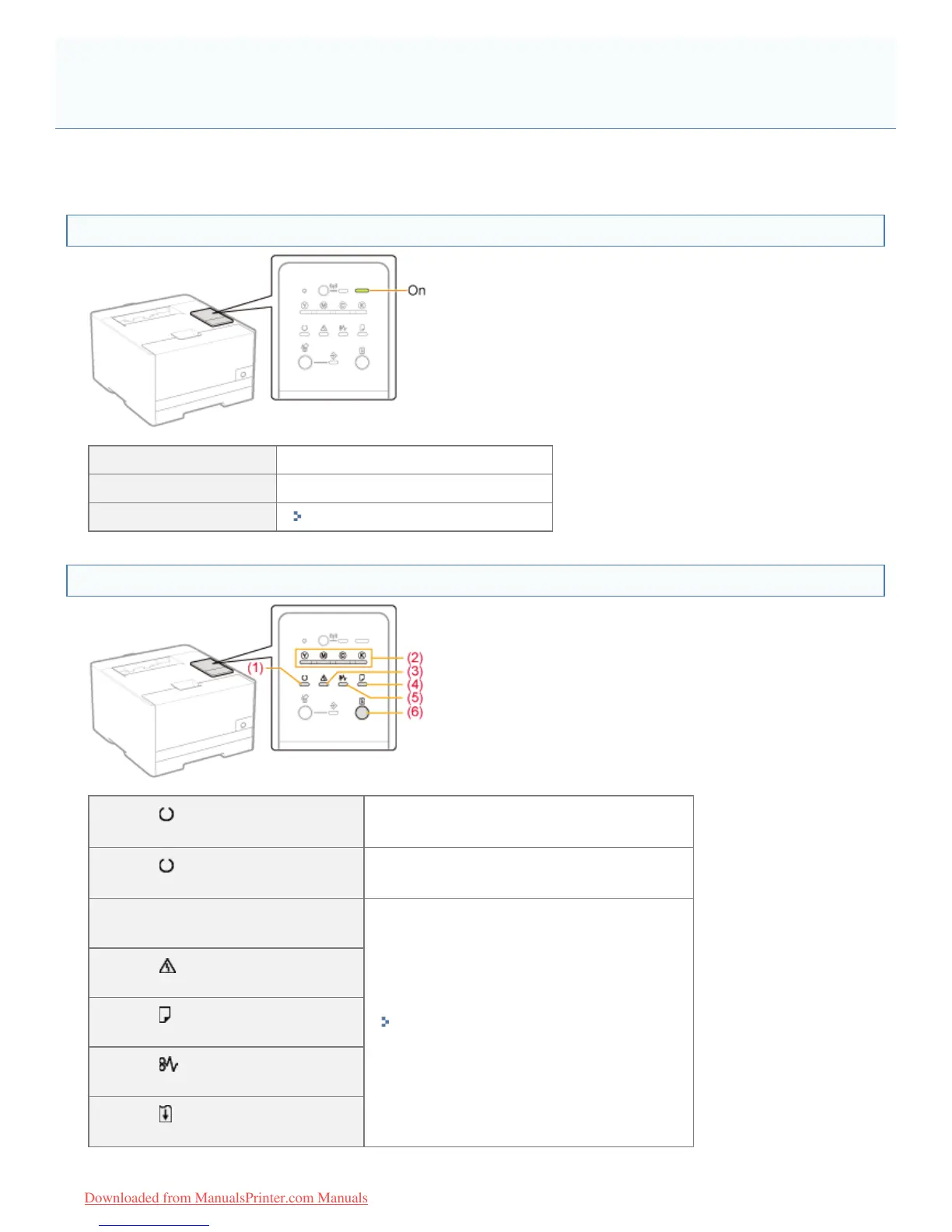
<Question 1> Is the printer turned ON? (Is the Main Power indicator on?)
ON To <Question 2>
OFF Turn the printer ON.
Cannot be turned ON
"You Cannot Turn the Printer ON"
<Question 2> Check the indicators on the printer unit.
(1) The (Ready) indicator
is on.
To <Question 3>
(1) The
(Ready) indicator
is blinking.
The printer is operating. Please wait a moment.
(2) The Toner indicator
is on or blinking.
"Indicators on the Printer Are On/Blinking"
(3) The
(Alarm) indicator
is on or blinking.
(4) The
(Load Paper) indicator
is blinking.
(5) The
(Paper Jam) indicator
is blinking.
(6) The
(Go) indicator
is blinking.
Printing Cannot Be Performed (Wireless LAN Connection) (LBP7110Cw
Only)
㻠㻝㻟㻌㻛㻌㻡㻝㻠
Downloaded from ManualsPrinter.com Manuals












 To Next Page