0F40-05E
Specify the dedicated port settings to use when communicating with the computer.
1
Start the Remote UI, and then log in as Management Mode.
"Starting the Remote UI"
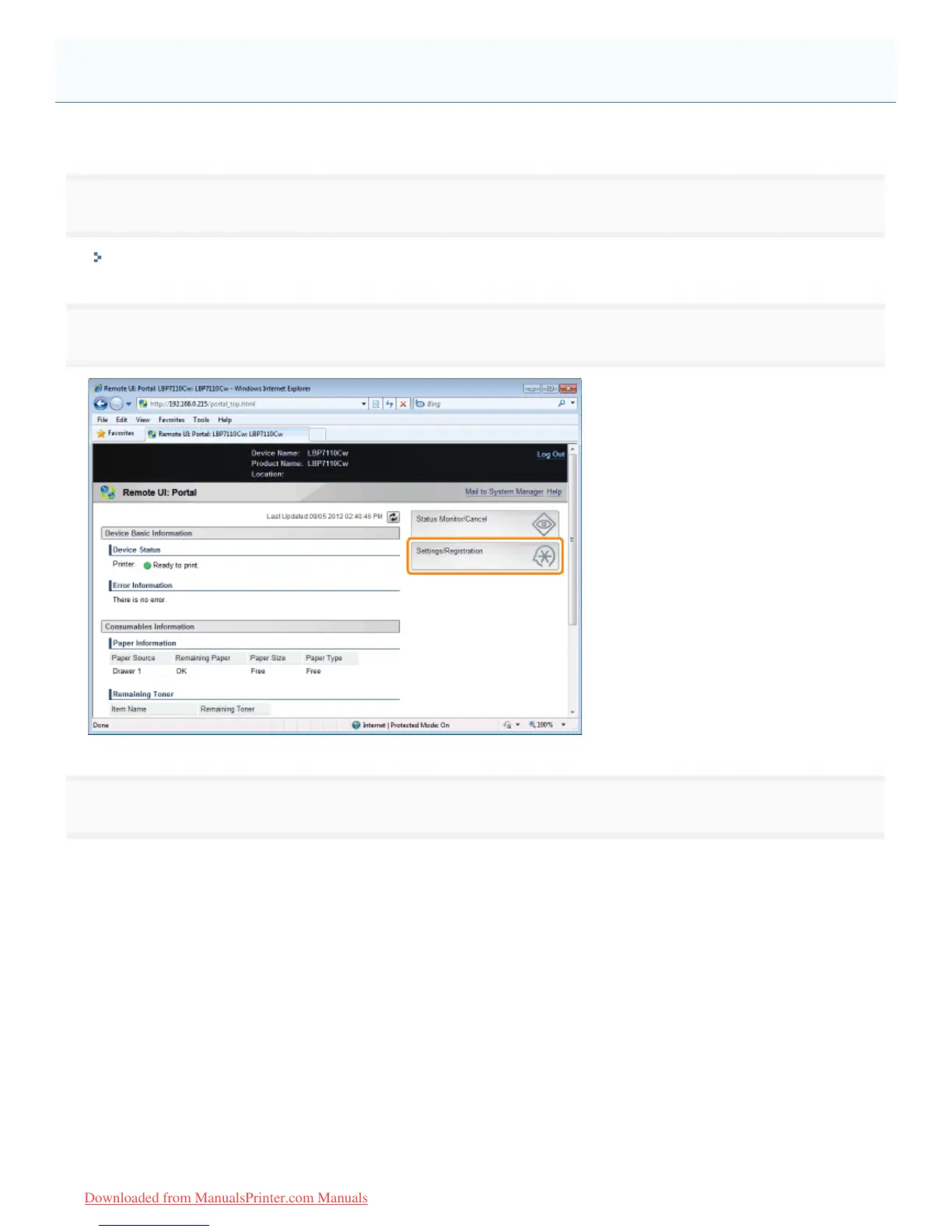
2
Click [Settings/Registration].
3
Display the [Dedicated Port Settings] page.
(1) Select [Network Settings].
(2) Click [Dedicated Port Settings].
Specifying a Dedicated Port
㻞㻢㻠㻌㻛㻌㻡㻝㻠
Downloaded from ManualsPrinter.com Manuals












 To Next Page