0F40-02A
NOTE
Store the packing materials come up during unpacking.
The box comes with when you purchased the printer and the packing materials in the box are required when transporting
the printer for relocation or maintenance.
About the packing materials
The packing materials may be changed in form or placement, or may be added or removed without notice.
Remove all the orange tape if it is attached to the printer when performing the following
procedure.
1
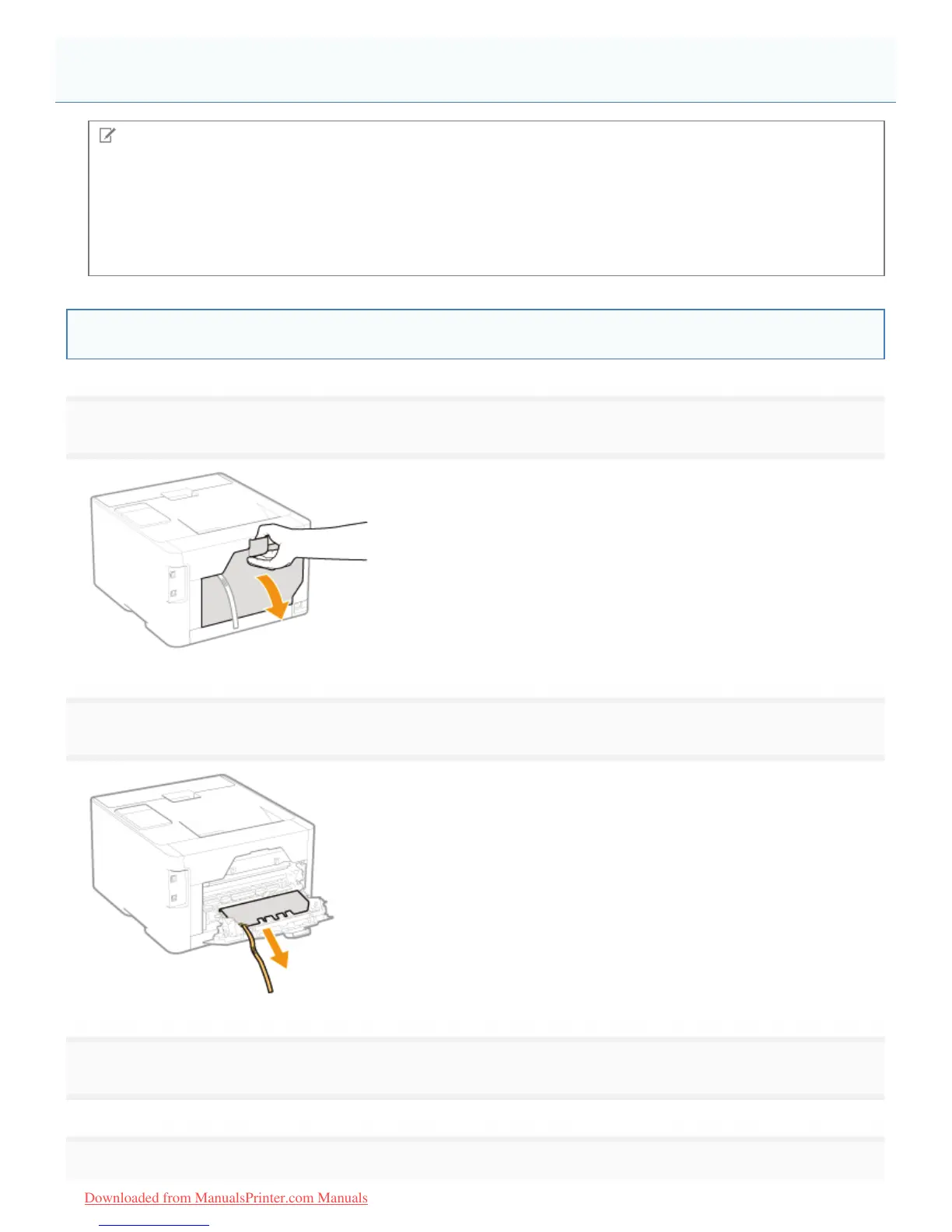
Open the rear cover.
2
Remove the packing material with tape on the transfer roller.
3
Close the rear cover.
4
Removing the Packing Materials
㻥㻥㻌㻛㻌㻡㻝㻠
Downloaded from ManualsPrinter.com Manuals












 To Next Page