0F40-05S
Use the following procedure to change the port configuration (printing protocol).
1
Open the printer folder.
"Basic Operations/Various Information for Windows"
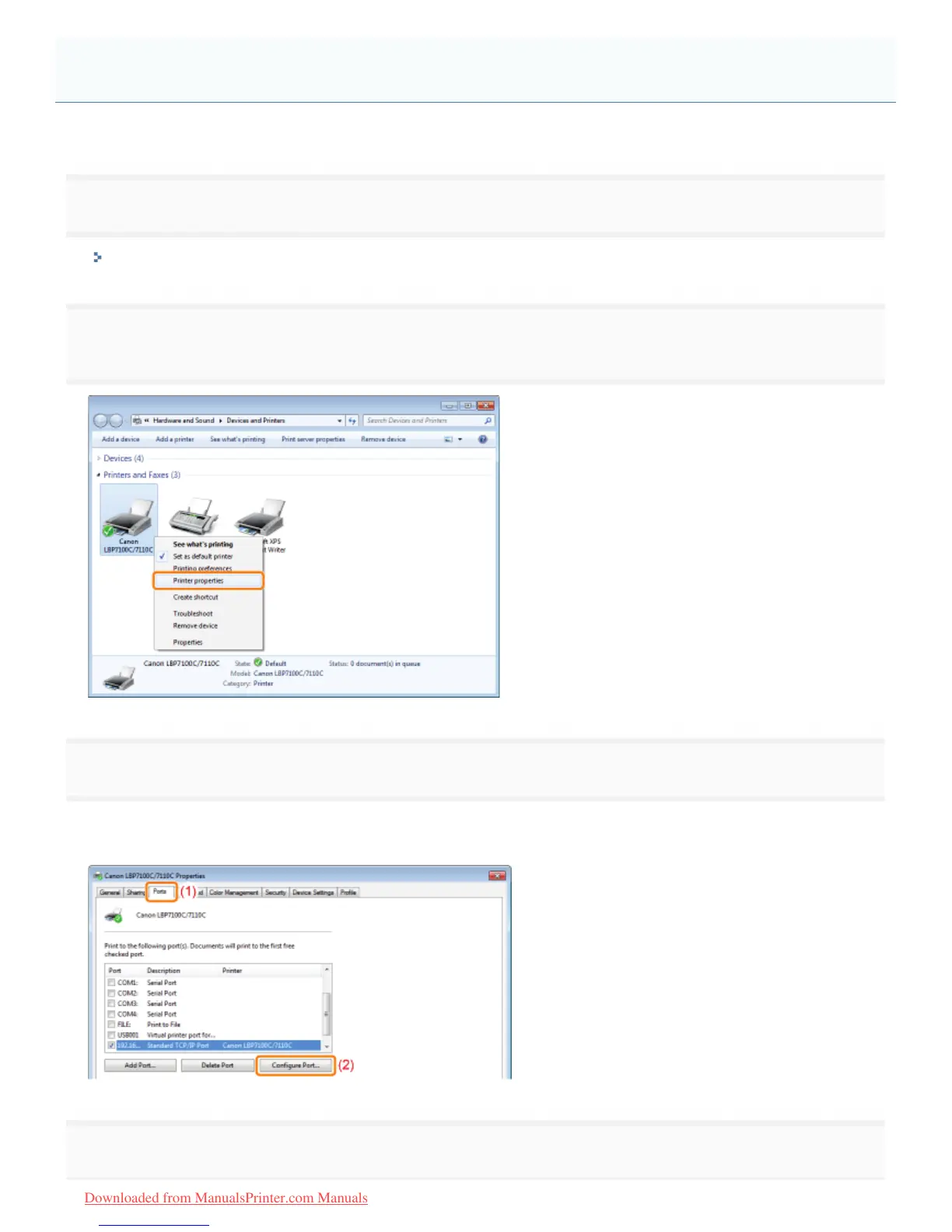
2
Right-click the icon for this printer, and then select [Printer properties] or [Properties] from the pop-
up menu.
3
Perform the following procedure.
(1) Display the [Ports] sheet.
(2) Click [Configure Port].
4
Change the port configuration information.
Changing the Port Configuration
㻞㻤㻠㻌㻛㻌㻡㻝㻠
Downloaded from ManualsPrinter.com Manuals












 To Next Page