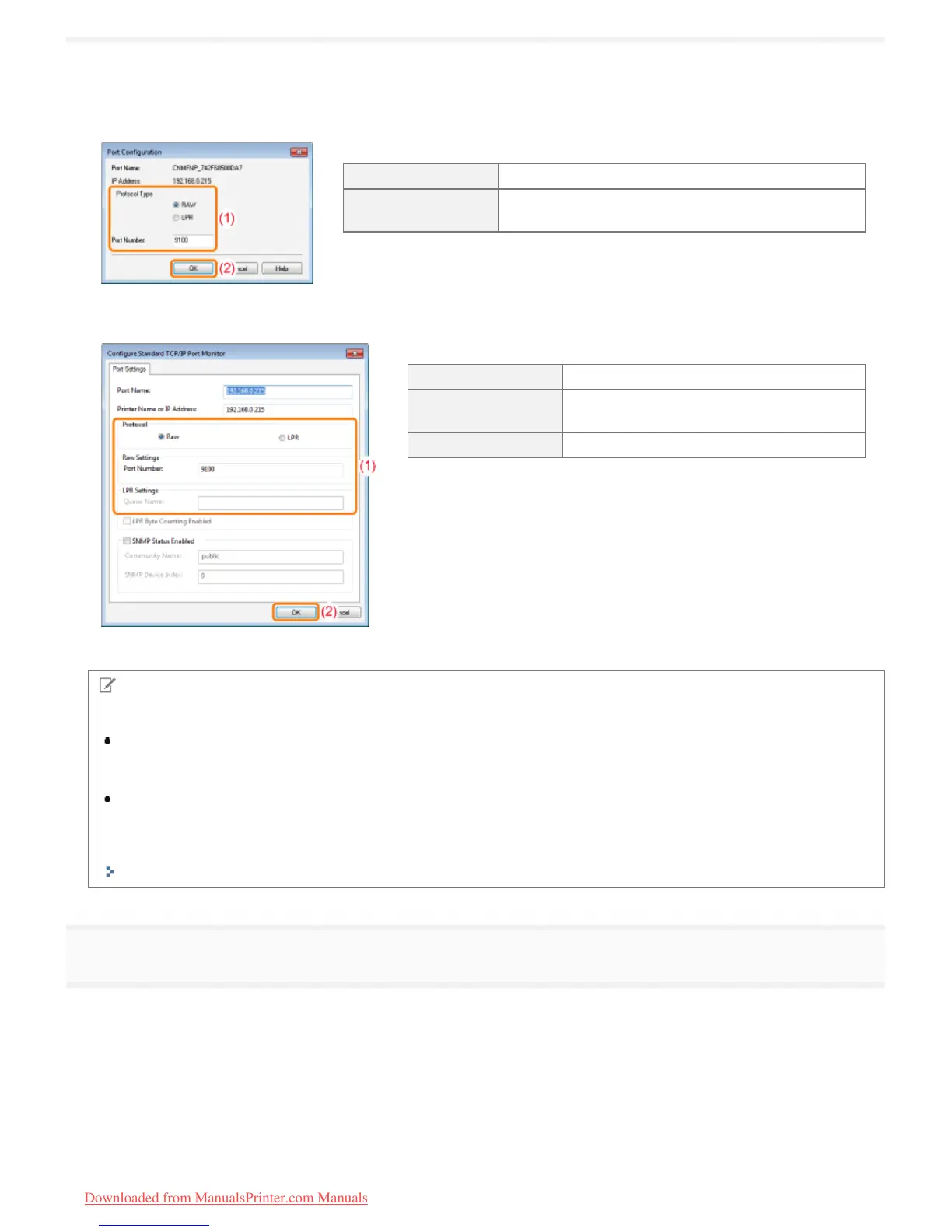
(1) Configure the printing protocol settings.
(2) Click [OK].
For MFNP Port
[Protocol Type] Select the printing protocol (RAW or LPR).
[Port Number]
Enter the port number of the printing protocol
configured on the printer.
For Standard TCP/IP Port
[Protocol] Select the printing protocol (RAW or LPR).
[Raw Settings]
Enter the port number for RAW configured
on the printer in [Port Number].
[LPR Settings] Enter "lp" in [Queue Name].
NOTE
About printing protocols
RAW (RAW printing):
Printing protocol to use with Windows XP/Vista/7/Server 2003/Server 2008. Enables faster printing than with LPR
(LPD printing).
LPR (LPD printing):
Printing protocol normally used with TCP/IP.
Setting the printer port number
"Other Protocol Settings"
5
Click [Close].
㻞㻤㻡㻌㻛㻌㻡㻝㻠
Downloaded from ManualsPrinter.com Manuals












 To Next Page