0F40-06E
Using the Remote UI, you can check/cancel the jobs currently being printed or waiting to be printed, or you can check print
logs.
You can also cancel print jobs using a method other than the Remote UI.
"Canceling a Job"
Checking/Canceling the Job Currently Being Printed or Waiting to Be Printed
1
Start the Remote UI, and then log in.
"Starting the Remote UI"
2
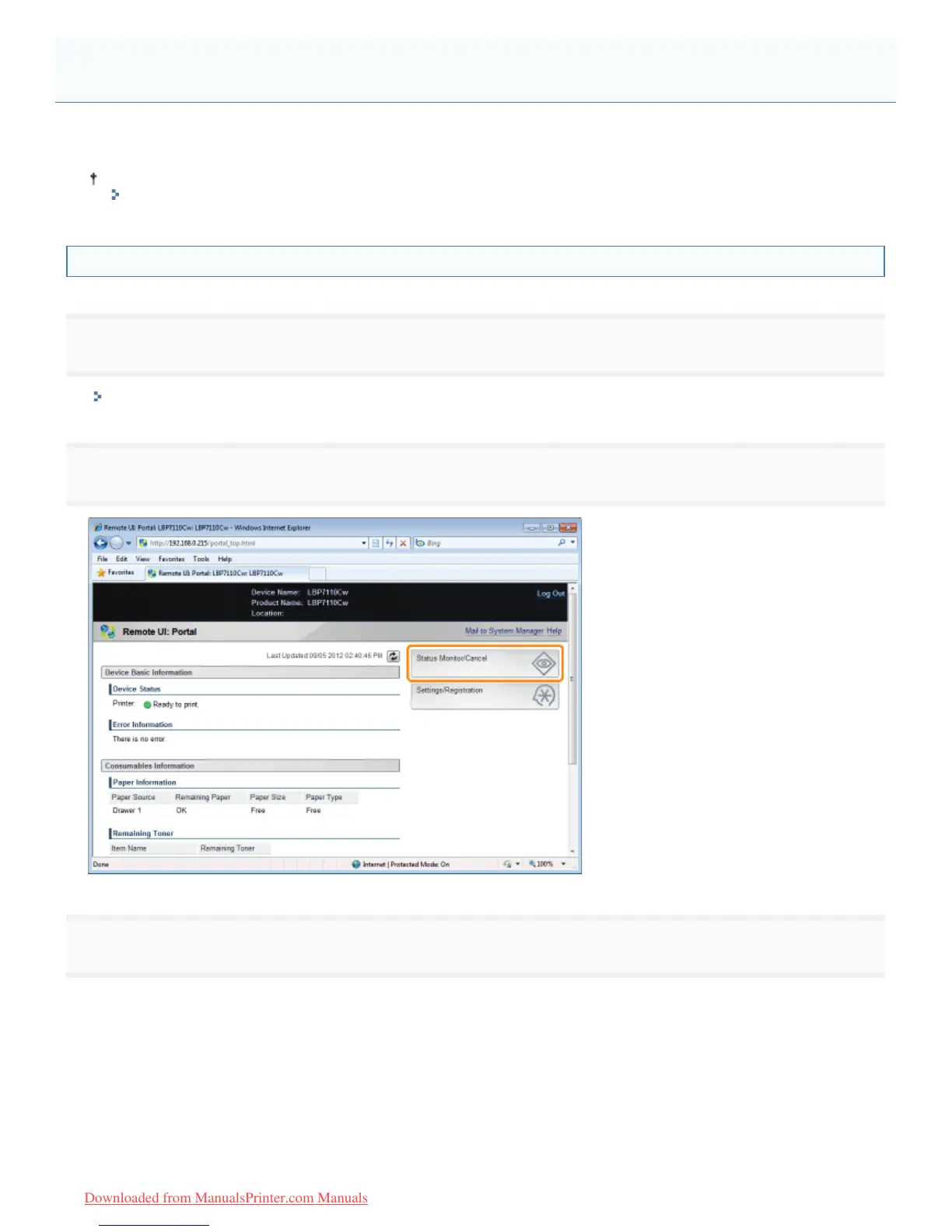
Click [Status Monitor/Cancel].
3
Select [Job Status].
Displays a list of jobs currently being printed and waiting to be printed.
Managing Print Jobs
㻟㻞㻠㻌㻛㻌㻡㻝㻠
Downloaded from ManualsPrinter.com Manuals












 To Next Page