0F40-04J
1
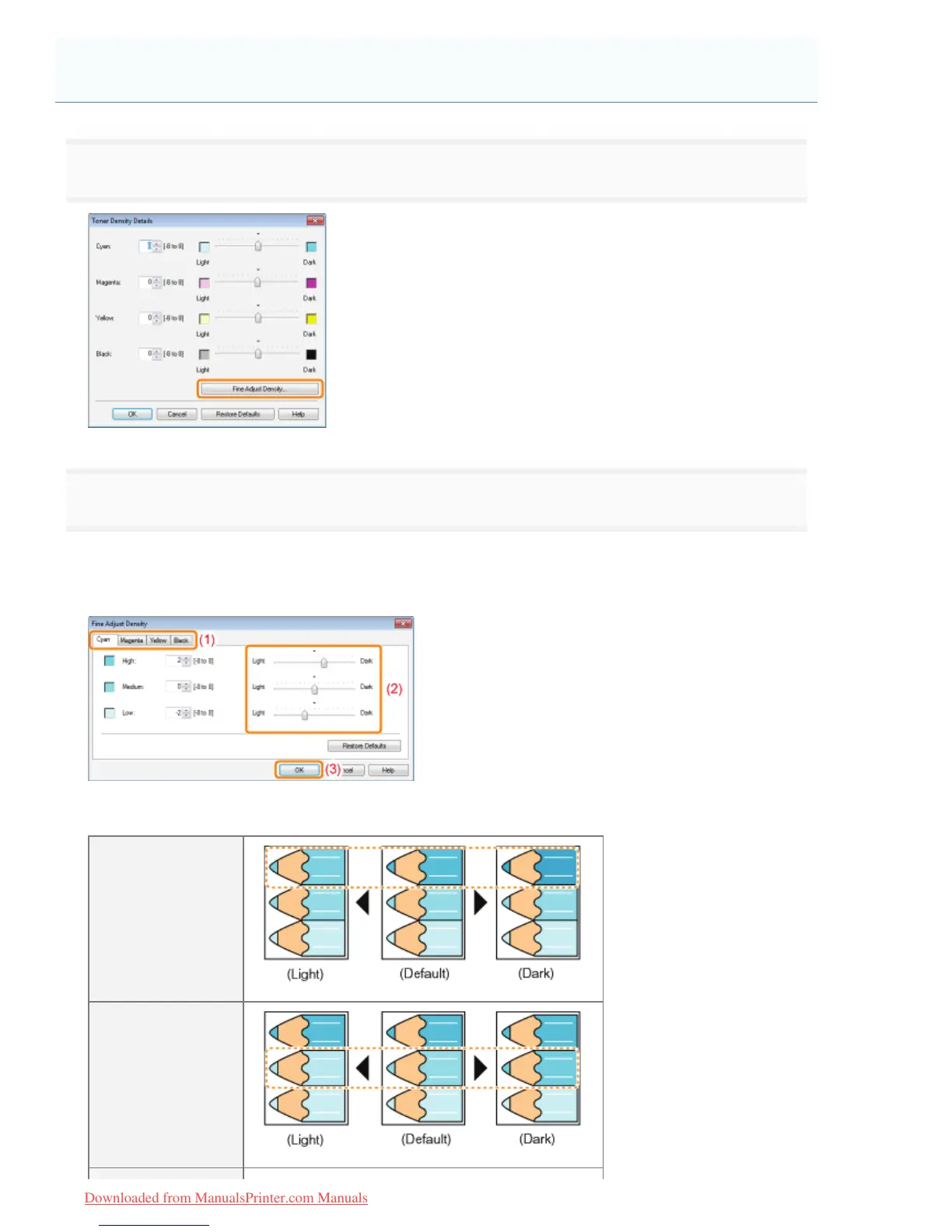
Click [Fine Adjust Density].
2
Adjust the toner density of each color for each density range.
(1) Display the sheet of the colors that you want to adjust.
(2) Adjust the density by dragging the slider of each density range horizontally.
(3) Click [OK]. Then, the [Toner Density Details] dialog box reappears.
<Adjusting example of each density range> (Example: Cyan)
[High]
[Medium]
Adjusting the Toner Density of Each Color for Each Density Range
㻞㻜㻟㻌㻛㻌㻡㻝㻠
Downloaded from ManualsPrinter.com Manuals












 To Next Page