0F40-01L
You can check the current toner cartridges status of each color in the [Consumables Information] dialog box in the
Printer Status Window.
"Checking the Consumables Status"
Before replacing the toner cartridge, see "Attention (Toner Cartridge)."
1
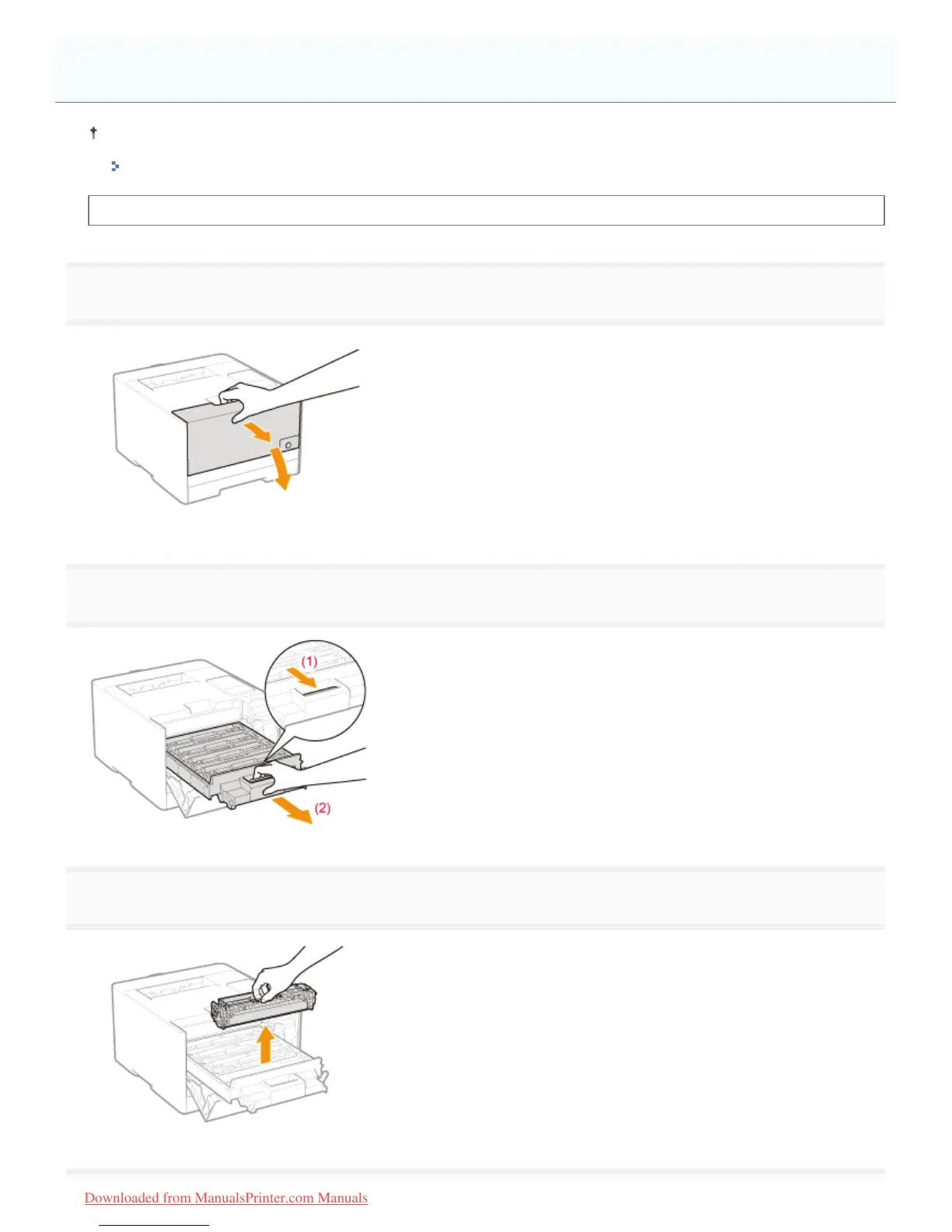
Open the front cover.
2
Press the lever and pull out the toner cartridge tray.
3
Hold the toner cartridge to be replaced by its handle and pull it straight up and out of the printer.
Replacing the Toner Cartridge
㻣㻝㻌㻛㻌㻡㻝㻠
Downloaded from ManualsPrinter.com Manuals












 To Next Page