0F40-022
A4 plain paper is required to clean the fixing roller. Have A4 plain paper ready.
1
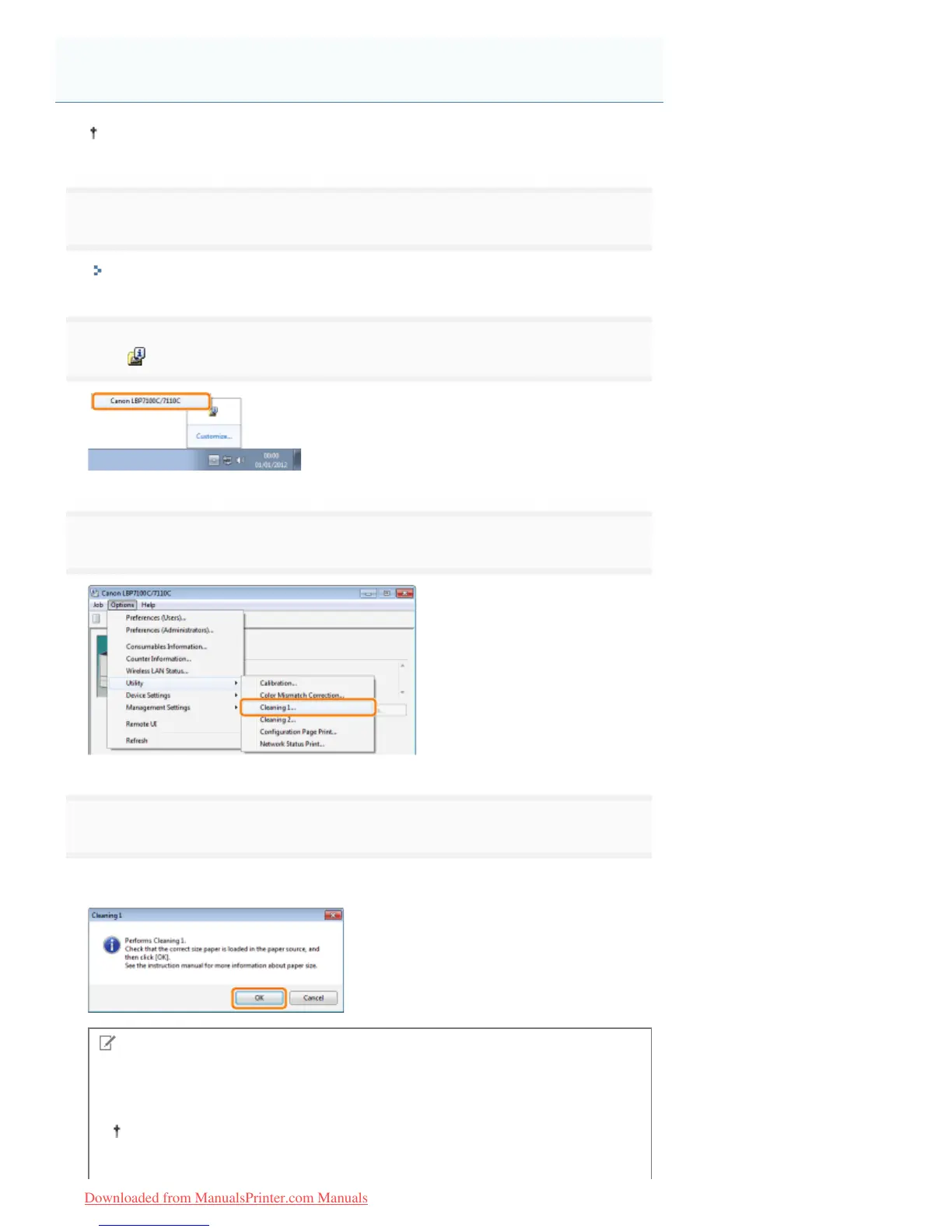
Load A4 plain paper in the paper drawer.
"Loading Paper"
2
Click [ ] in the Windows task tray, and then select the printer name.
3
4
Click [OK].
ĺ The paper is fed into the printer, and the printer starts cleaning the fixing roller.
NOTE
Cleaning time
It takes approximately 30 seconds.
Cleaning the fixing roller cannot be canceled. Please wait until it is completed.
(The cleaning is finished when the paper is output completely.)
Cleaning the Fixing Roller of the Printer
㻤㻣㻌㻛㻌㻡㻝㻠
Downloaded from ManualsPrinter.com Manuals












 To Next Page