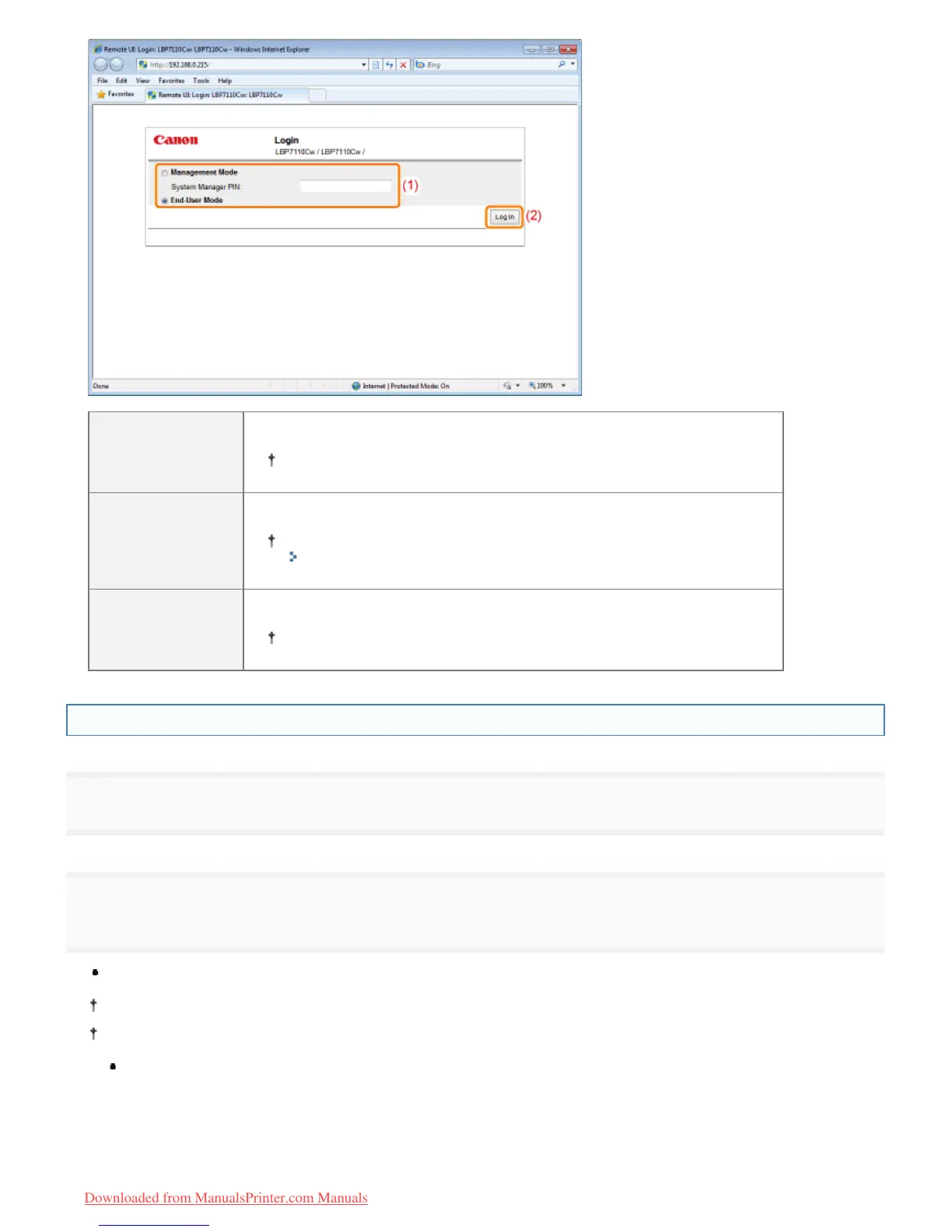
[Management
Mode]
Select this mode when logging in as manager.
You can perform all operations and specify all settings of the Remote UI.
[System
Manager PIN]
When selecting [Management Mode], enter the PIN.
If the PIN is not specified, you do not need to enter it.
"Specifying the System Manager Information"
[End-User Mode]
Select this mode when logging in as a general user.
You can check the printer status, manage print jobs, and so on.
Starting the Remote UI Directly from a Web Browser
1
Start the Web browser.
2
Enter "http://<the IP address of the printer>/" in the address field, and then press the [ENTER] key on
your keyboard.
Input Example: "http://192.168.0.215/"
If you are not sure about the IP address of the printer, see "Checking the IP Address of the Printer."
If the host name of the printer is registered in the DNS server, you can enter ["host name"."domain name"] instead of
the IP address.
Input Example: "http://my_printer.xy_dept.company.com/"
㻟㻜㻥㻌㻛㻌㻡㻝㻠
Downloaded from ManualsPrinter.com Manuals












 To Next Page