0F40-035
This printer's paper drawer cannot automatically detect the paper size and type. Therefore, you need to register the size
and type of the loaded paper.
Register the paper size and type using the following procedure.
NOTE
When registering a paper size and type
As you cannot register a paper size and type while printing is in progress, make sure that the printer is idle before
registering the paper size and type.
You can register paper size and type only while one of the following messages is displayed.
<Specified Paper Different from Set Paper>
<Out of Paper>
1
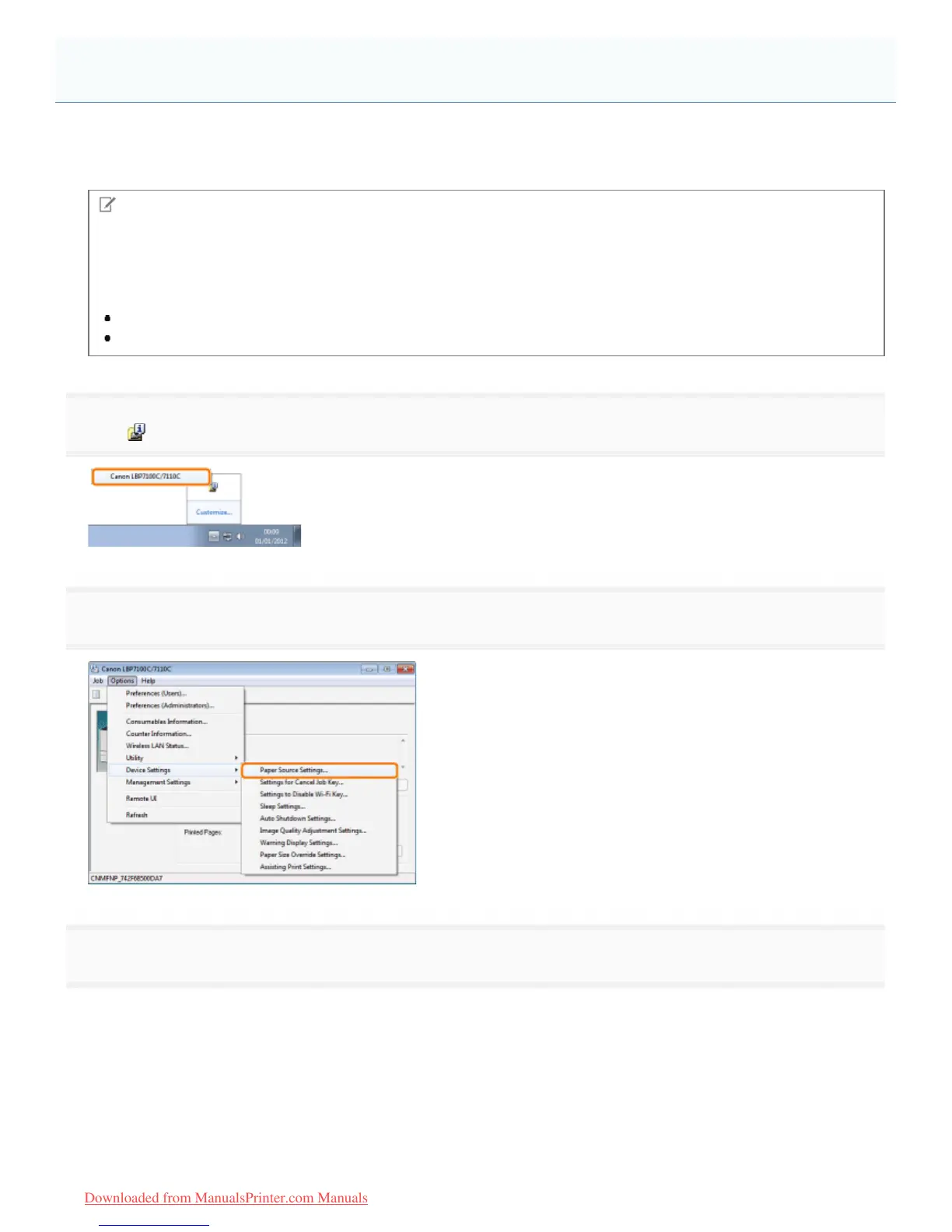
Click [ ] in the Windows task tray, and then select the printer name.
2
3
Register the paper size and type.
(1) Specify the size and type of the paper loaded in the paper drawer.
(2) Click [OK].
Registering the Paper Size and Type
㻝㻠㻡㻌㻛㻌㻡㻝㻠
Downloaded from ManualsPrinter.com Manuals












 To Next Page