0F40-03R
Confirming usable coated paper
This printer can use the following sizes of coated paper (100 to 220 g/m²).
Standard sizes A4, B5, A5, Legal, Letter, Executive, Statement, Foolscap, and 16K
Custom paper sizes
In case of portrait orientation:
Width 83.0 to 215.9 mm, Length (Height) 127.0 to 355.6 mm
In case of landscape orientation:
Width 127.0 to 215.9 mm, Length (Height) 127.0 to 215.9 mm
NOTE
When using custom paper sizes
You need to register the custom paper sizes in the printer driver previously.
"Registering a Custom Paper Size"
Loading coated paper
Load coated paper in the paper drawer.
"Loading Paper"
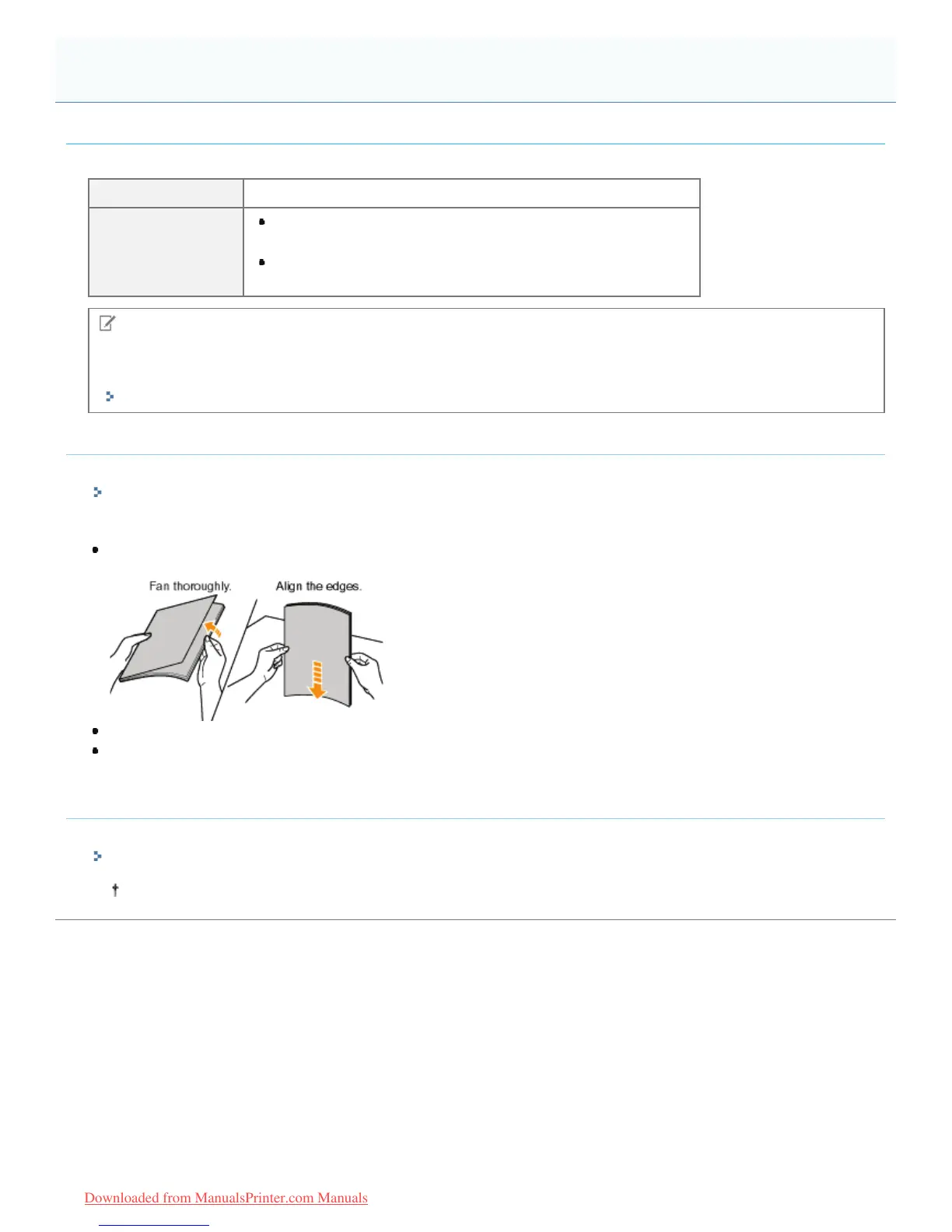
<Precautions when loading coated paper>
Fan the paper stack thoroughly, and then align the edges before loading them. If they are not fanned enough, multiple
sheets of paper may be fed at once, causing paper jams.
When fanning or aligning coated paper, try to hold the edges to avoid touching the printing surface.
Take care not to mark or stain the printing surface of coated paper with fingerprints, dust, or oil. This may result in poor
print quality.
Printing from an application
After loading coated paper, perform printing.
"Basic Printing Procedure"
The print speed drops when printing on coated paper.
Printing on Coated Paper
㻝㻢㻡㻌㻛㻌㻡㻝㻠
Downloaded from ManualsPrinter.com Manuals












 To Next Page