0F40-029
Confirming the Supplied Accessories
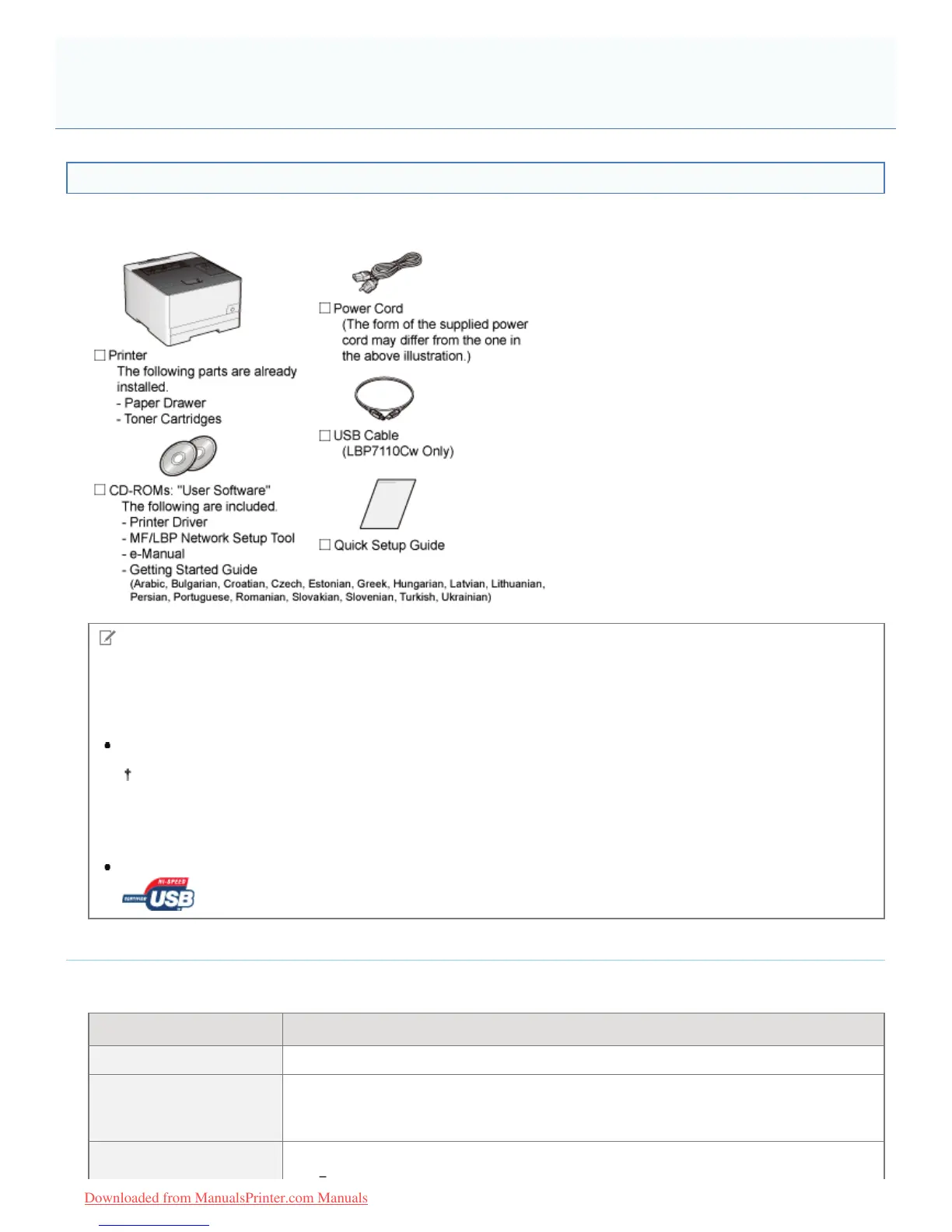
Make sure that all the supplied accessories are contained in the box before installing the printer.
If an item is missing or damaged, please contact your local authorized Canon dealer.
NOTE
This printer includes two "User Software" CD-ROMs.
You can use either CD-ROM.
About interface cables
LBP7110Cw comes with a USB cable.
When you connect a USB cable and specify the settings using "MF/LBP Network Setup Tool", use the supplied
USB cable.
When you use LBP7100Cn or this printer with a method other than USB connection, have an appropriate interface
cable available for the computer you are using or the connecting method.
Use a USB cable with the following symbol.
About the Supplied Manuals
The manuals supplied with this printer consist of the following. Read these manuals according to your purpose and make
full use of this printer.
Manual Name Contents
Quick Setup Guide Explains the procedure for installing the printer.
e-Manual
Explains all the operations of this printer, such as how to use the printer and
troubleshooting.
(The contents of "Quick Setup Guide" are also included.)
This is the simple manual (PDF format) written in the following languages.
Confirming the Supplied Accessories and Checking the Installation
Location
㻥㻣㻌㻛㻌㻡㻝㻠
Downloaded from ManualsPrinter.com Manuals












 To Next Page