0F40-059
For details on the procedure before displaying the [TCP/IP Settings] page (the procedure before Step 1), see
"Configuring the Protocol Settings."
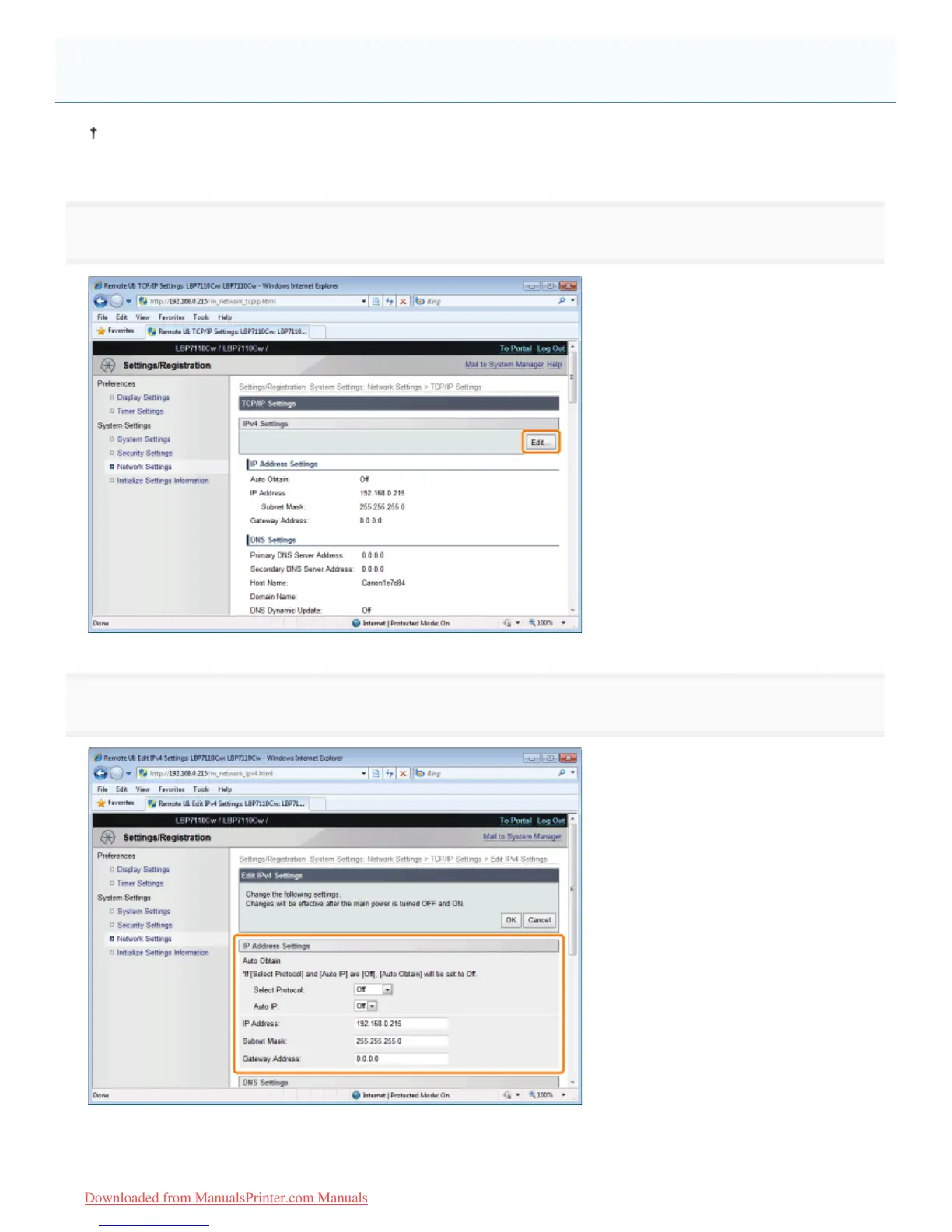
1
Click [Edit] in [IPv4 Settings].
2
Set the IP address.
When obtaining the IP address automatically
Use DHCP, BOOTP, RARP, or Auto IP to obtain the IP address automatically.
IPv4 Settings
㻞㻠㻡㻌㻛㻌㻡㻝㻠
Downloaded from ManualsPrinter.com Manuals












 To Next Page