0F40-05F
Specify the waiting time from when the printer is turned ON to when the printer is connected to the network.
NOTE
If the printer is connected to a switching hub
Even if the network settings are correct, the printer may not be able to connect to the network. This is because
communication cannot be performed between the printer and switching hub immediately after connecting the two devices
due to the spanning tree process between the devices.
In this case, you must have the printer waiting to start the network connection.
For details on the spanning tree process and other switching hub functions, contact the manufacturer.
1
Start the Remote UI, and then log in as Management Mode.
"Starting the Remote UI"
2
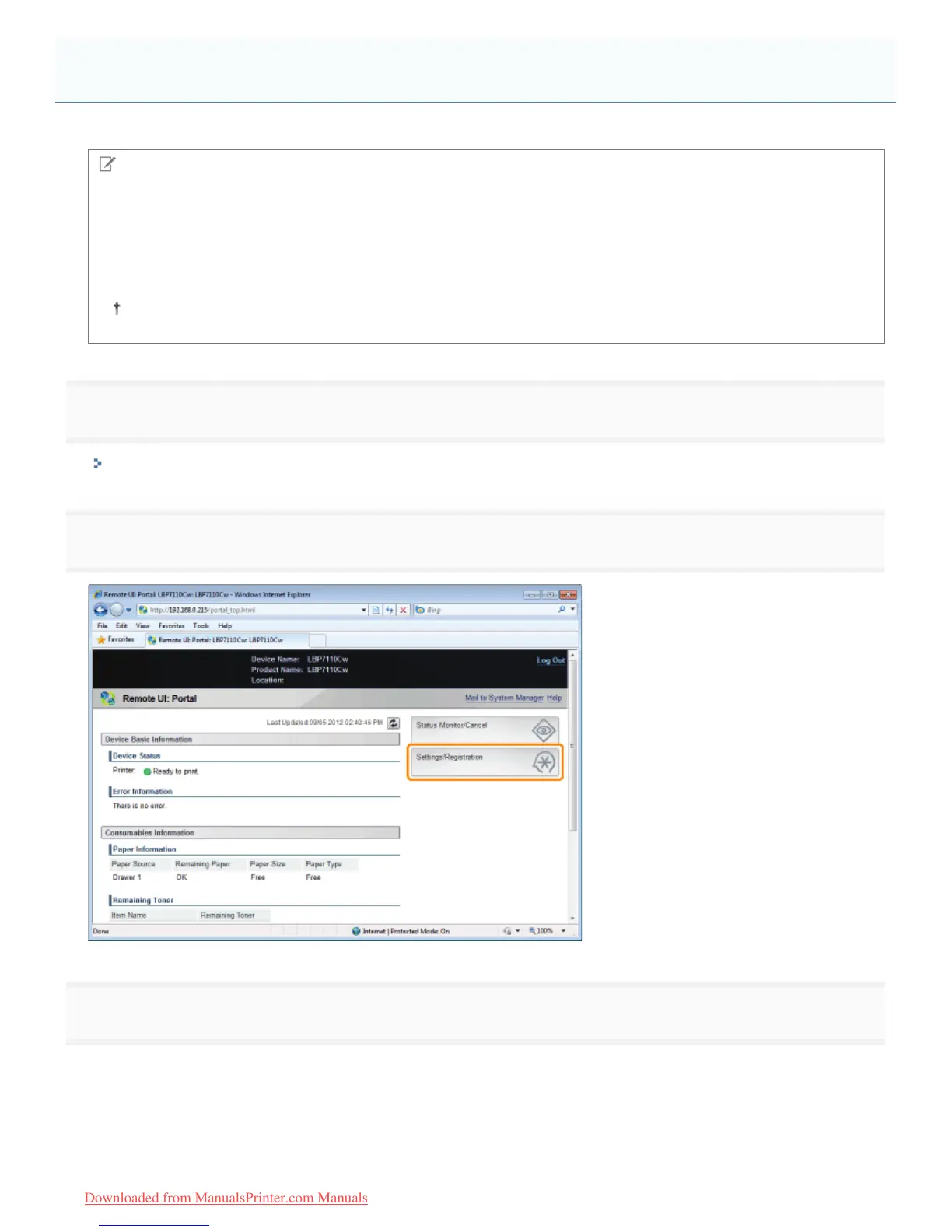
Click [Settings/Registration].
3
Display the [Waiting Time for Connection at Startup] page.
(1) Select [Network Settings].
(2) Click [Waiting Time for Connection at Startup].
Specifying the Waiting Time Until Connected to the Network
㻞㻢㻣㻌㻛㻌㻡㻝㻠
Downloaded from ManualsPrinter.com Manuals












 To Next Page