0F40-06F
You can check the printer status, network settings, and so on by printing Status Print.
Status Print is designed to be printed on A4 paper. Be sure to use A4 paper.
You can also check the network settings and so on using the following procedure.
Printing the "User Data List" using the Go key on the printer
"Printing the "User Data List""
Starting the Remote UI (
"Starting the Remote UI"), logging in as Management Mode, and checking with the
[Settings/Registration] - [Network Settings] page
1
Load A4 paper in the paper drawer.
"Loading Paper"
2
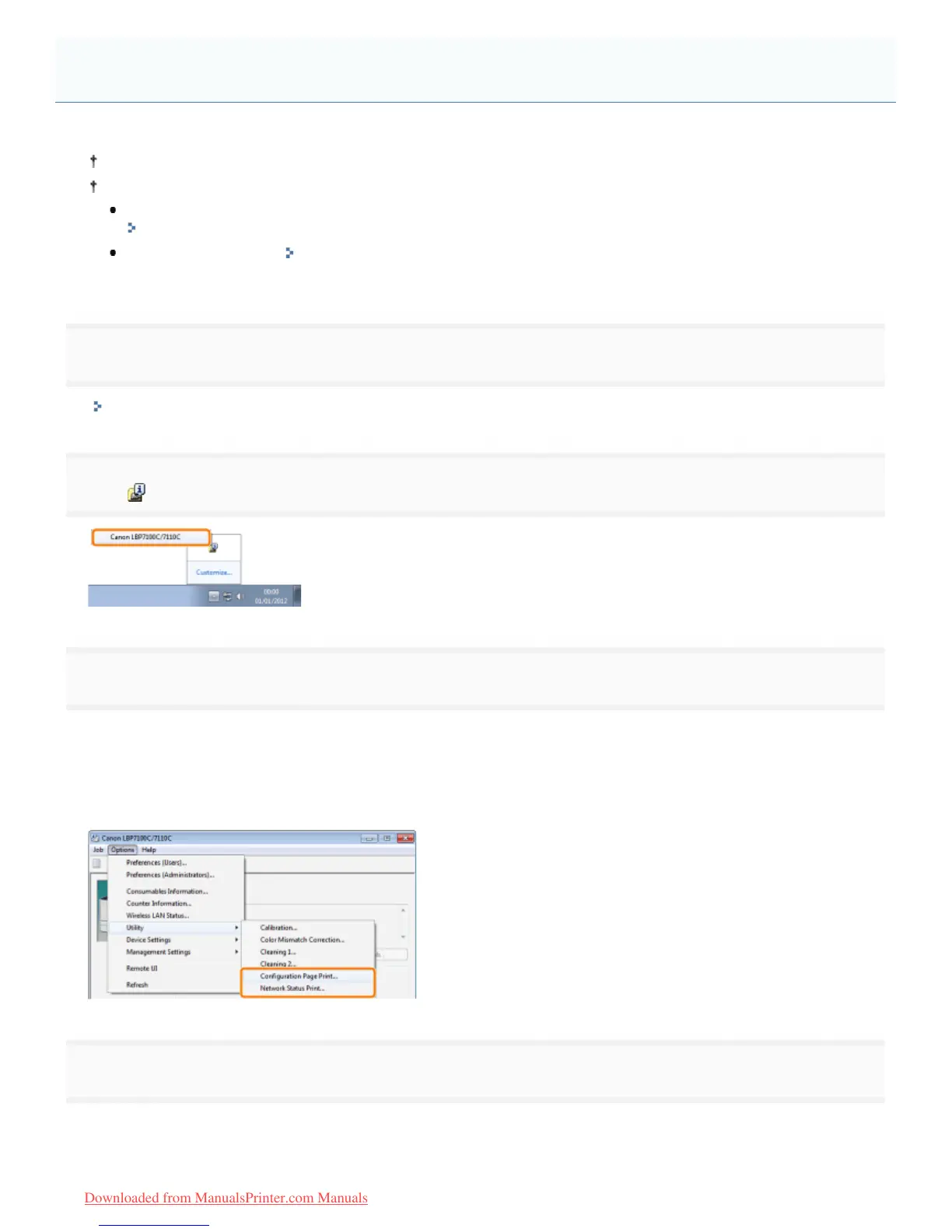
Click [ ] in the Windows task tray, and then select the printer name.
3
[Configuration Page Print]
Prints the settings of the printer unit and other current printer information.
[Network Status Print]
Prints the TCP/IP settings including the IP address and information including security settings.
4
Click [OK] to print Status Print.
Checking the Printer Settings
㻟㻞㻣㻌㻛㻌㻡㻝㻠
Downloaded from ManualsPrinter.com Manuals












 To Next Page