0F40-01F
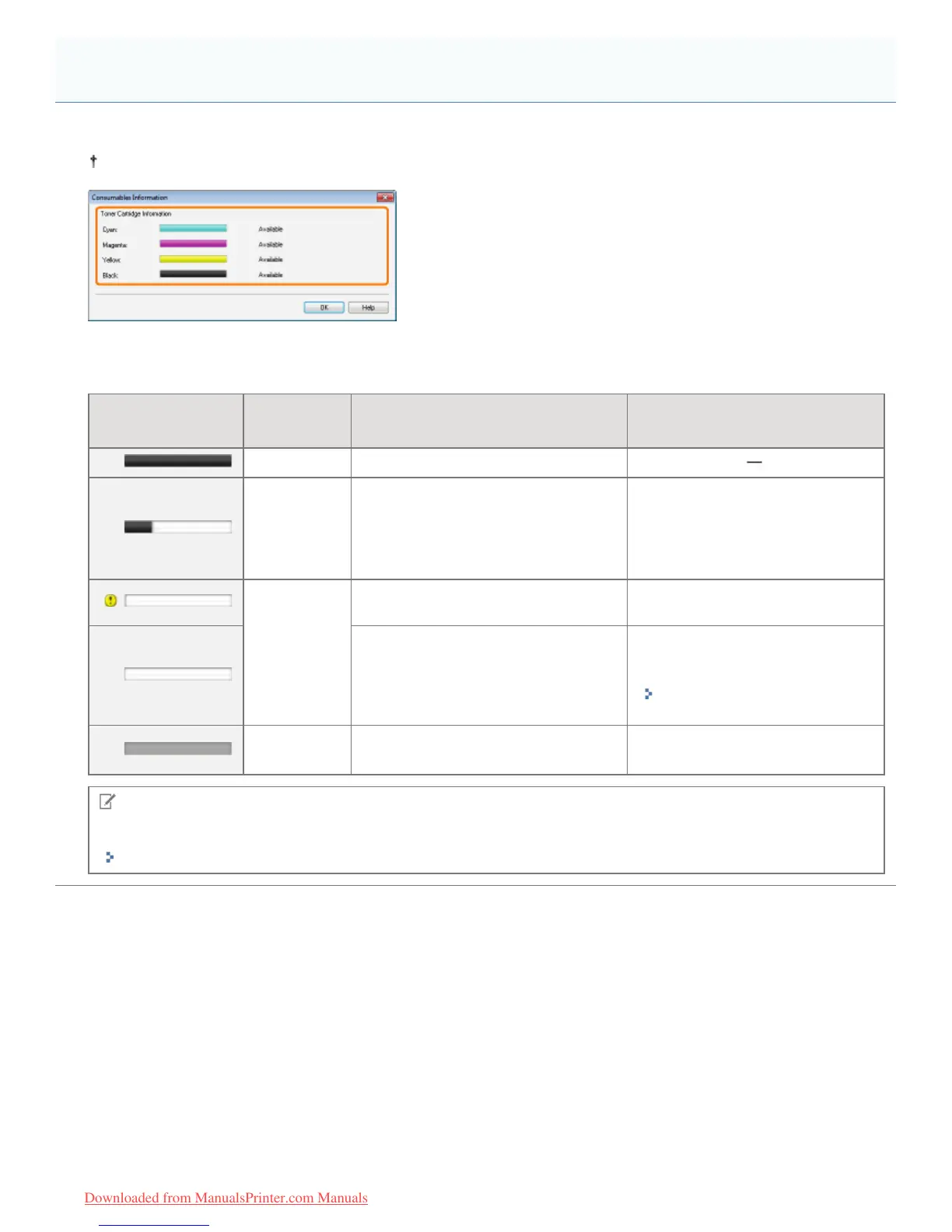
You can check the current consumables status in the [Consumables Information] dialog box in the Printer Status Window.
For details on the Printer Status Window, see "Printer Status Window."
[Toner Cartridge Information]
You can check the status of the toner cartridges of each color.
Status Bar
(Example:Black)
Message Status Solution
Available Continue using as normal.
Replacement
Needed
Soon
The toner cartridge is nearing the end
of its life.
Have ready replacement toner
cartridge.
We recommend that you replace
the toner cartridge before printing a
large amount of data.
Replace
Cartridge
The toner cartridge has reached the
end of its life.
Replace the toner cartridge.
Print quality cannot be guaranteed due
to the toner cartridge reaching the end
of its life and so on.
Solve the problem following the
message displayed in the Printer
Status Window.
"A Message Appears in the
Printer Status Window"
Insert
Cartridge
The toner cartridge is not installed.
Wrong color toner cartridge is installed.
Install the toner cartridge properly.
NOTE
Replacement procedure for the toner cartridges
"Toner Cartridge Replacement"
Checking the Consumables Status
㻢㻡㻌㻛㻌㻡㻝㻠
Downloaded from ManualsPrinter.com Manuals












 To Next Page