0F40-078
Specify various protocols (TLS, TTLS, or PEAP) for IEEE 802.1X authentication.
Before specifying the settings, see "Attention (IEEE 802.1X Authentication)."
Setting TLS Authentication Information
Setting TTLS/PEAP Authentication Information
Setting TLS Authentication Information
Specify authentication information for using TLS during IEEE 802.1X authentication.
IMPORTANT
To specify TLS authentication
You need to specify keys and their certificates or CA certificates to be used for authentication.
"Specifying Keys and Certificates/CA Certificates"
1
Start the Remote UI, and then log in as Management Mode.
"Starting the Remote UI"
2
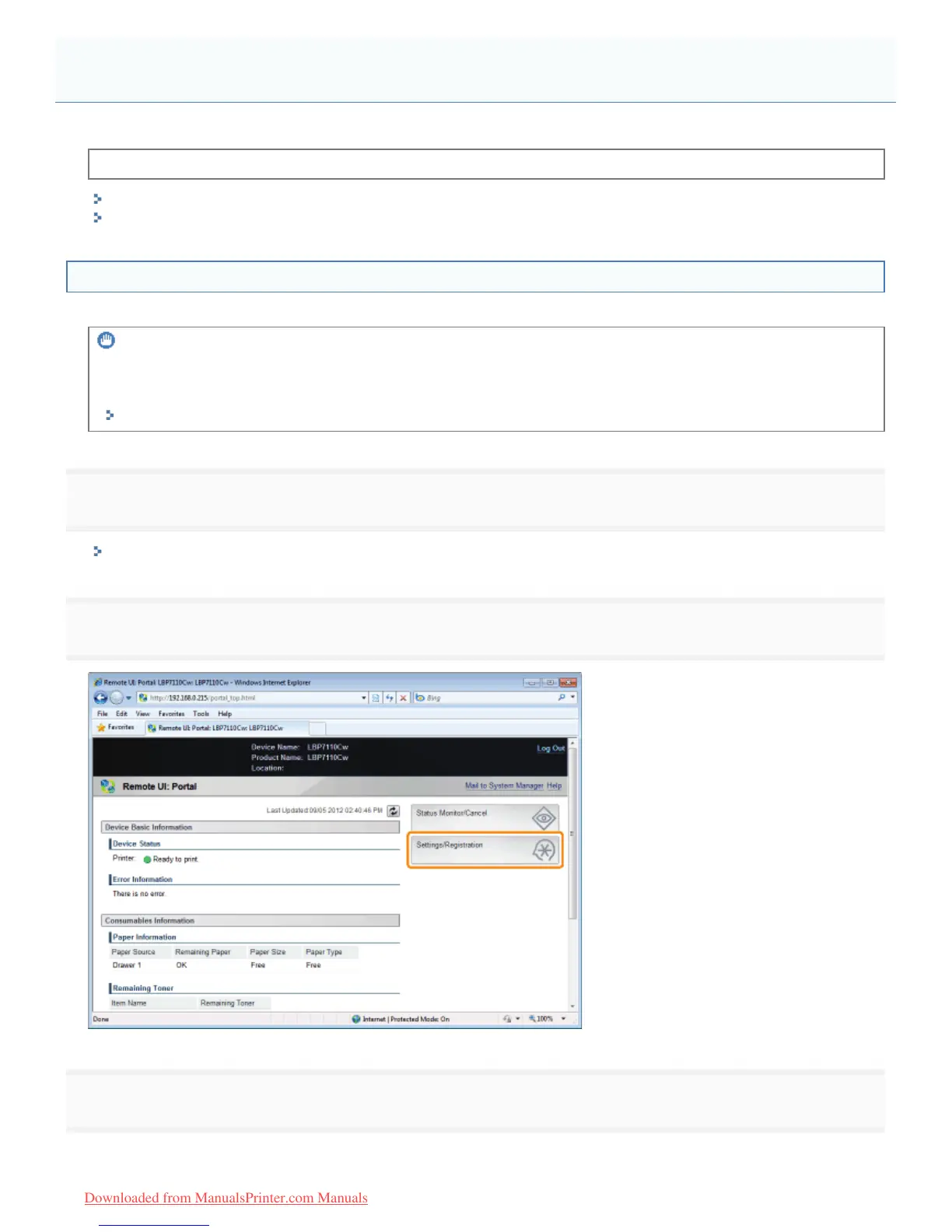
Click [Settings/Registration].
3
Display the [IEEE 802.1X Settings] page.
(1) Select [Network Settings].
Setting IEEE 802.1X Authentication
㻟㻥㻝㻌㻛㻌㻡㻝㻠
Downloaded from ManualsPrinter.com Manuals












 To Next Page