[Select Protocol]
[Off]
An IP address that uses RARP, BOOTP, or DHCP cannot be obtained automatically.
[DHCP]
Obtains an IP address using DHCP. (The DHCP server needs to be running.)
[BOOTP]
Obtains an IP address using BOOTP. (The BOOTP daemon needs to be running.)
[RARP]
Obtains an IP address using RARP. (The RARP daemon needs to be running.)
[Auto IP]
[Off]
An IP address that uses Auto IP cannot be obtained automatically.
[On]
The printer obtains the IP address automatically.
When setting the IP address manually
Allows you to directly set the IP address manually.
[Select Protocol]
Select [Off].
[Auto IP]
[IP Address] Enter the IP address of the printer.
[Subnet Mask] Enter the subnet mask that is used on the TCP/IP network.
[Gateway Address] Enter the gateway address that is being used on the TCP/IP network.
3
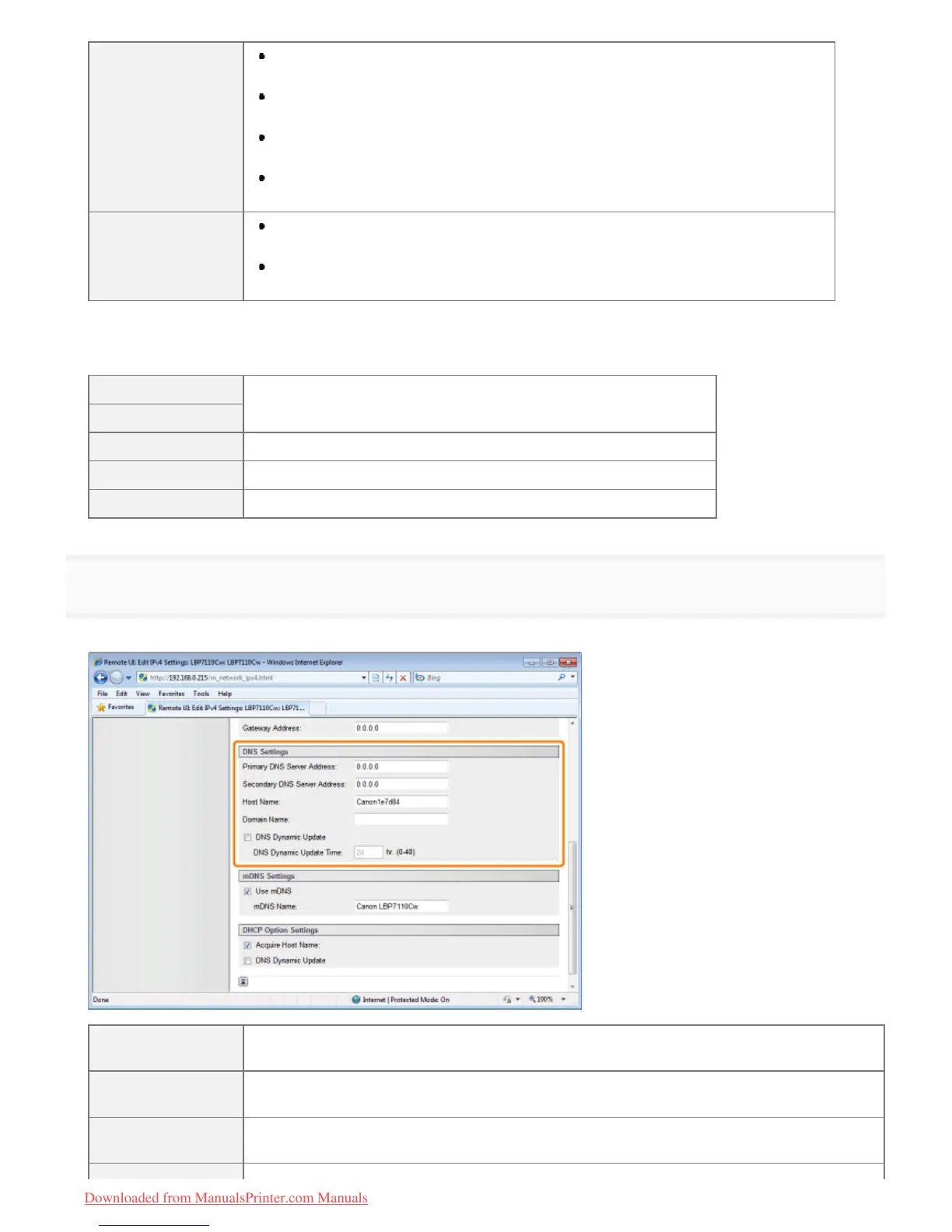
Specify the DNS.
Proceed to Step 4 when not using DNS.
[Primary DNS
Server Address]
Enter the IP address of the primary DNS server.
[Secondary DNS
Server Address]
Enter the IP address of the secondary DNS server.
[Host Name]
Enter the host name to be added to the DNS server. You can enter up to 47 single-byte
alphanumeric characters.
㻞㻠㻢㻌㻛㻌㻡㻝㻠
Downloaded from ManualsPrinter.com Manuals












 To Next Page