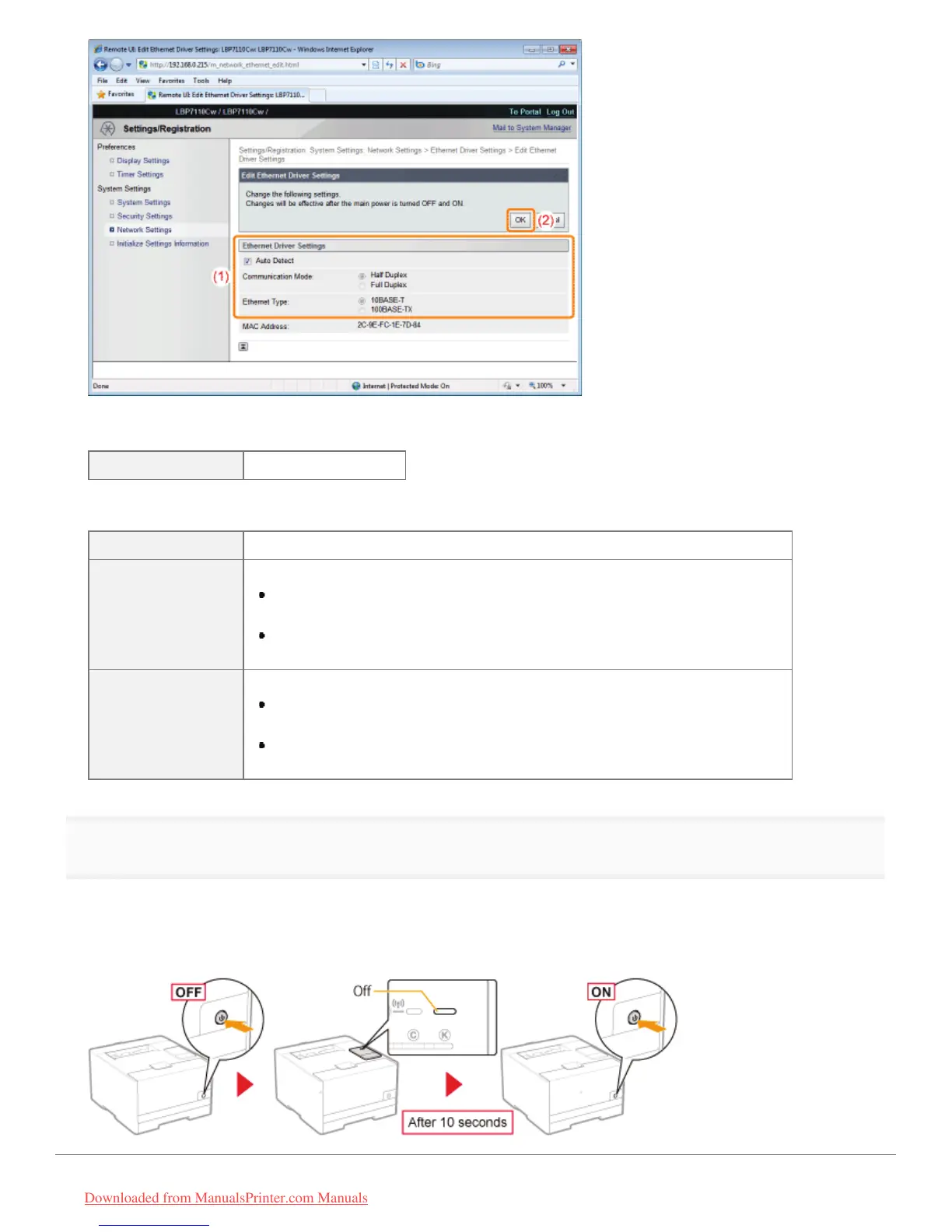
When the communication mode and transmission speed are obtained automatically
[Auto Detect] Select the check box.
When the communication mode and transmission speed are obtained manually
[Auto Detect] Clear the check box.
[Communication
Mode]
Select the communication mode that corresponds to your network environment.
[Half Duplex]
Sending and receiving are alternated and are not performed at the same time.
[Full Duplex]
Sending and receiving are performed at the same time.
[Ethernet Type]
Select the transmission speed that corresponds to your network environment.
[10BASE-T]
Set to 10BASE-T network connection.
[100BASE-TX]
Set to 100BASE-TX network connection.
6
Restart the printer.
Turn the printer OFF, make sure that the Main Power indicator is off, wait for 10 seconds or longer, and then turn it ON
again.
ĺ After the printer is restarted, the settings become effective.
㻞㻣㻞㻌㻛㻌㻡㻝㻠
Downloaded from ManualsPrinter.com Manuals












 To Next Page