4
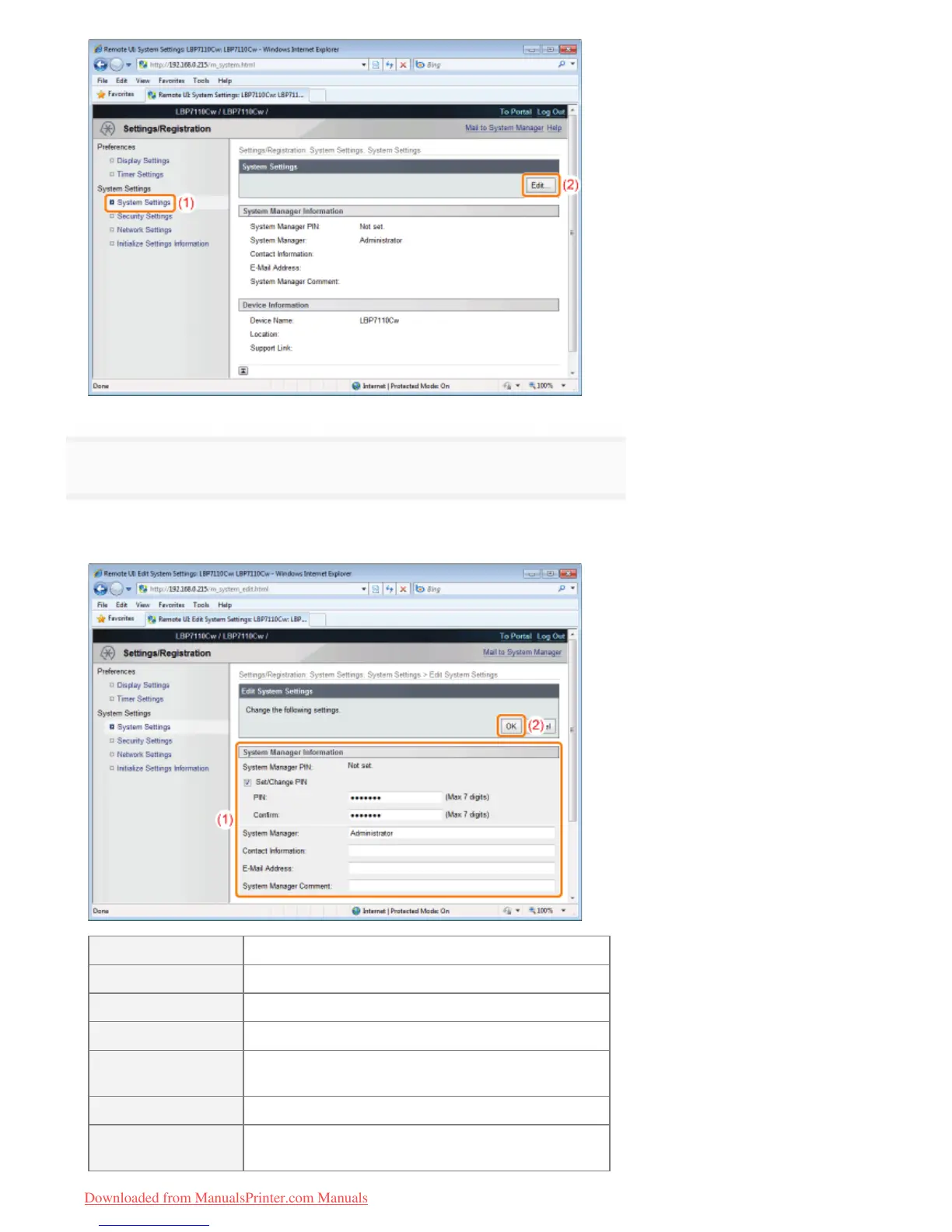
Specify the system manager information.
(1) Specify the manager password (PIN) and manager information of the printer.
(2) Click [OK].
[Set/Change PIN] To specify a PIN, select the check box.
[PIN] Enter a new desired PIN.
[Confirm] To confirm the PIN, enter the PIN again.
[System Manager] Enter the name of the system manager.
[Contact
Information]
Enter the contact information of the system manager.
[E-Mail Address] Enter the e-mail address of the system manager.
[System Manager
Comment]
Enter the comments of the system manager.
㻟㻟㻝㻌㻛㻌㻡㻝㻠
Downloaded from ManualsPrinter.com Manuals












 To Next Page