4
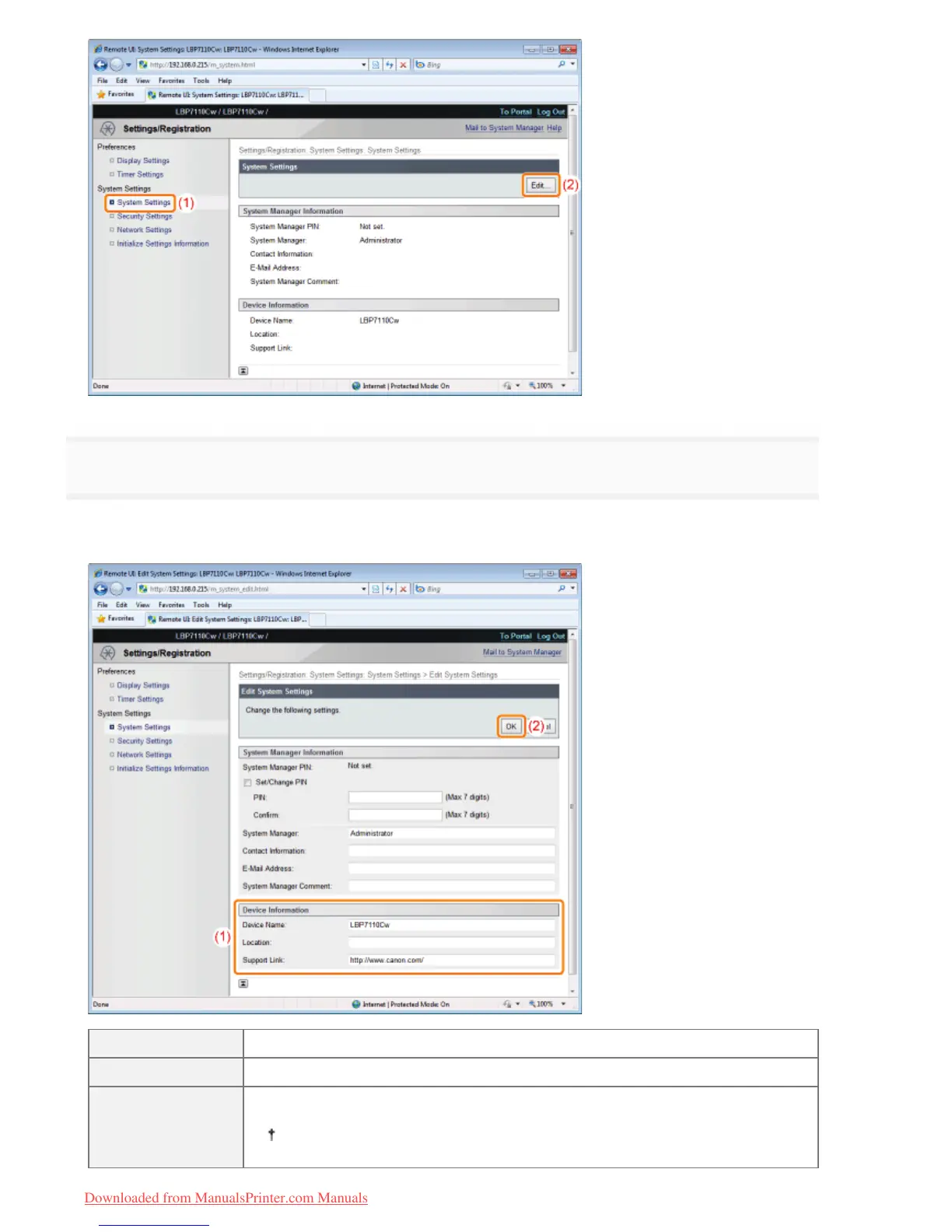
Specify the device information.
(1) Specify the printer name, installation location, and so on.
(2) Click [OK].
[Device Name] Enter the printer name.
[Location] Enter the installation location of the printer.
[Support Link]
Enter the URL of the link of the support link.
For details on the support link, see "Displaying or Changing the Support Link."
㻟㻟㻠㻌㻛㻌㻡㻝㻠
Downloaded from ManualsPrinter.com Manuals












 To Next Page