&OLFN>6\VWHPDQG6HFXULW\@RU>6\VWHPDQG0DLQWHQDQFH@ĺ>6\VWHP@
Double-click [System].
3
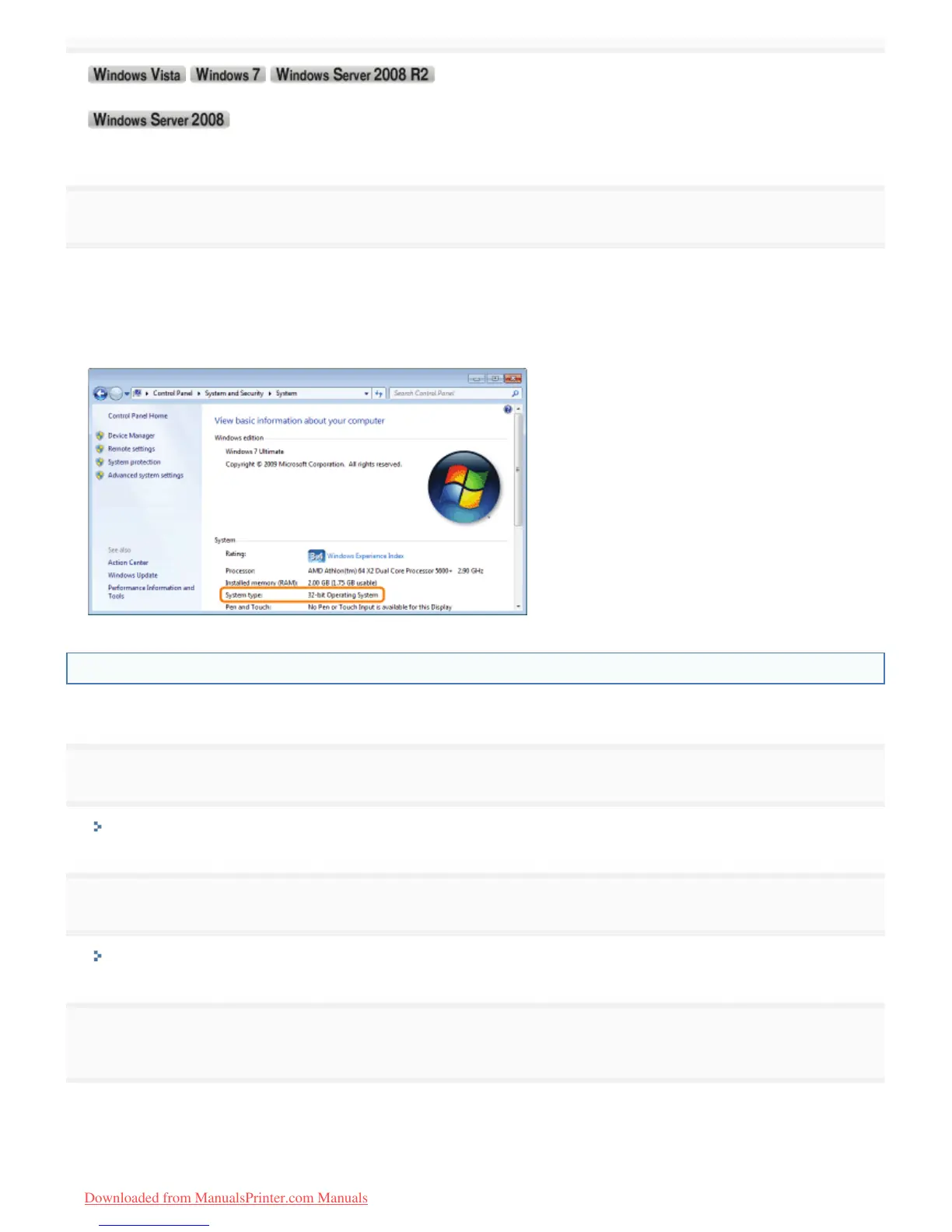
Check the processor version.
For a 32-bit operating system
[32-bit Operating System] is displayed.
For a 64-bit operating system
[64-bit Operating System] is displayed.
Printing a Test Page in Windows
You can check the operations of the printer driver by printing a test page in Windows.
1
Load A4 paper in the paper drawer.
"Loading Paper"
2
Open the printer folder.
"Displaying the Printer Folder"
3
Right-click the icon for this printer, and then select [Printer properties] or [Properties] from the pop-
up menu.
㻡㻜㻠㻌㻛㻌㻡㻝㻠
Downloaded from ManualsPrinter.com Manuals












 To Next Page