3
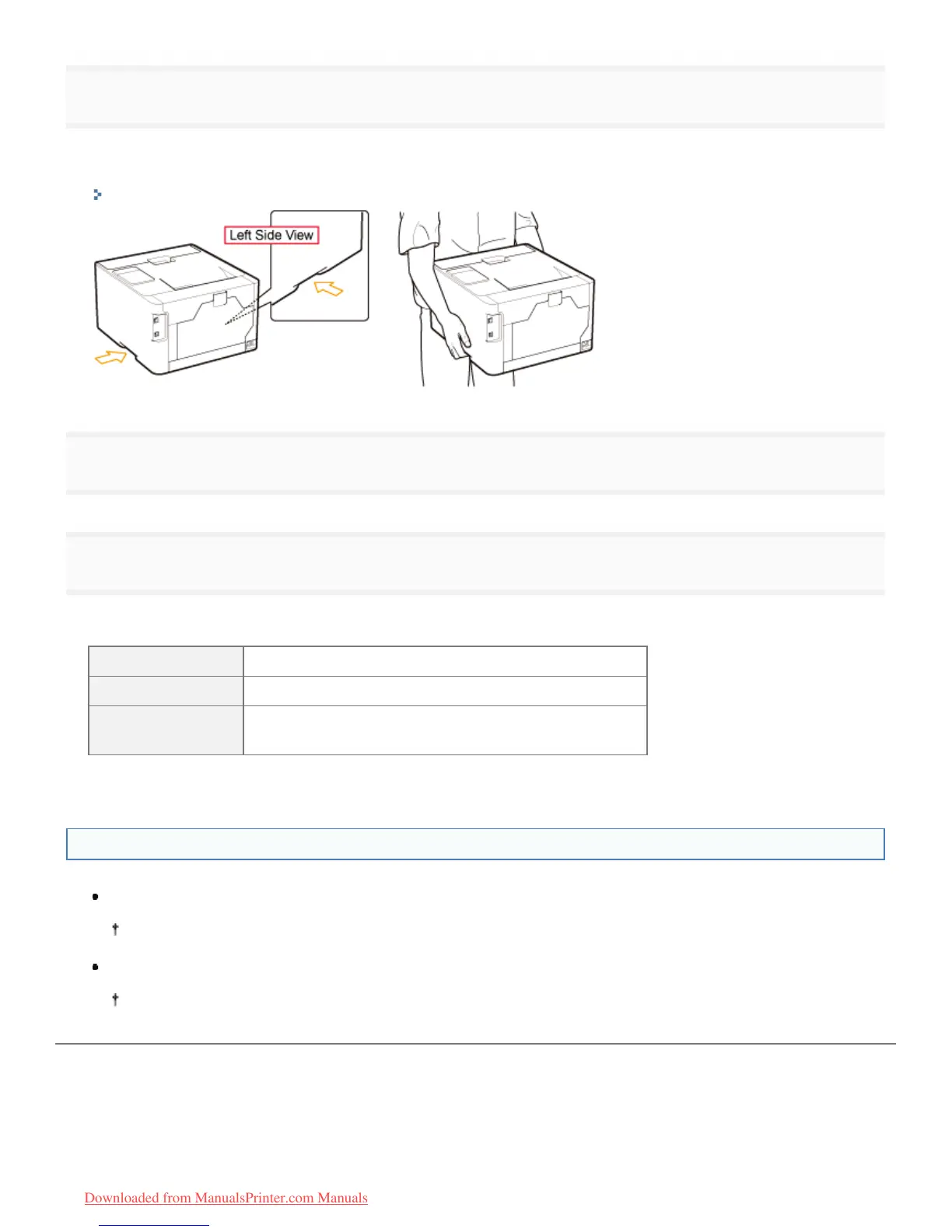
Carry the printer unit to the installation location.
Carry the printer by holding it by the lift handles from the front side.
Check the weight of the printer, and carry the printer carefully.
"Printer Specifications"
4
Set the paper drawer in the printer.
5
Connect the removed cable or cord.
<How to connect the cable or cord>
USB cable
*
Connect to the USB connector on the printer.
LAN cable
*
Connect to the LAN connector on the printer.
Power cord
(1) Plug the power cord to the power socket on the printer.
(2) Plug the power plug into the AC power outlet.
*
Whether the cable is connected or not varies depending on your environment.
When transporting the printer unit
To prevent damage to the printer during transport, perform the following.
Remove the toner cartridges.
See "Storing Toner Cartridges" also.
Securely pack the printer in the original box with packing materials in the box.
If the original box and packing materials in the box are not available, find an appropriate box along with packing
materials and pack the printer and the parts appropriately.
㻣㻣㻌㻛㻌㻡㻝㻠
Downloaded from ManualsPrinter.com Manuals












 To Next Page