9-ACCESSORIES
9.Pressthedisplaymodeselectorbuttontoconrmthe
selection.
10.SelecttheSPworkmode.
11.Setthegatelockleverinunlockposition.
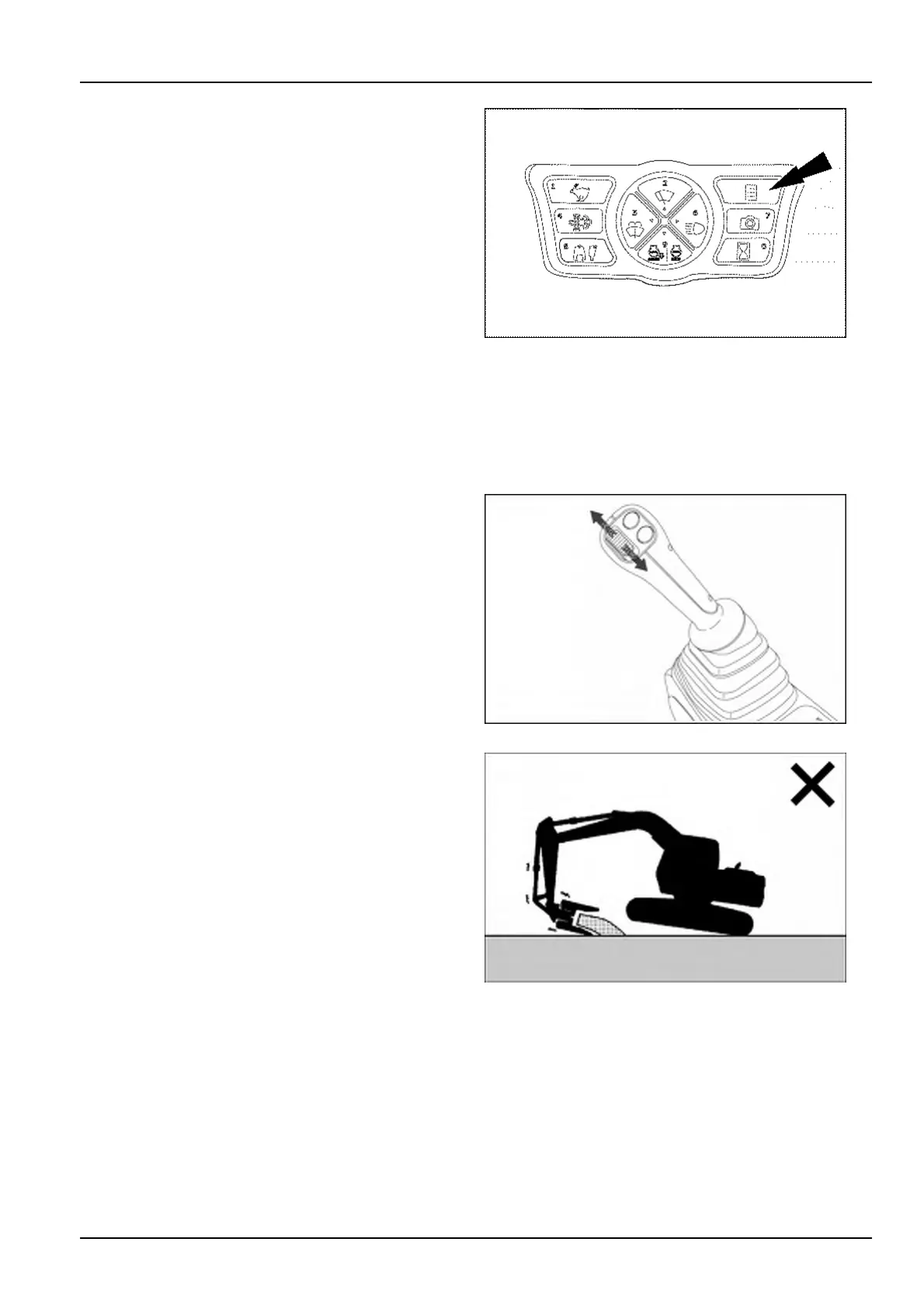
12.Makesurethatthecontrolpatternofthehydraulic
crusherisasintended.Slideupanddownthepropor-
tionalswitchlocatedontheright-handcontrollever,
andconrmthecontroldirectiontoopenthecrusher
andthecontroldirectiontoclosethecrusher.
NOTICE:ifcontroldirectionsforopeningandclosing
arenotasintended,checkforanalternativesetupof
theconnectingportsontheattachment.
NOTICE:Alwayskeepeachconnectinghoseonthe
samesideofthearm.Nevercross-overtheconnect-
inghosesbetweenthetwosidesofthearm.
13.Operatethecontrolsofboom,armandbucketinor-
dertopositionthecrusherrighttothestructureorto
theobjecttobecrushed.
SMIL15CEX1234AA32
14.Operatethehydrauliccrusheraccordingtothecon-
trolpatterndenedatthestep12.Thecrushingforce
increaseswiththeslidingoftheproportionalswitchin
theclosingdirection.Releasetheswitchtoholdthe
crusherjawsinposition.
SMIL15CEXY965AB33
Donotallowthemachineweighttobesupportedbyprying
withthecrusherandcylindersfullyextendedorretracted.
Doingsomaydamagethefrontattachment.Inparticular,
avoiddoingsowiththecrushercylinderfullyextendedas
thefrontattachmentwillbemoreeasilydamaged.
Donotusethecrushertohaulormovecrushedscraps.
NH0212A34
9-21













 To Next Page