CRS-300 1:10 Redundancy Switch MN/CRS300.IOM
Modem, RMI/TMI, and Switch Configuration Revision 19
5–7
See Chapter 5. FRONT PANEL OPERATION in the SLM-5650 or SLM-5650A Installation
and Operation Manual for detailed information about using the modem front panel
menus.
5.2.4.4 Configure Switch-to-CDM-Qx/QxL 1:N Redundancy
The Switch-to-CDM-Qx/QxL redundancy configuration uses an external EIA-485 multi-drop
communication cable.
You can configure the CDM-Qx/QxL in many different ways – i.e., one-to-four modulators, one-
to-four demodulators, a mix of one or more modems, etc. For a Switch application, you should
configure the CDM-Qx/QxL only as one modem consisting of one modulator card and one
demodulator card; the pair must be grouped to act as a single modem.
See the CDM-Qx/QxL Installation and Operation Manual for detailed configuration
information.
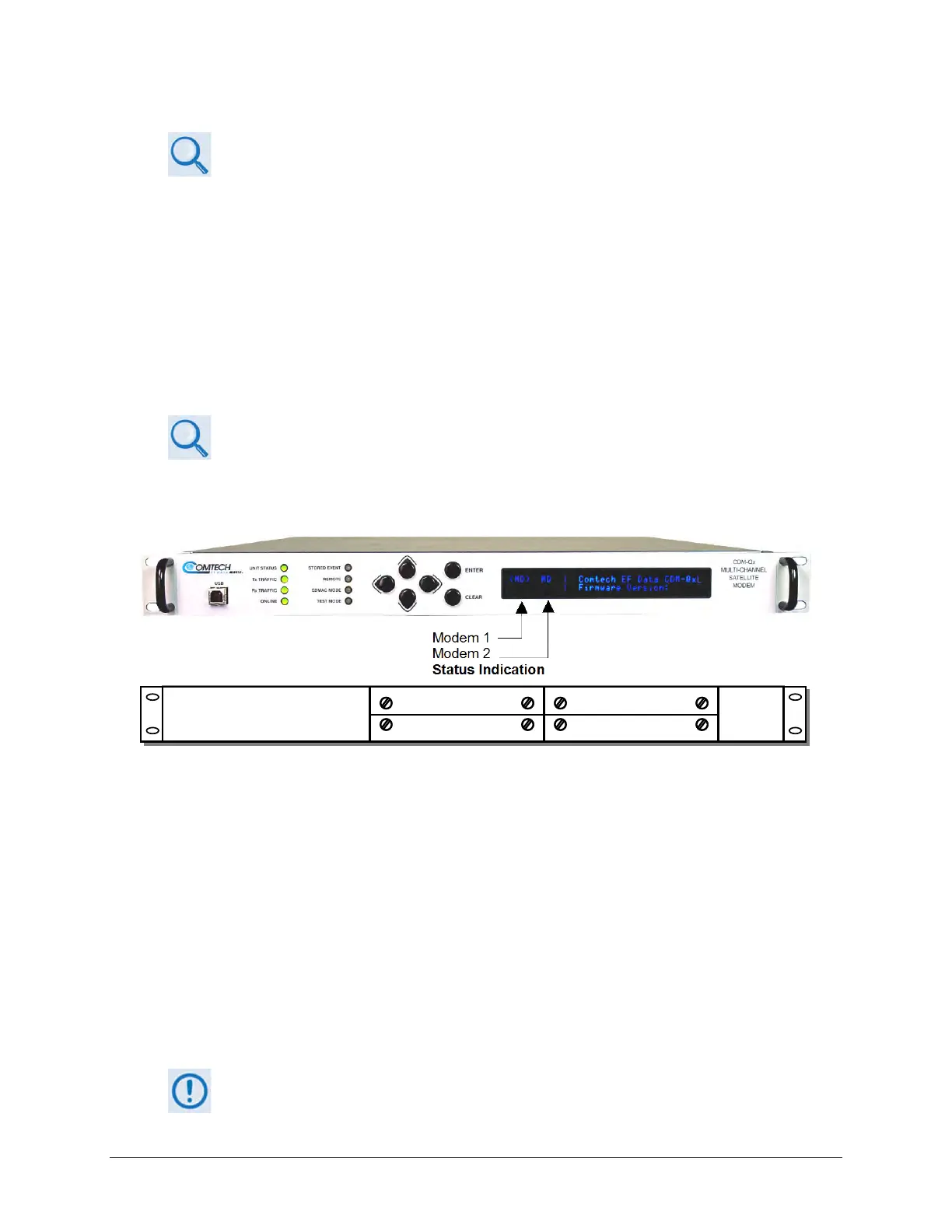
As shown in Figure 5-1, Modem 1 resides in Slots 1 and 2. Slots 3 and 4 comprise Modem 2. The
Switch can use either modem.
(TOP) Front Panel
(BOTTOM) Rear Panel Schematic
Figure 5-1. CDM-Qx/QxL Serial Communication Configuration Example
The CDM-Qx/QxL chassis has a configurable EIA-485 base address, applicable to Modem 1, and
an offset that is added to the base-address when addressing Modem 2 or greater. You must use
the CDM-Qx/QxL Front Panel menu to select the EIA-485 addresses (identified on the menus as
RS-485). Use the ◄ ► arrow keys to select CONFIG
REMOTE. Make sure to press ENTER to
save your changes.
The Switch address for each CDM-Qx/QxL Traffic Modem is based on which TMI it is attached to,
with addresses specified in increments of 100.
For example – for a Switch with address 0, the CDM-Qx/L on TMI 1 is assigned address 0100; the
TMI 2 address is 0200, and so forth, up to address 1000 for TMI 10.
It is important that you understand the addressing scheme before proceeding. The
RMI uses address 1100.



 To Next Page