CRS-300 1:10 Redundancy Switch MN/CRS300.IOM
Appendix A Revision 19
A–10
A.3.7 Hub-to-Remotes, Split-path Traffic using Routers (Point-to-
Multipoint)
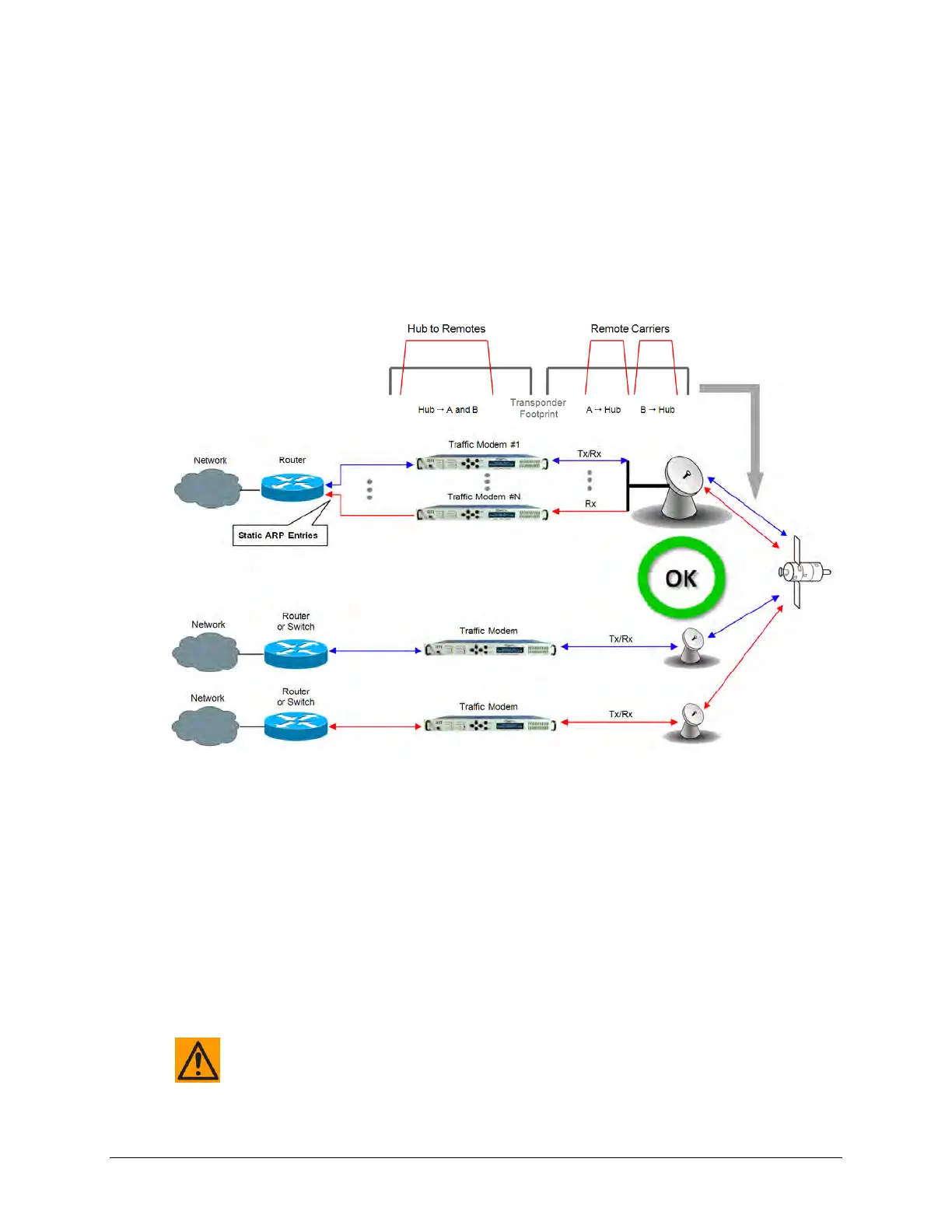
Figure A-10 shows hub-to-remotes configuration with standard and split-path Ethernet traffic,
using routers. A Static ARP Entry is needed in the switch so that routing of the Tx side of the
modems will be on the correct port of the router. For example, the Rx side of the Ethernet
connection for ‘Traffic Modem #N’ comes in the bottom port of the Router, but the Tx Ethernet
connection must be connected through the same port as ‘Traffic Modem #1’, as shown in this
figure.
Figure A-10. Point-to-Multipoint Using Routers
A wired-thru Ethernet redundancy example is shown in Figure A-11. When the CRS-300 1:10
Redundancy Switch backs up a faulted Traffic Modem, the physical port on the router does not
change, because the Ethernet connection is properly rerouted within the CRS-300 from the
Traffic Modem to the Redundant Modem.
A wired-around Ethernet redundancy example is shown for the CDM-700 User in Figure A-12.
When the CRS-300 1:10 Redundancy Switch backs up a faulted Traffic Modem, the physical port
on the router needs to change from the Traffic Modem port to the Redundant Modem port.
Because of this, special router configuration is required for successful operation – you may need
to consult with the router manufacturer.
CAUTION – The wired-around redundancy approach is not recommended.



 To Next Page