.
Page 160 15/09/2004 PS8149KENAA01
Ce document est la propriété de EADS et ne doit pas être reproduit ou communiqué sans autorisation.
This document is the property of EADS and may not be copied or circulated without authorisation.
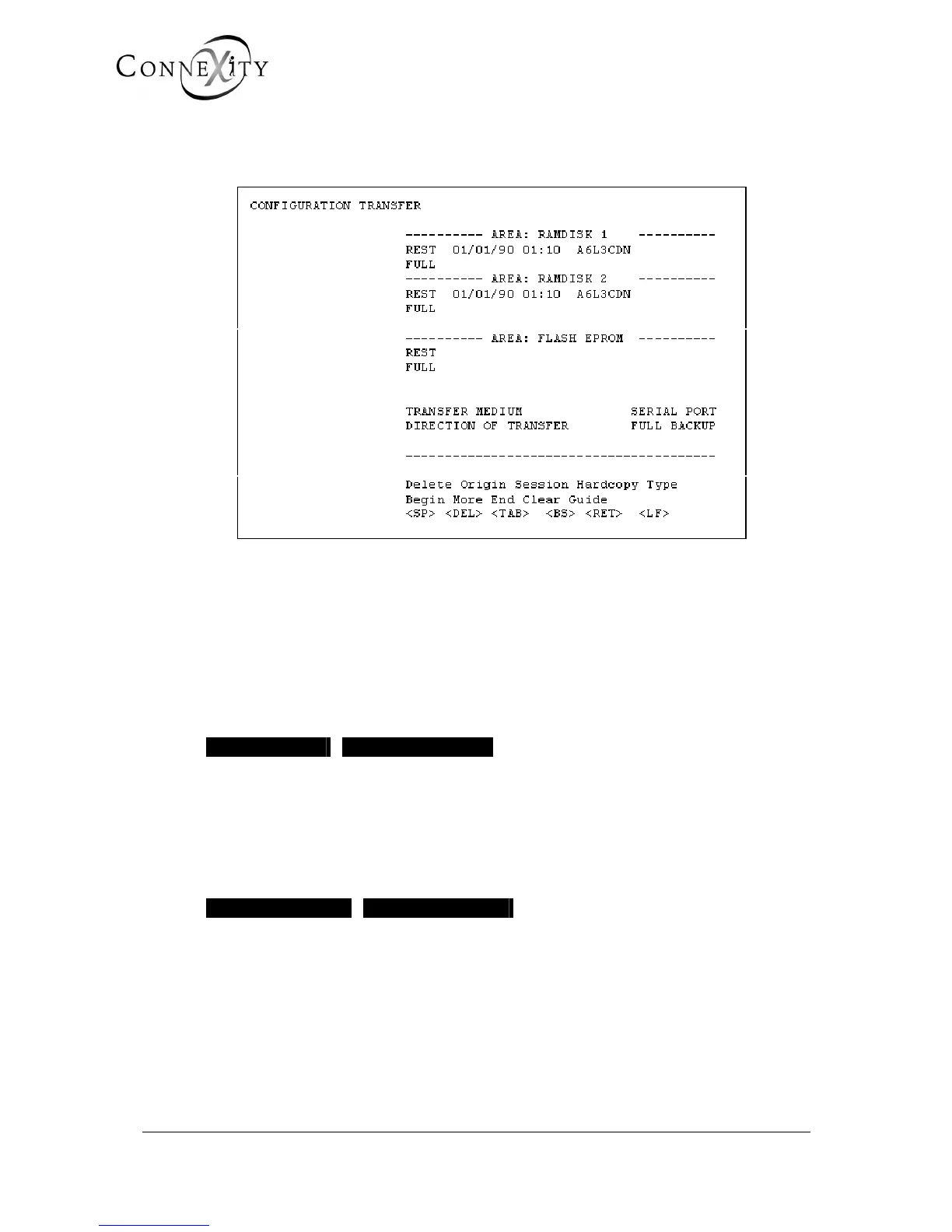
5.2 CONFIGURATION TRANSFER (MENU 5-2)
For the Call Manager (F5): this menu is not available.
Figure 139: Menu 5-2 (Configuration transfer)
RAM DISK1 and 2 areas contain the DATA (including directory data). These fields indicate
the date and time of the last locked RAM restore/backup operations.
The FLASH EPROM area indicates the date and time of the FLASH EPROM
restore/backup operations. This area contains the software application code.
TRANSFER MEDIUM
SERIAL PORT PARALLEL PORT
Select the transfer medium:
♦ serial port: via a CPU card connector
♦ parallel port: using an additional loading card
DIRECTION OF TRANSFER
FULL BACKUP RESTORE
Select the transfer direction: full backup or restore.



 To Next Page