EasyManua.ls Logo

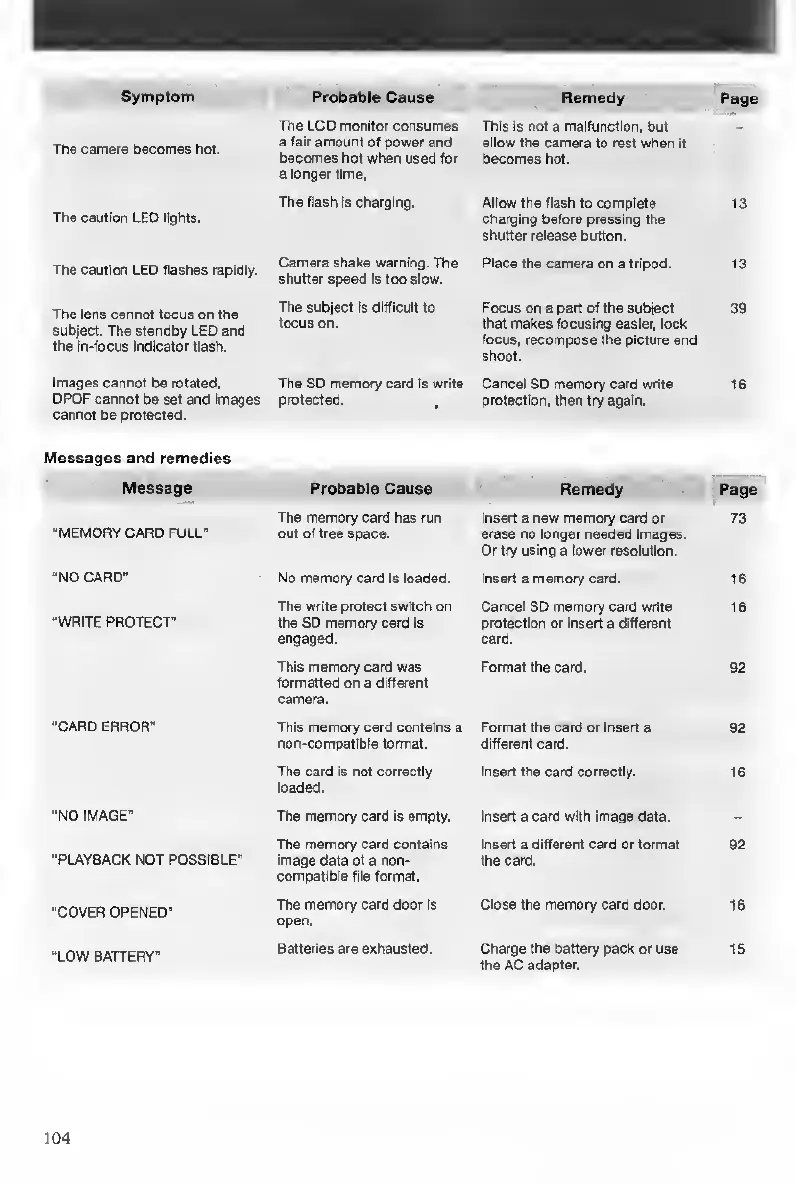
Contax TVS DIGITAL - Messages and Remedies

Contax TVS DIGITAL
109 pages
Print Icon
To Next Page IconTo Next Page
To Previous Page IconTo Previous Page
Loading...
Symptom
Probable
Cause
Remedy
Page
The
camera
becomes
hot.
The
LCD
monitor
consumes
a
fair
amount
of
power
and
becomes
hot
when
used
for
a
longer
time,
This
is
not
a
malfunction,
but
allow
the
camera
to
rest
wlten
it
becomes
hot.
The
cautiofl
LEO
lights.
The
flash
is
charging.
Allow
the
flash
to
complete
charging
before
pressing
the
shutter
release
button.
13
The
caution
LED
flashes
rapidly.
Camera
shake
warning.
The
shutter
speed
Is
too
slow.
Place
the
camera
on
a
tripod.
13
The
lens
cannot
focus
on
the
subject.
The
standby
L£0
and
the
in-focus
Indicator
flash.
The
subject
Is
difficult
to
focus
on.
Focus
on
a
part
of
the
subject
that
makes
focusing
easier,
lock
focus,
recompose
the
picture
and
shoot.
39
Images
cannot
be
rotated,
DPOF
cannot
be
set
and
Images
cannot
be
protected.
The
SO
memory
card
is
write
protected.
,
Cartcel
SD
memory
card
write
protection,
then
try
again.
16
Messages
and
remedies
Message
Probable
Cause
Remedy
Page
“MEMORY
CARD
FULL'
The
memory
card
has
run
out
of
free
space.
Insert
a
new
memory
card
or
erase
no
longer
needed
images.
Or
try
using
a
lower
resolution.
73
“NO
CARO"
No
memory
card
Is
loaded.
insert
a
memory
card.
16
•WRITE
PROTECT"
The
write
protect
switch
on
the
SD
memory
card
Is
engaged.
Cancel
SO
memory
card
write
protection
or
Insert
a
different
card.
16
This
memory
card
was
formatted
on
a
different
camera.
Format
the
card.
92
“CARD
ERROR'
This
memory
card
contains
a
non-compattble
format.
Format
the
card
or
Insert
a
different
card.
92
The
card
Is
not
correctly
loaded.
Insert
the
card
correctly.
16
“NO
IMAGE"
The
memory
card
Is
empty.
Insert
a
card
with
Image
data.
-
“PLAYBACK
NOT
POSSIBLE"
The
memory
card
contains
image
data
of
a
non-
compatlbte
file
format.
Insert
a
different
card
or
format
the
card.
92
“COVER
OPENED'
The
memory
card
door
is
open.
Close
the
memory
card
door.
16
"LOW
BATTERY"
Batteries
are
exhausted.
Charge
the
battery
pack
or
use
the
AC
adapter.
IS
104

Table of Contents

Other manuals for Contax TVS DIGITAL

Related product manuals