EasyManua.ls Logo

Contax TVS DIGITAL - Erasing Movies; Erasing Individual Images; Erasing All Images

Contax TVS DIGITAL
109 pages
Print Icon
To Next Page IconTo Next Page
To Previous Page IconTo Previous Page
Loading...
3.
Erasing
Movies
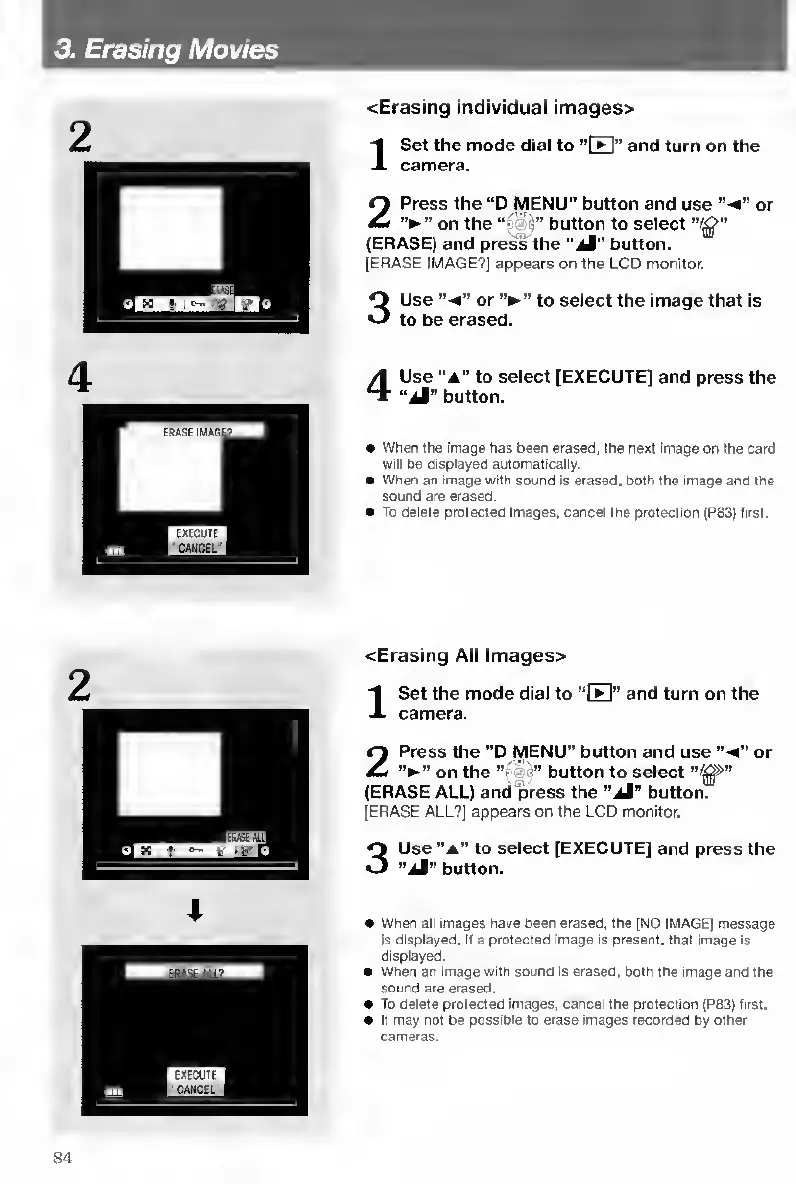
<Erasing
individual
images>
I
S
et
the
mode
dial
to
“ITI”
and
turn
on
the
camera.
2
P
ress
the
“D
MENU"
button
and
use
“-4”
or
on
the
“j
button
to
select
(ERASE)
and
press
the
button.
[ERASE
IMAGE?]
appears
on
the
LCD
monitor.
3
U
se
or
to
select
the
image
that
is
to
be
erased.
4
U
se
"a"
to
select
[EXECUTE]
and
press
the
“aI”
button.
When
the
image
has
been
erased,
the
next
image
on
the
card
will
be
displayed
automatically.
When
an
image
with
sound
is
erased,
both
the
image
and
the
sound
are
erased.
To
delete
protected
images,
cancel
the
protection
(P83)
first.
<Erasing
All
lmages>
I
S
et
the
mode
dial
to
“E"
and
turn
on
the
camera.
2
Press
the
"D
MENU”
button
and
use
“-4"
or
on
the
""
•"
button
to
select
(ERASE
ALL)
and
press
the
“aI"
button.
[ERASE
ALL?]
appears
on
the
LCD
monitor.
3
Use
“A"
to
select
[EXECUTE]
and
press
the
“aI”
button.
When
all
Images
have
been
erased,
the
[NO
IMAGE]
message
IS
displayed.
If
a
protected
image
is
present,
that
image
is
displayed.
When
an
image
with
sound
Is
erased,
both
the
image
and
the
sound
are
erased.
To
delete
protected
images,
cartcel
the
protection
(P63)
first.
It
may
not
be
possible
to
erase
images
recorded
by
other
cameras.
84

Table of Contents

Other manuals for Contax TVS DIGITAL

Related product manuals